S1846 Tsunami ATX
15
INSTALL
!
important!
• Light on the floppy is on constantly: a dead give-away that the cable is on
backwards. Reverse the cable at the motherboard end and try again.
Next are the Com and Printer ports.
Warning: When plugging in your keyboard and mouse, or when plugging
anything into a serial or Com port, make sure that the power is off. Connecting
these devices and ports while the power is on is called “hot plugging,” and
may damage your system.
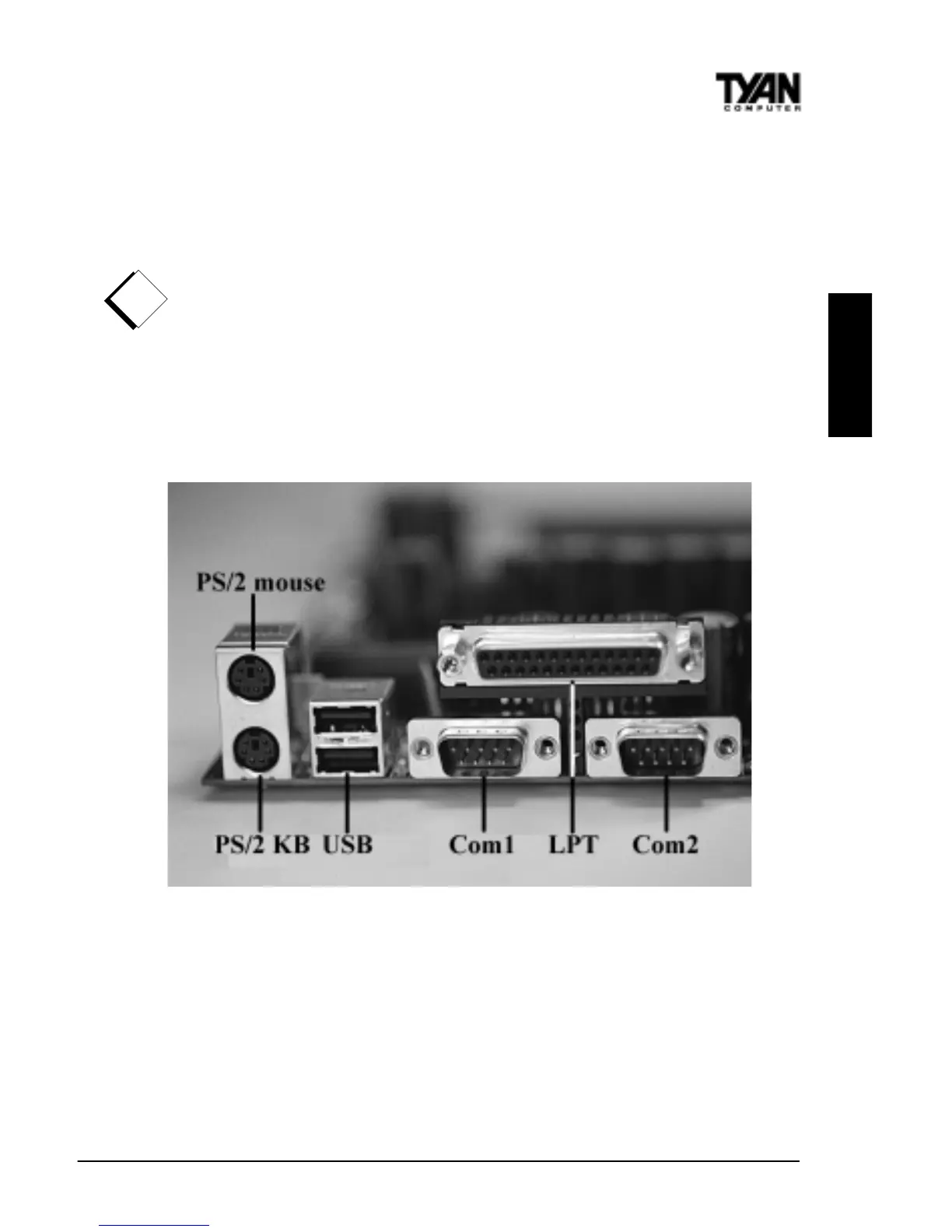
Figure 6 at the top of the next page shows the ATX double row connectors on
this board. The Com and Printer ports, as well as the other ports, are labeled.
Figure 6
Note: Only TYAN cables will work on this motherboard. If you are using an
existing case with old cables, your system may not function properly. Use
only TYAN-approved cables.
Connecting the USB and PS/2 ports.
This board includes ports for USB, PS/2 mouse, and PS/2 keyboard devices.
The location of these ports is shown in Figure 6 above. Note that, for this



 To Next Page