34
http://www.tyan.com
2.1 Installing Motherboard Components
This section describes how to install components on to the mainboard, including
CPUs, memory modules and add on cards.
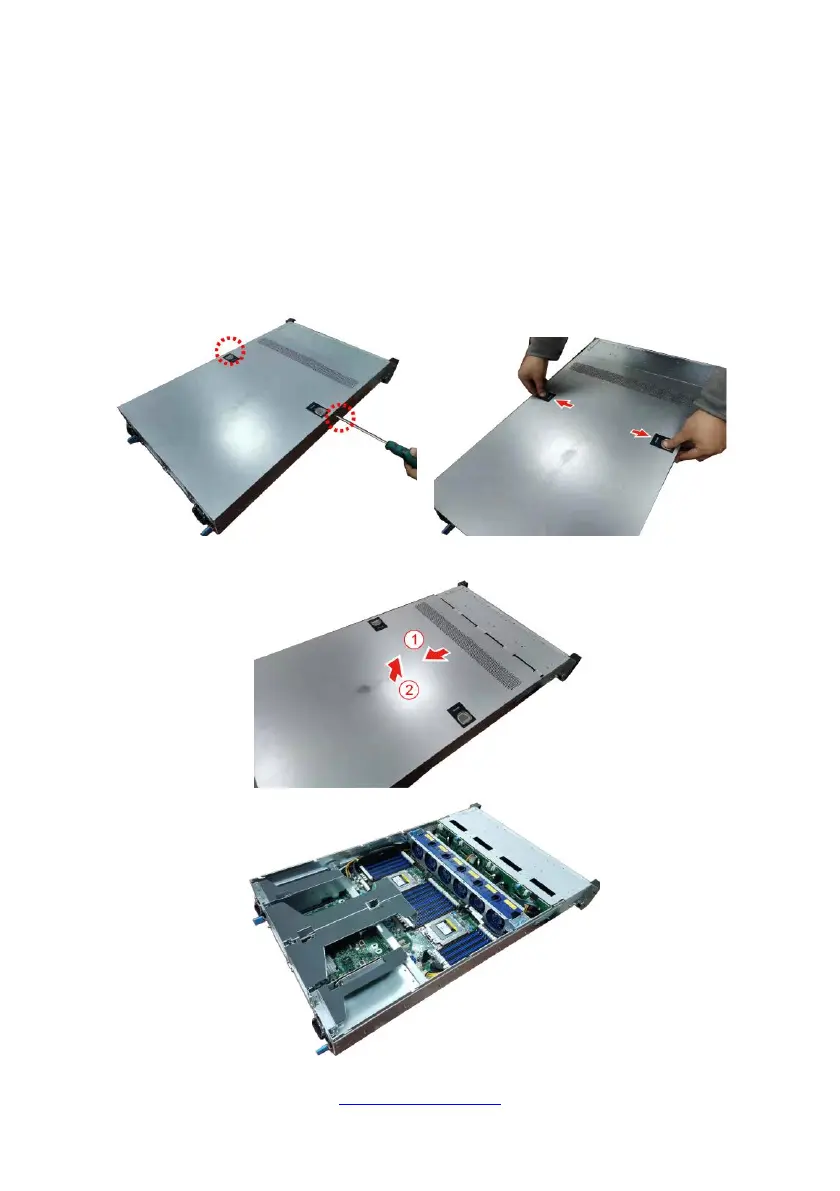
2.1.1 Removing the Chassis Cover
Follow these instructions to remove TS75-B8252 chassis cover.
1. Remove the two screws securing the top cover to the chassis. Press firmly the
locking latches.
2. Slide to lift the rear top cover up.



 To Next Page