78
http://www.tyan.com
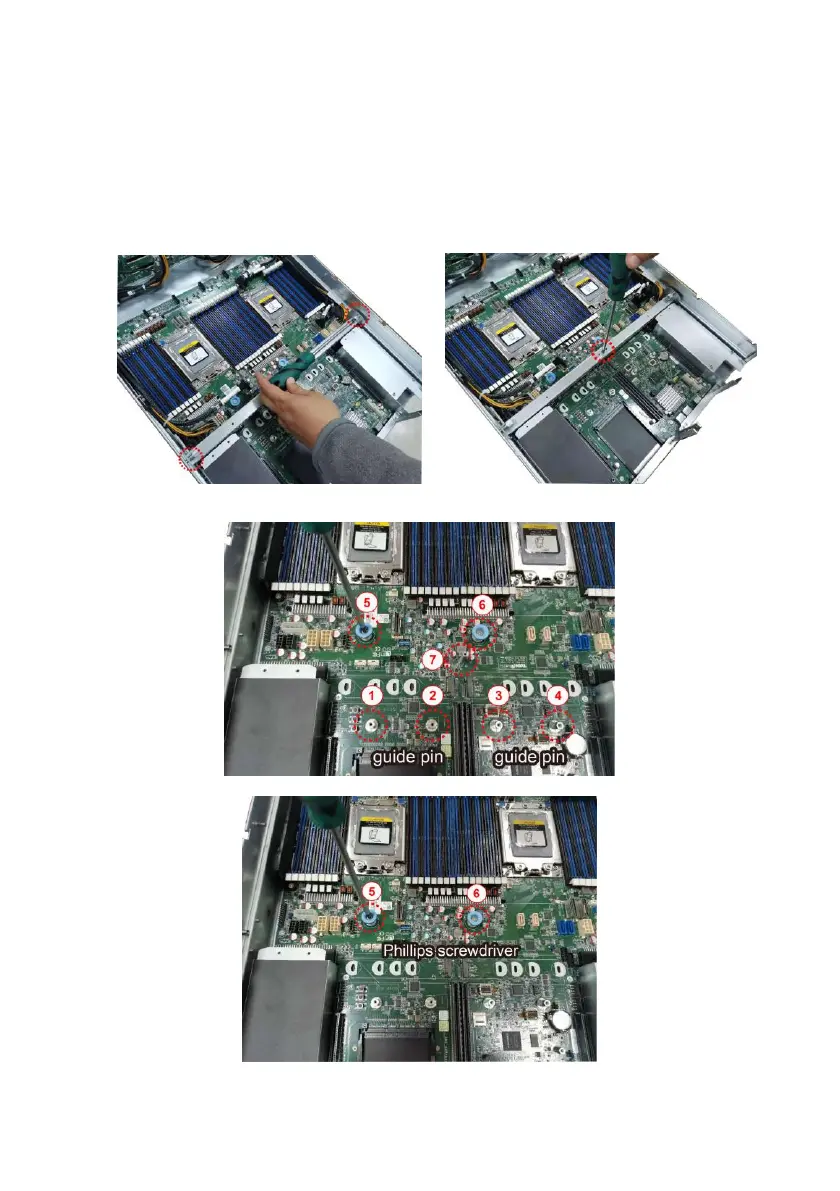
3.10.1 Removing the Motherboard
After removing all of the aforementioned cables, follow the instructions below to
remove the motherboard from the chassis.
1. Remove the air duct, processor and heatsink if installed.
2. Remove three screws securing the bar from the chassis.
3. Use a hex screwdriver and Phillips screwdriver to loosen screws.



 To Next Page