73
http://www.tyan.com
3.8 Replacing the HDD Backplane Board
NOTE: Before detach the HDD backplane, please remove all the HDD
trays with HDDs, otherwise the HDD backplane will be damage when
strains at the disassembly.
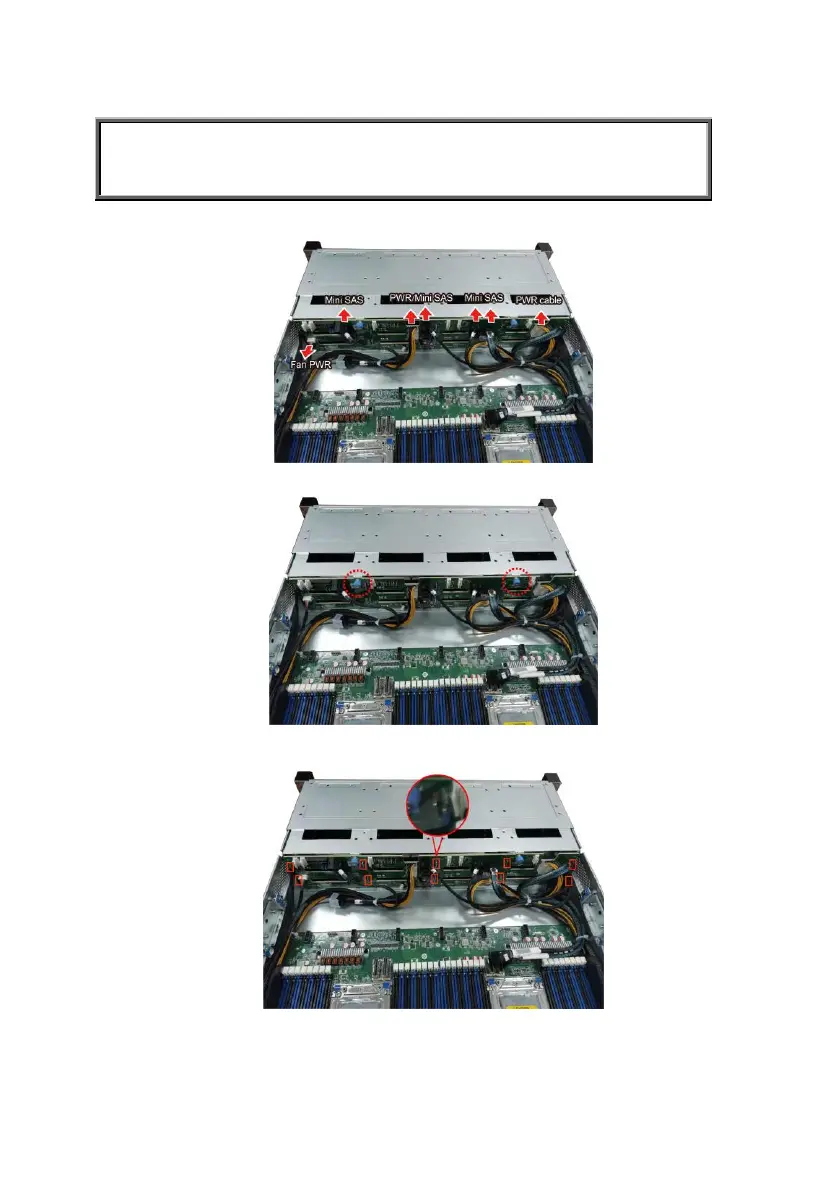
1. Disconnect all cables connected to the M1297T65-BP12E-12 HDD Backplane.
1. Unscrew the HDD BP Board.
2. Release the HDD Backplane from the hook.
3. Follow the procedures described earlier to reinstall the HDD backplane board
bracket into the chassis.



 To Next Page