84
http://www.tyan.com
4.2 Installing the Nvidia
®
RTX6000 GPU card
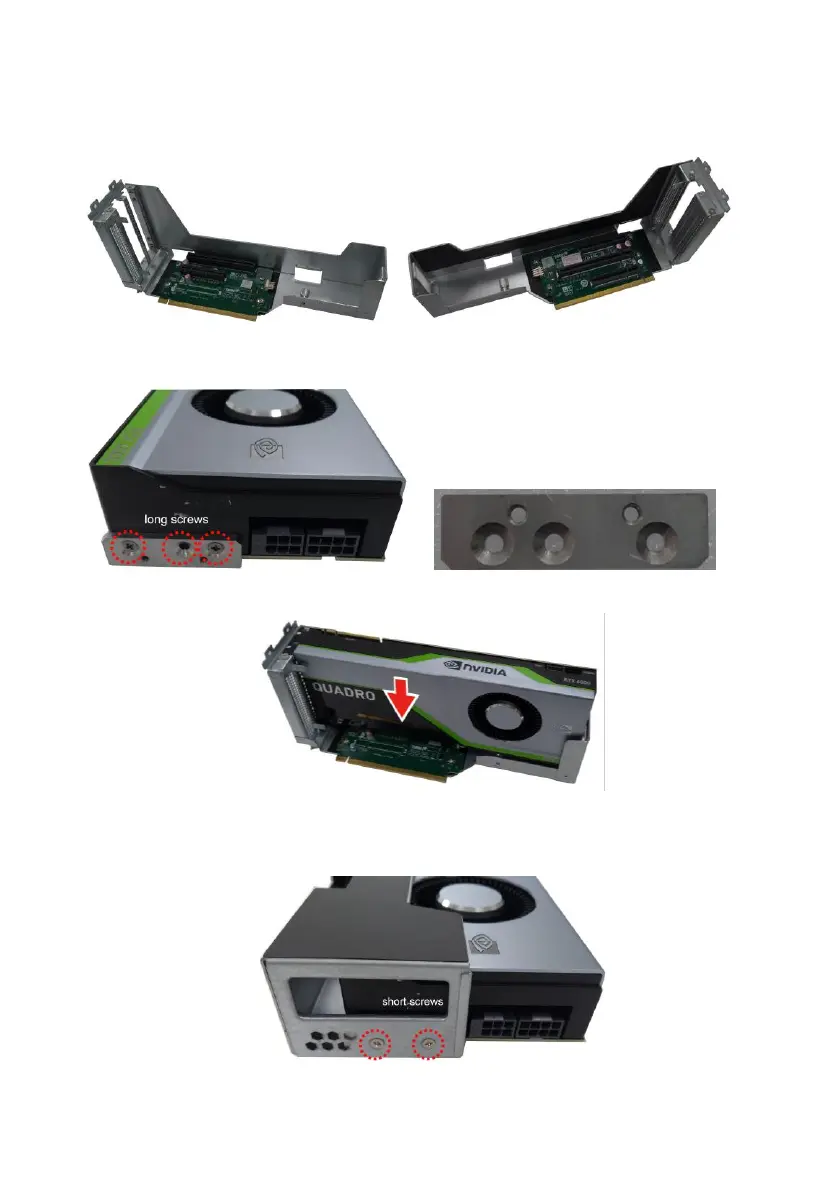
1. Unscrew to take out the 2 dummy bracket.
2. Align and install the GPU card holder plate to the GPU card. Then secure
it with the two or three long screws.
3. Install the NVIDIA
®
RTX6000 GPU card to the GPU bracket.
4. Install the GPU card to the GPU bracket, and then secure the GPU
card to the bracket with the four screws (2 screws for the front side of
the bracket and 2 short screws for the rear side of the bracket).



 To Next Page