EasyManua.ls Logo

Tyco VIGILANT MX 850EMT - User Manual

Tyco VIGILANT MX 850EMT
26 pages
Print Icon
To Next Page IconTo Next Page
Loading...
MX
850 Engineering
Management Tool
Australia/New Zealand
User Manual
LT0586
Doc. version 1.0
6 May 2015
Question and Answer IconNeed help?

Do you have a question about the Tyco VIGILANT MX 850EMT and is the answer not in the manual?

Summary

Guide to this manual

Keywords and Symbols

Explains document notation symbols and their meanings for warnings and information.

Who is this Manual for?

Identifies the target audience for the user manual, including engineers in Australia and New Zealand.

What Products are Covered by this Manual?

Specifies the product range and features of the 850EMT covered in this manual for specific regions.

Introduction

Key Functions and Features

Details the primary capabilities and characteristics of the 850EMT, including its communication modes and display.

Benefits of Using 850 EMT

Outlines the advantages of using the 850EMT, such as simplifying installation and improving safety.

Operating Instructions

Indicators and Controls

Identifies and explains the physical controls, buttons, and display elements of the 850EMT.

Batteries

Provides instructions on how to fit, replace, and charge the 850EMT's batteries, including important cautions.

Starting the 850 EMT

Logging On

Guides users through the process of logging into the 850EMT using a PIN code and the PIN entry screen.

Main Menu Screen

Describes the main menu interface, available options, and the functions of buttons and icons used for navigation.

Connecting to an MX Device

Explains the different modes (IR High, IR Low, Tool Base, AUX Cable, Auto) for connecting to MX devices.

Connecting to a Detector

Details the procedure for physically connecting detectors to the 850EMT using the tool base.

Connecting to an Ancillary Device

Describes how to connect ancillary devices to the 850EMT using the auxiliary cable and its socket.

Using IR Mode

Explains how to establish and maintain infrared communication with compatible MX devices.

Menu Details

Main Menu Options

Lists and briefly describes the five main options available from the 850EMT's main menu screen.

Device Status

Explains how to view the status and configured settings of a connected device, including address, type, and dirtiness.

Change Address

Details the function for changing the address of an MX device using the 850EMT and the interface for entering the new address.

Session Program

Covers programming multiple devices with consecutive addresses, including manual and auto programming methods.

Test Functions

Outlines various test functions available for MX devices, such as testing digital outputs, outputs, self-test, and changing tones.

850 EMT Settings

Describes how to access and configure various settings for the 850EMT itself, including time, tones, and LCD brightness.

Ordering Information

Provides part numbers for the 850EMT service tool kit and spare accessories, along with technical specifications.

Appendix

Additional Information

Contains supplementary details on compatibility with USB devices and known issues related to the 850EMT's operation.

Updating the Firmware

Explains the process for downloading and installing new firmware versions onto the 850EMT using a USB memory stick.

Overview

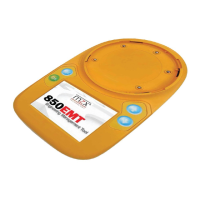
The device described in the manual is the MX 850 Engineering Management Tool (850EMT), designed for use in Australia and New Zealand. It is a powerful and flexible tool for the installation, commissioning, diagnostics, and servicing of Tyco MX detection systems. The 850EMT allows all MX addressable devices to be interrogated, tested, and programmed through an easy-to-navigate, intuitive interface.

Function Description

The 850EMT serves as a comprehensive service tool for MX fire detection systems. Its primary functions include:

  • Two-way communication: Achieved via infrared (IR) to 850 Series detectors and modules, or through physical connections (tool base or ancillary lead).
  • Device interrogation: Reads device status, model number, SKU, temperature, CO levels, smoke obscuration, and node voltage.
  • Device programming: Allows changing device addresses, settings, and performing session programming for multiple devices in succession.
  • Testing: Provides various test functions for digital outputs, control outputs, remote LEDs, short-circuit isolators, and self-tests for supported sensors.
  • Monitoring: Monitors ancillary outputs.
  • Firmware updates: Supports updating the device firmware via a USB memory stick.

Important Technical Specifications

  • Dimensions: 50 x 210 x 125 mm
  • Weight: 600 g (including batteries)
  • Battery: 6x AA NiMH rechargeable batteries
  • Mains Power: 240VAC to 12Vdc Adaptor
  • Ambient Temperature: 0°C to +50°C
  • Relative Humidity: 10% to 95% (non-condensing)
  • Display: 3.5-inch QVGA TFT backlit colour LCD (320 x 240 pixels, 262k colours)
  • USB Compatibility: Supports USB 2.0 (compatible with Freecom Traveller, Kingston Data Traveller, Lexar FireFly memory sticks).
  • IR Link Compatibility: Compatible with 850, 4098-625X series detectors, and Quad 850 ancillaries (requires MX1 panel with V1.5 firmware or later for IR functionality).

Usage Features

The 850EMT is designed for portability and ease of use:

  • Portability: Can be used as a desktop unit, clipped to a trouser belt, or carried with a shoulder strap.
  • User Interface: Features a touch screen with a backlit colour LCD display and an in-built stylus for menu selection. It also includes physical buttons for "Escape," "OK," "Up Arrow," and "Down Arrow."
  • Connectivity Modes:
    • IR High: Communicates with detectors 1m to 15m away via infrared.
    • IR Low: Communicates with detectors 0m to 5m away via infrared.
    • Tool Base: For direct connection of detectors by rotating them into a lock position on the tool base.
    • AUX Cable: For connecting to ancillary devices via a 3-pin auxiliary cable.
    • Auto Mode: Automatically detects the appropriate communication mode (AUX, Tool Base, or IR Low) based on connected devices.
  • Logging On: Requires a 4-digit PIN (default 7240) for access.
  • Session Programming: Allows programming multiple devices consecutively, checking for unused addresses.
  • Test Functions:
    • Test Digital Outputs: Controls digital output signals of the MX integrated circuit (primarily for AZM800 modules in New Zealand).
    • Test Outputs: Tests Remote LED and L2 (functional base) outputs of detectors.
    • Short-Circuit Isolator (SCI): Activates and tests the isolator function of 850 Series detectors or MX Quad modules to isolate sections of the loop.
    • Blink-on-Poll: Changes the setting for whether an MX device blinks its LED when polled.
    • Self Test: Performs a self-test of supported sensors in a detector, displaying photo, heat, and CO values.
    • Change Tones: Adjusts tones and beacon settings for MX Symphoni sounders and AVBase devices, including flash rate, volume, and tone type (e.g., Temporal 3 for Australia).
  • Settings: Allows adjustment of LCD brightness and setting audible indications for touch screen operation and successful IR communications.

Maintenance Features

  • Battery Management: Powered by 6 AA NiMH rechargeable batteries. The manual provides instructions for fitting/replacing batteries and emphasizes using only Tyco-specified rechargeable batteries.
  • Charging: Includes a built-in charging circuit with external adaptors for mains and 12V car charging/operation. The device automatically turns on when connected to a charger while off and turns off when the adaptor is disconnected.
  • Battery Status Indicator: The LCD displays an icon indicating battery charge status (empty, charging, 50%, 75%, fully charged, charging error, nearly empty).
  • Firmware Updates: New firmware versions can be uploaded by placing the .GZ file on a USB memory stick, inserting it into the tool, and cycling power. This process does not reset the PIN or saved settings.
  • Dirtiness Monitoring: Displays the percentage of dirt or dust inside the sensor. If dirtiness is 80% or above, the device's performance may degrade, and replacement is recommended.
  • Known Issues: The manual notes that there is no auto-power off or standby function, and for 850 detectors, the SCI and Test outputs are triggered by the same command.

Tyco VIGILANT MX 850EMT Specifications

General IconGeneral
BrandTyco
ModelVIGILANT MX 850EMT
CategoryMeasuring Instruments
LanguageEnglish

Related product manuals