13
SELECTING A FLIGHT MODE
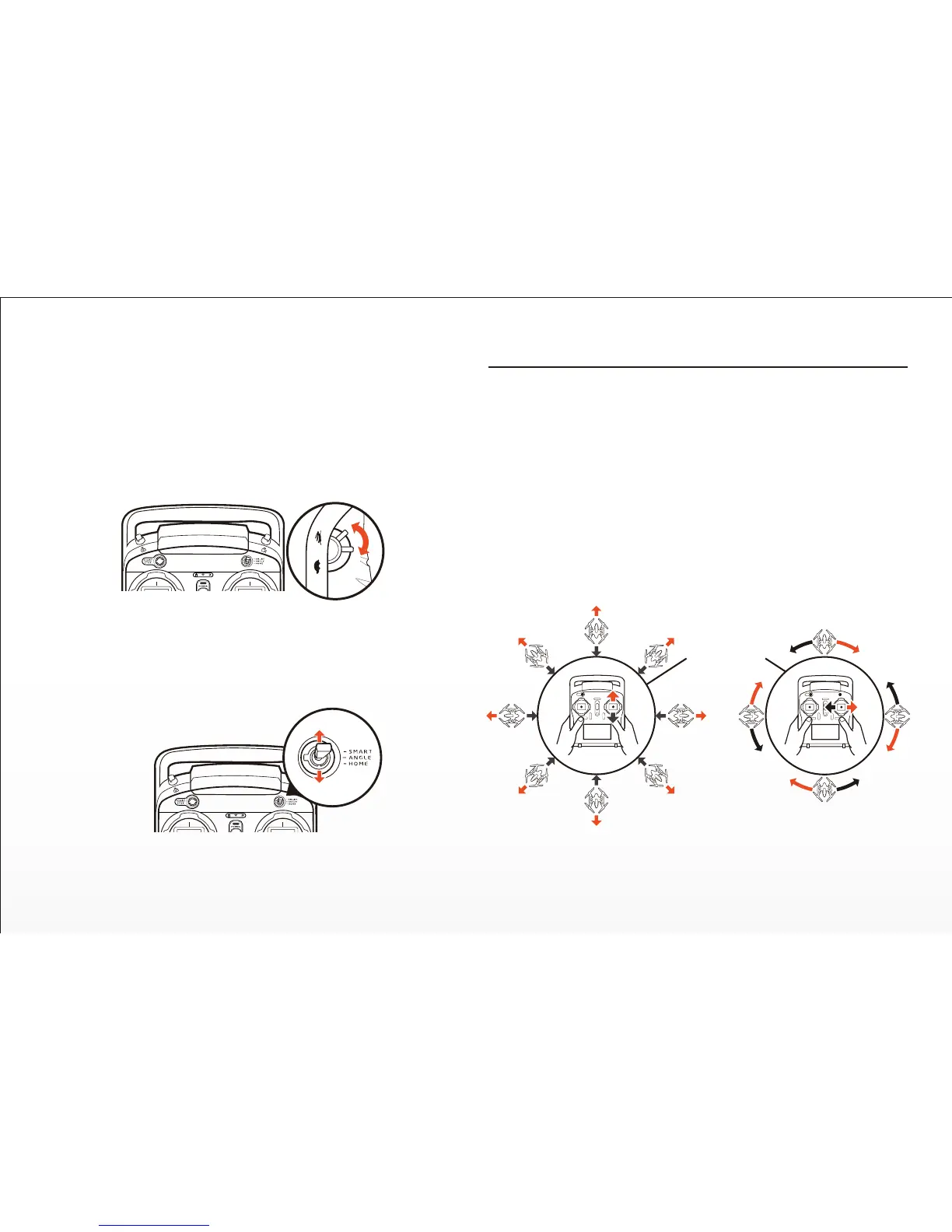
TYPHOON is programmed with three (3) flight modes that can be selected
via the Flight Mode Selecon Switch located just above the right-hand
control sck.
PROPORTIONAL CONTROL RATE SLIDER
The Proporonal Control Rate Slider located on the right side of the ST10+
allows you to set the overall climb/descend and direconal control rates.
Use the turtle posion for the lowest control rates (best for first-me pilots
and required when flying between 5000 feet and 8000 feet Above Mean
Sea Level), and use the rabbit posion for the highest control rates (best for
experienced pilots and can only be used when flying below 5000 feet
AMSL). Or use a posion in between if you prefer.
When the Flight Mode Selecon Switch is the top posion TYPHOON will
be in Smart Mode.
Although we recommend learning to fly TYPHOON in Angle (Pilot) Mode as
soon as possible, Smart Mode is typically the best mode for first-me pilots
to fly in and also features ‘Follow Me’ and ‘Watch Me’ funcons.
In Smart Mode TYPHOON will always move in the direcon the right-hand
control sck is pushed relave to the pilot and no maer which way the
front/nose is pointed. So if you push the sck to the le TYPHOON will
always move to the le, regardless of the direcon the nose is poinng and
even if it’s spinning. This mode can also be helpful for pilots that lose
orientaon while flying in Angle (Pilot) Mode.
Flight Controls - Smart Mode
SMART CIRCLE*
*Ø 52 feet / 16 meters


 To Next Page