IMPORTANT NOTE: Crash damage and ‘fly aways’ are NOT covered under
warranty.
NO-FLY ZONES
With a suitable GPS signal/lock it will not be possible to start the motors,
takeoff or fly TYPHOON in the ‘No-Fly Zones’ within a 4 mile (6.4 kilome-
ter) radius of most major airports.
Preparing to Fly
22
WARNING: Before flying you MUST review and understand all of the
NOTICES AND WARNINGS and the GENERAL SAFETY PRECAUTIONS
AND WARNINGS found near the beginning of this instrucon manual.
Failure to operate this product in a safe and responsible manner could
result in damage to the product, property and/or cause serious injury.
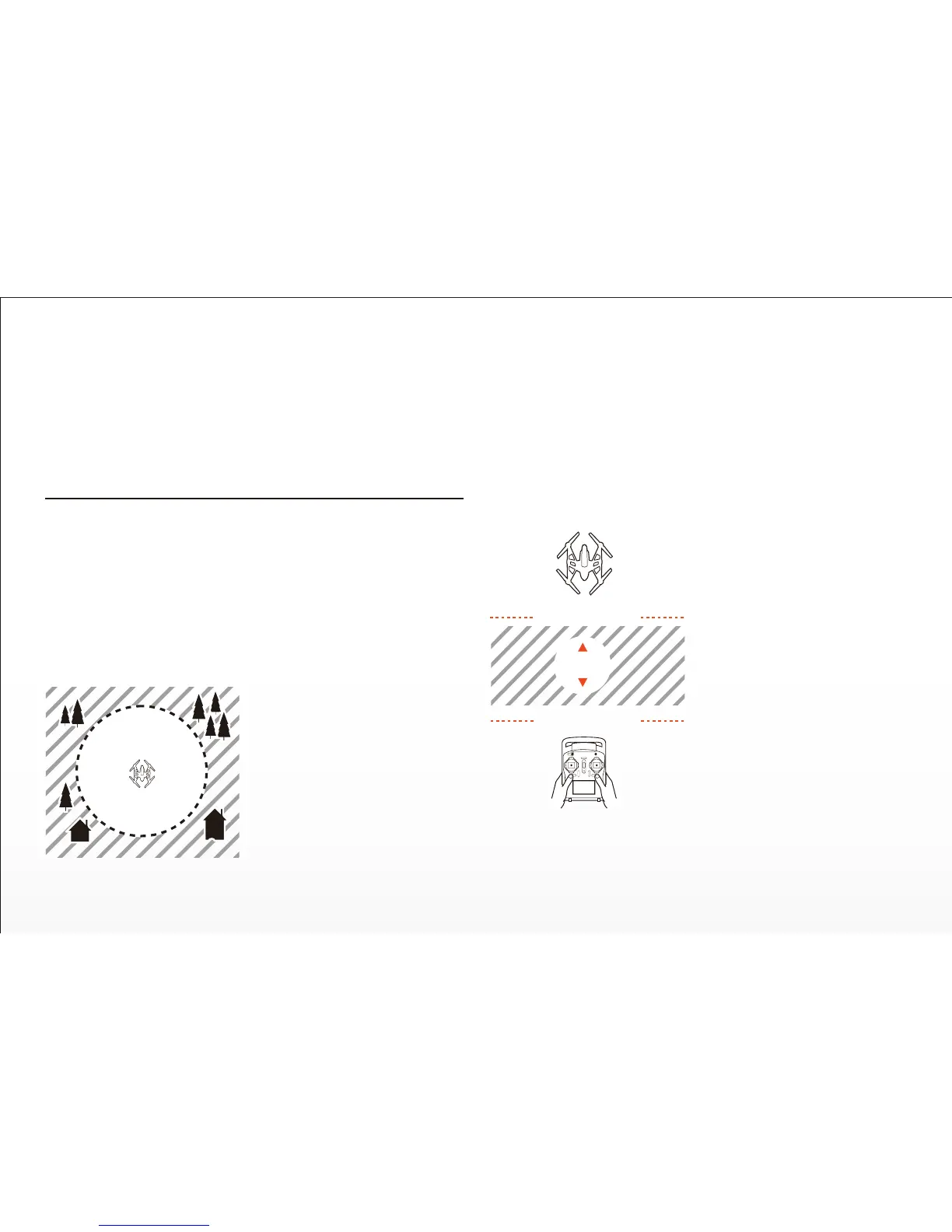
WARNING: Always operate TYPHOON in open areas (approximately
10000 square feet/930 square meters or more) that are free from people,
vehicles, trees and other obstrucons. Never fly near or above crowds,
airports or buildings.
IMPORTANT NOTE: If you’re a first-me pilot we strongly recommend
pung the Flight Mode Selecon Switch (located just above the right-hand
control sck) in the top posion to acvate Smart Mode. Or, if you’re an
experienced RC/drone pilot we strongly recommend pung the switch in
the middle posion to acvate Angle (Pilot) Mode.
Step 2) Place TYPHOON on a level and stable surface then slide the power
switch to the ‘ON’ posion. DO NOT TOUCH OR MOVE TYPHOON
UNTIL THE INITIALIZATION PROCESS IS COMPLETE. The Main LED
Status Indicator on the boom of TYPHOON will show one of the follow-
ing indicaons when inializaon is complete:
• TYPHOON is in Smart Mode with
GPS lock Glows solid green
• TYPHOON is in Smart Mode
without GPS lock Flashes green (3
mes per second) then off (for 1
second)
• TYPHOON is in Angle (Pilot) Mode
with GPS lock Glows solid purple
• TYPHOON is in Angle (Pilot) Mode
without GPS lock Flashes purple (3
mes per second) then off (for 1
second)
Step 3) If you do not have a GPS lock
move TYPHOON to a different area,
turn it off, then back on again. Or, if
you have a GPS lock, proceed to the
next step.
10000 ² (930m²)
Never aempt to operate TYPHOON
nearby tall buildings/obstrucons
that do not offer a clear view of the
sky (a minimum clearance of 100°).
Aer selecng a suitable flying area,
please follow these steps:
Step 1) ALWAYS turn the ST10+ on
and allow it to boot up fully BEFORE
turning TYPHOON on.
Step 5) Step back approximately 26 feet (8 meters) behind TYPHOON.
PILOT LOCATION
TAKEOFF ZONE
26 (8m)


 To Next Page