Compass Calibraon
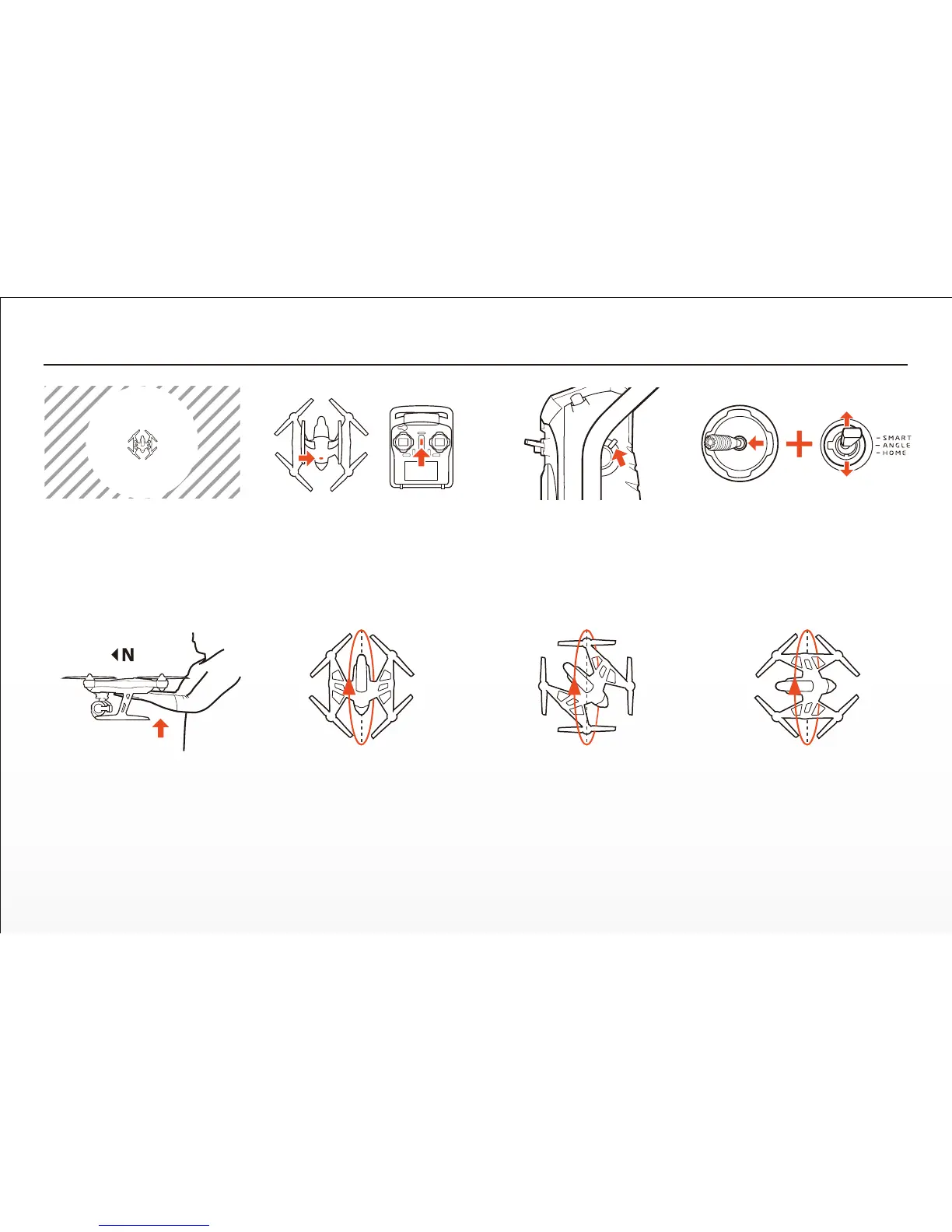
Step 5) When the main LED status
indicator flashes red and green
slowly (2 mes per second) you
have entered compass calibraon
mode. Pick up the aircra and hold
it flat with the nose pointed to the
north. Aer 5 seconds the main
LED status indicator should flash
red and green rapidly (5 mes per
second).
Step 7) Rotate the aircra 45
degrees to the le. Then slowly
rotate the aircra 360 degrees
toward the north (as illustrated)
unl it's flat and upright in your
hands again.
Step 6) Slowly rotate the aircra
360 degrees toward the north (as
illustrated) unl it's flat and upright
in your hands again.
Step 8) Rotate the aircra 45
degrees to the le. Then slowly
rotate the aircra 360 degrees
toward the north (as illustrated)
unl it's flat and upright in your
hands again.
Step 1) Do not calibrate the compass
inside parking structures, near
buildings or surfaces with metal in
them (like roads parking lots with
rebar). Only calibrate the compass in
open areas/fields far away from
power lines and other metallic or
concrete surfaces/structures.
Step 3) Move the Proporonal
Control Rate Slider on the right side
of the ST10+ to the uppermost
(rabbit) posion.
Step 2) Turn on the transmier and
allow it to boot up fully before
turning on the aircra. And when
the transmier and aircra are
powered on and linked proceed to
the next step.
4 X
Step 4) Move the le-hand sck all
the way to the le and hold it there.
Then move the Flight Mode
Selecon Switch from Smart to
Home and Home to Smart mode 4
mes.
25


 To Next Page