C099-F9P - User guide
UBX-18063024 - R16 Firmware update Page 33 of 43
C1-Public
Once the connectivity software is uploaded successfully, the ODIN-W2 will be set with a baud rate of
115200 baud with hardware flow control enabled. You must change this to no hardware flow control
and set the ODIN-W2 UART baud rate to 460800 to ensure sufficient link bandwidth.
To proceed, restart the ODIN-W2 in a normal boot mode by removing the safeboot jumper and
pressing the RESET button.
• Set s-center to 115200 baud and no flow control.
• Open the COM port.
Select EVK-ODIN-W2 via ST-LINK button to disable flow control as shown in Figure 34.
Figure 34: Resetting ODIN-W2 to no flow control
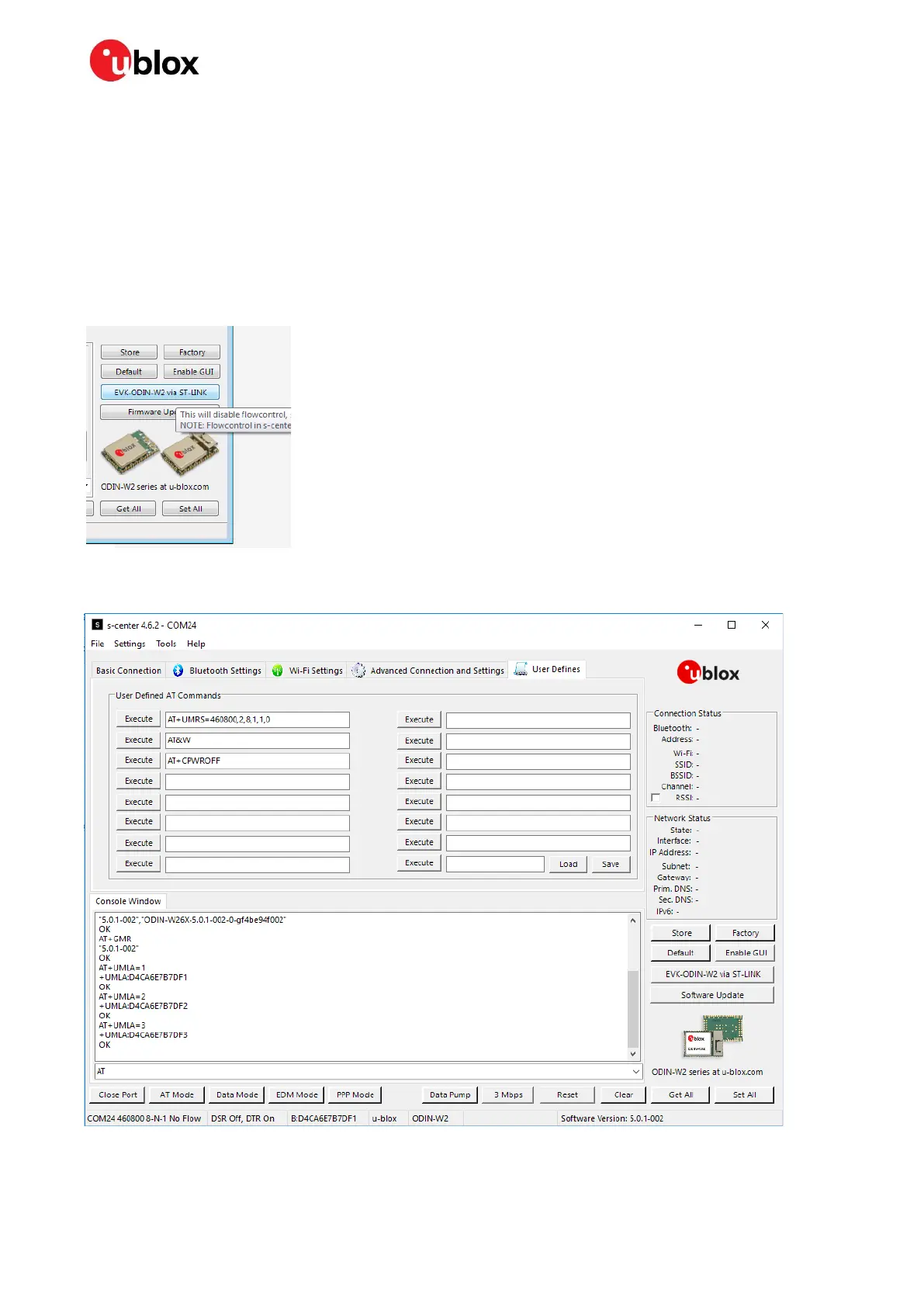
Navigate to “User Defines” AT command tab, as shown in Figure 35.
Figure 35: s-center



 To Next Page
 Loading...