10 Cocoon 1100
Cocoon 1100
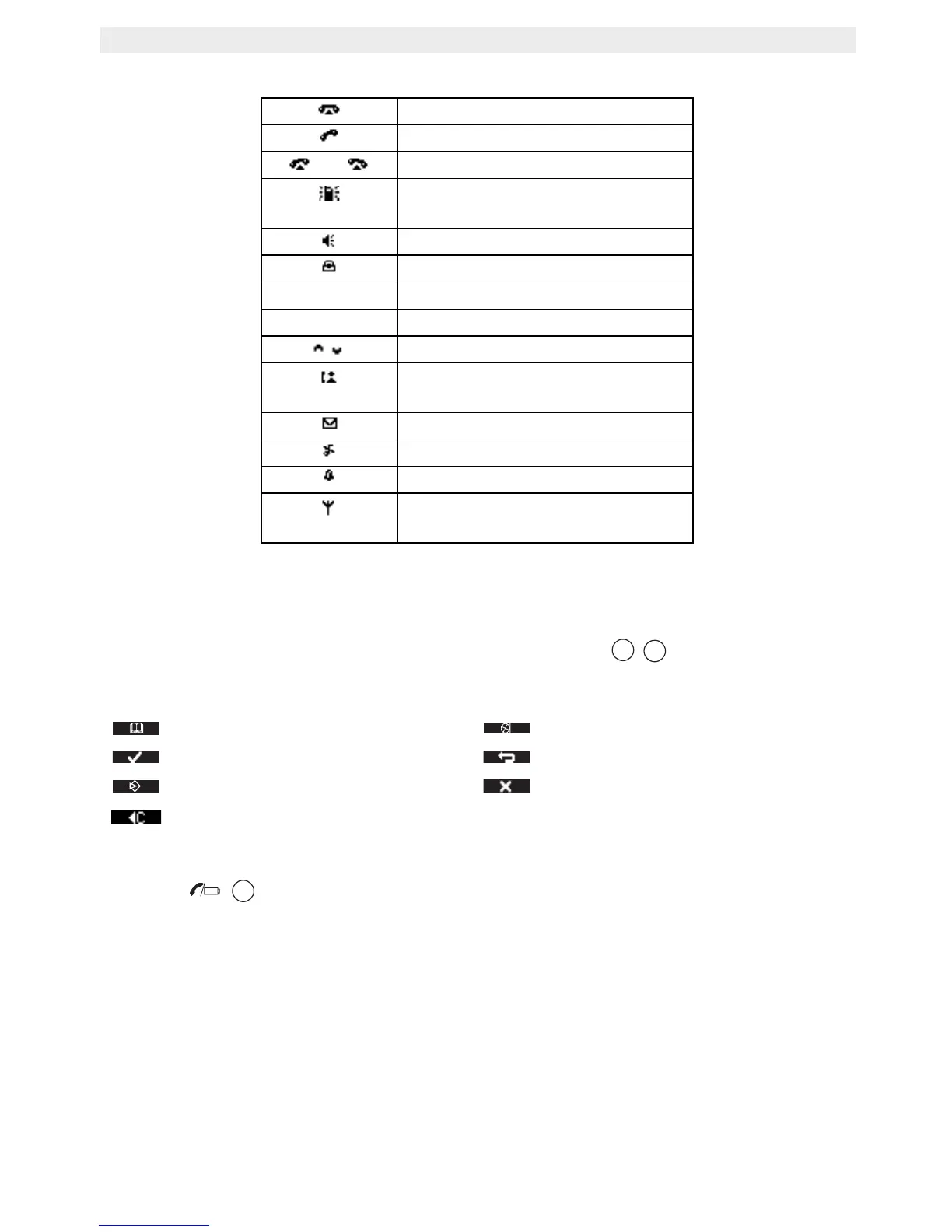
6.3 Icons
* Only when Caller ID is activated on your telephone line.
6.4 Display keys
Display keys (soft keys) are located directly under the display . The function of these
2 keys changes depending on the operation mode. The actual function is displayed as icon
or text directly above the 2 display keys.
6.5 Base LED
The LED indicates the following status:
• OFF: no base power connected or handset not in base for charging.
• ON: handset charging.
• Blinking slowly: off hook or during ringing.
• Blinking rapidly: during registration.
On hook
Off hook
Ringing
Internal communication between
2 handsets
Handsfree speaker ON
Keypad locked
Upper case
Lower case
Possible scroll direction
Call log entries* (steady)
New unanswered calls (blinking)
New voice mail message
Handset ringer off
Alarm set
In range (steady)
Out of range (blinking)
Phonebook Mute
OK / Confirm Back
Menu “No” key
Delete



 To Next Page