6
First steps
4.2 Installing the base station
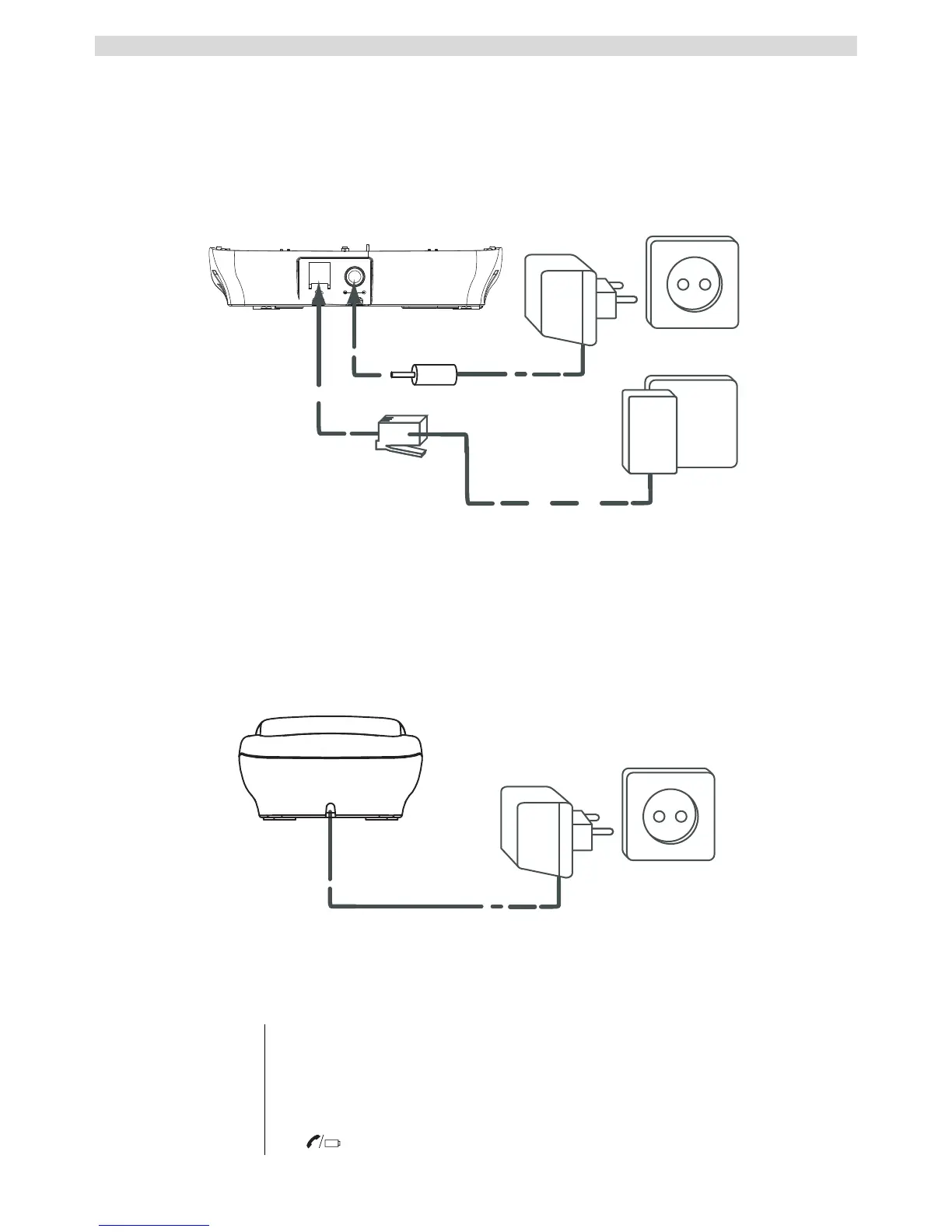
Install the base station as follows:
1 Connect the mains adapter to the base station and then plug it into a mains socket.
2 Connect one end of the telephone cable to the telephone socket on the wall and the other to the
connector on the back of the base station.
3 Connect the telephone cable and power cable as shown in figure 2A.
- 2A Back of the base station -
A. Telephone wall socket
B. Mains adapter with cable
C. Telephone cable
4.3 Handset charger
1 Plug the mains adapter into the socket.
- 2B Charger -
A. Mains adapter with cable
4.4 Handset
1 Open the battery compartment as shown in figure 2C.
2
Insert the rechargeable batteries. Make sure the polarity is correct (+ and -).
3 Close the battery compartment.
4 Leave the handset on the base station for 16 hours. The charging indicator
on the base station lights up.



 To Next Page