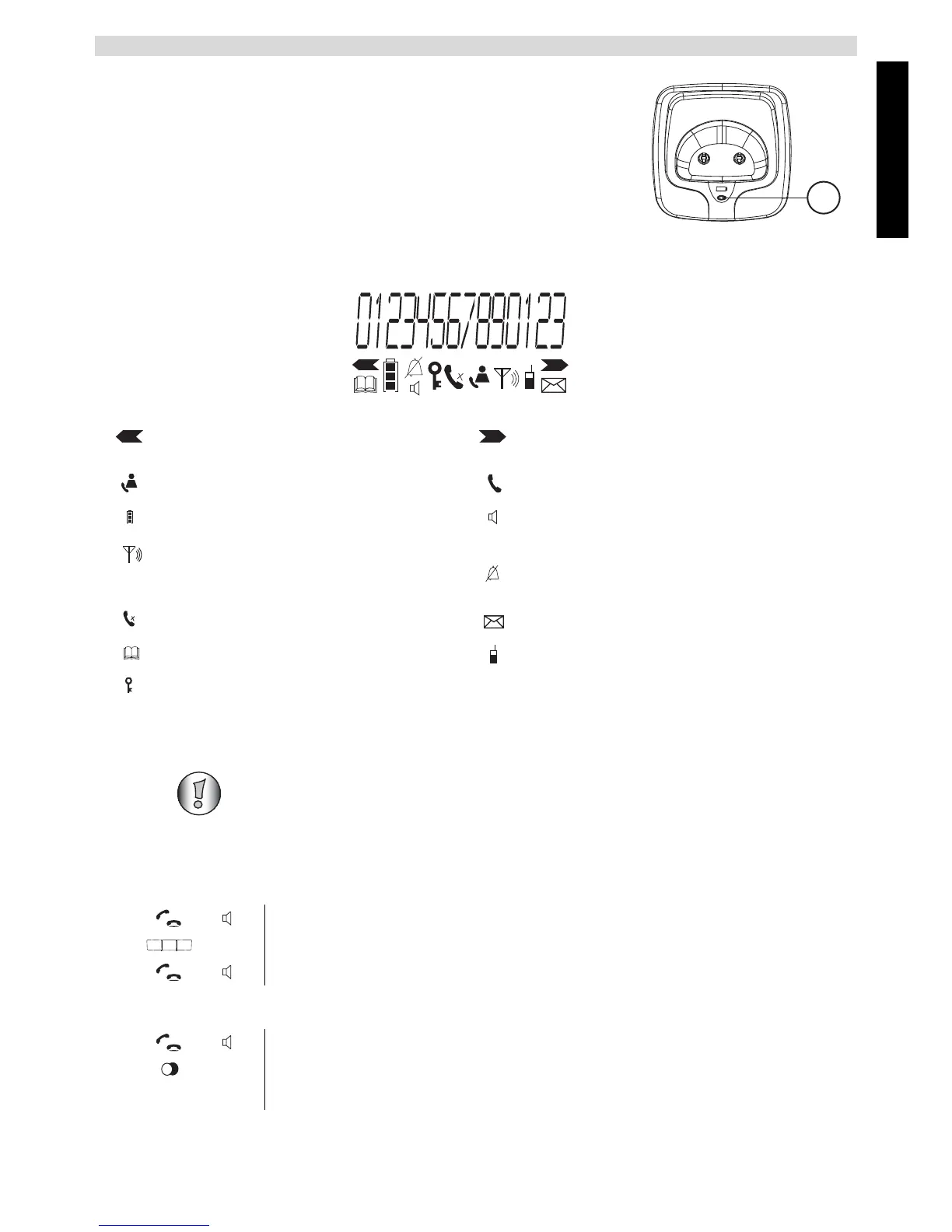
Charger
29. LED: Handset charging
4.8 Display
5 Using the corded telephone
5.1 Outgoing calls
Making a call
To redial the last telephone number called.
More numbers left or scroll direction in
the menu
More numbers right or scroll direction
in the menu
New numbers in the call list You are online
Battery charge indicator Hands free mode on
The antenna indicates the strength of
the reception signal. The antenna
flashes when the handset is out of range
Ring tone off
Microphone muted New messages in the mailbox
Finding or creating phonebook entries Internal call
Key lock on
HANDSET X
x = Handset number
This section only describes the functions of the corded telephone! For information
on using the handset, see “6 Using the cordless handset” .
1 Pick up the handset or press the hands free key.
2 Enter the telephone number.
3 Hang up the handset or press the hands free key again to end the call.
1 Pick up the handset or press the hands free key.
2 Press the redial key.
The last number called is automatically dialled.



 To Next Page