1 2 3 4
678
9
5
Ultimaker S3 and Ultimaker S5 user manual 17
4.3 Preparing a print with Ultimaker Cura
Interface
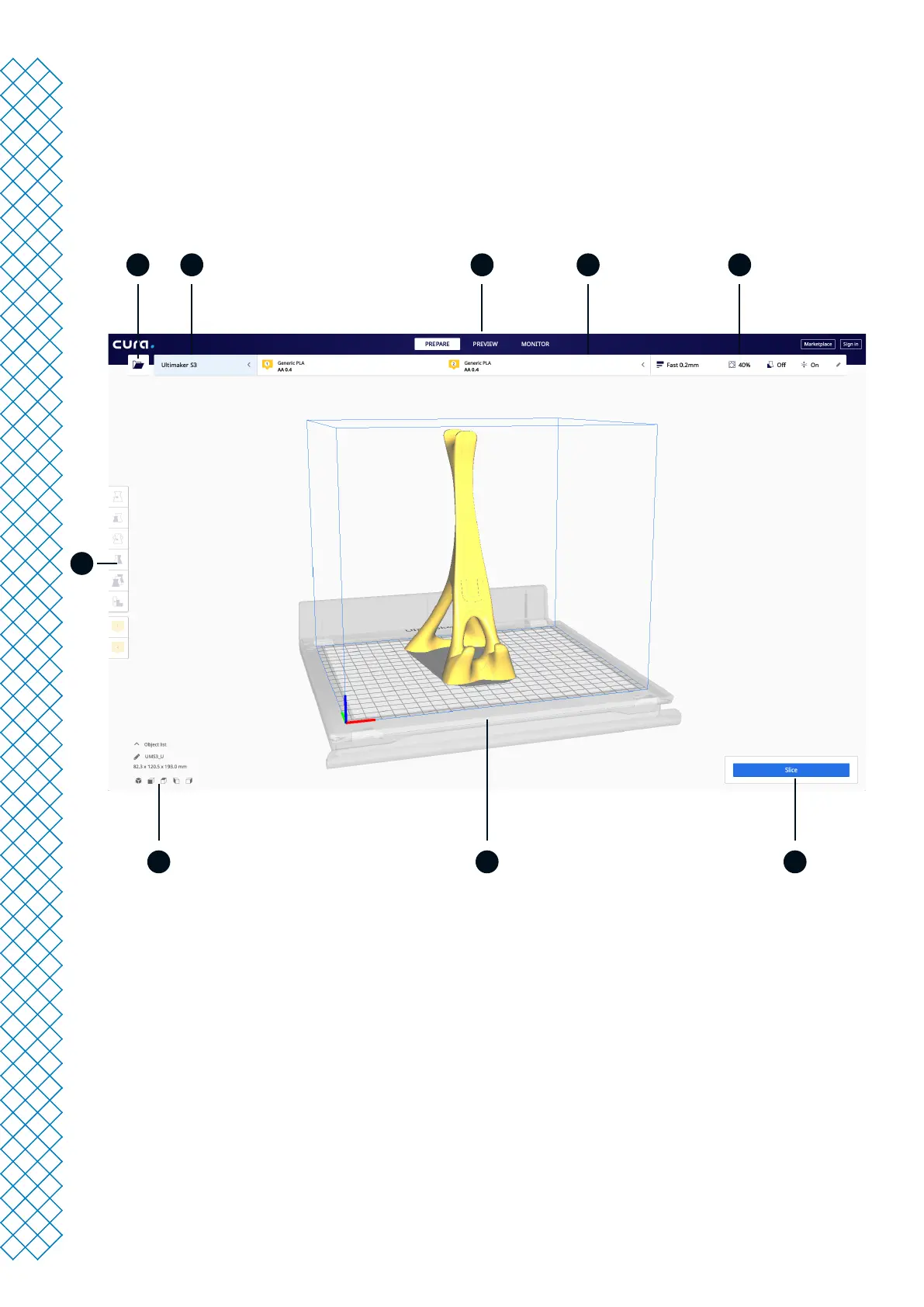
After you have added the Ultimaker S3 / S5 in Ultimaker Cura, the main interface will become visible. Here is an
overview of the user interface (UI):
UI elements:
1. Open le
2. Printer selection panel
3. Stages
4. Conguration panel
5. Print settings panel
6. Action panel
7. 3D viewer
8. Camera position tool
9. Adjustment tools
The Ultimaker Cura workow is arranged in three stages, seen at the top of the interface. These are the prepare,
preview, and monitor stage.














 To Next Page