MiCard MultiTech4
6
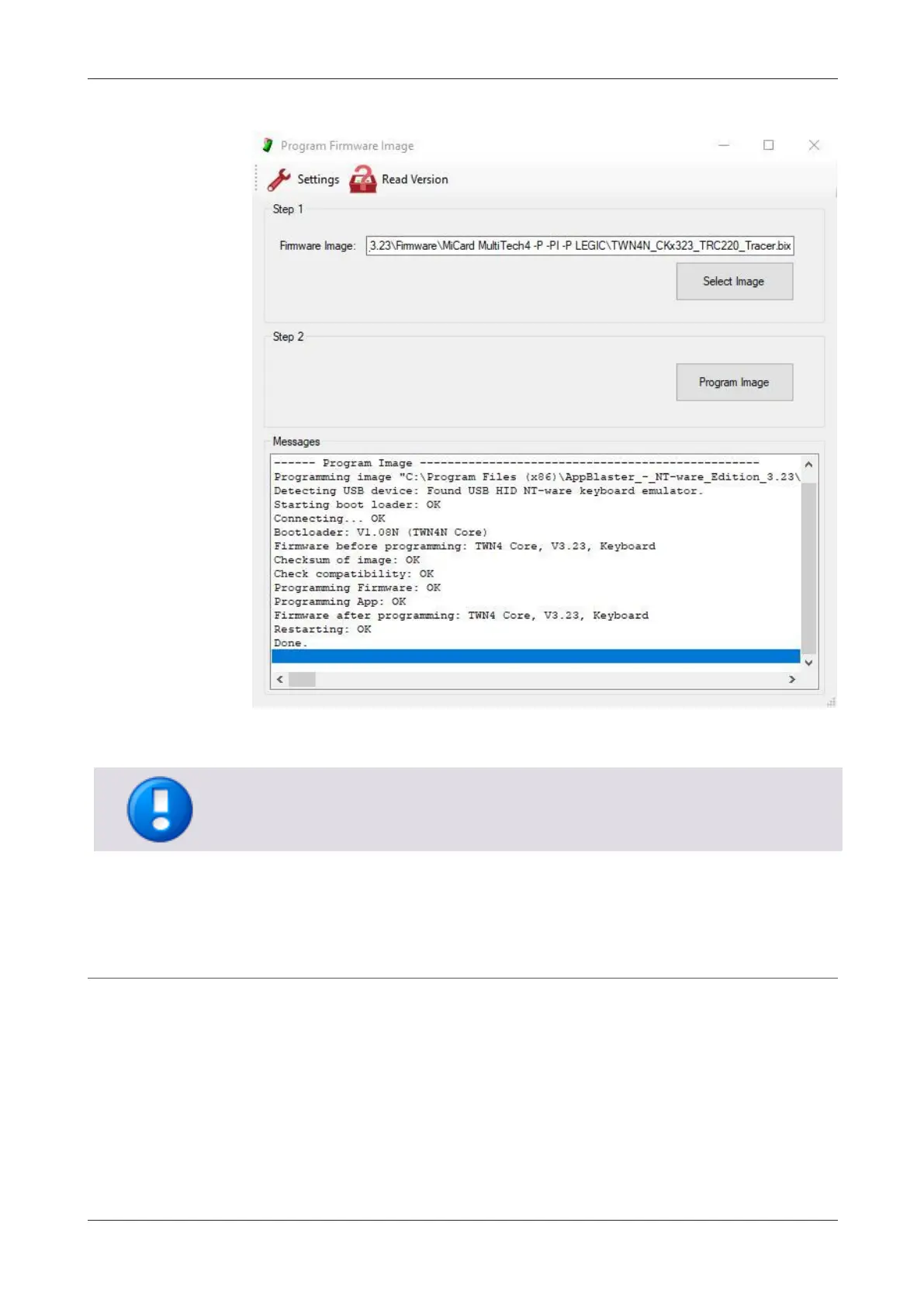
5. Click Program Image.
6. After the successful application of the app, the MiCard MultiTech4 will be in
"Tracer Mode". You will recognize a red flashing Status LED on the card reader.
5.1.2 Reading out the transponder type
Once the MiCard MultiTech4 "Tracer Mode" is enabled, you can read out the
transponder type information with the MiCard MultiTech4.
1. Connect the MiCard MultiTech4 to your computer via USB.
2. Open a text editor (e.g., Notepad) on your computer.
3. Swipe your customer card(s) to identify the transponder types utilized.
Note that some cards may have various transponder types. To ensure all
transponder types are read out, leave the card on the reader for a couple of
seconds.


 To Next Page