EasyManua.ls Logo

UniFlow MiCard MultiTech4 - MiCard MultiTech4 Firmware Version String Explanation

UniFlow MiCard MultiTech4
50 pages
Print Icon
To Next Page IconTo Next Page
To Previous Page IconTo Previous Page
Loading...
MiCard MultiTech4
26
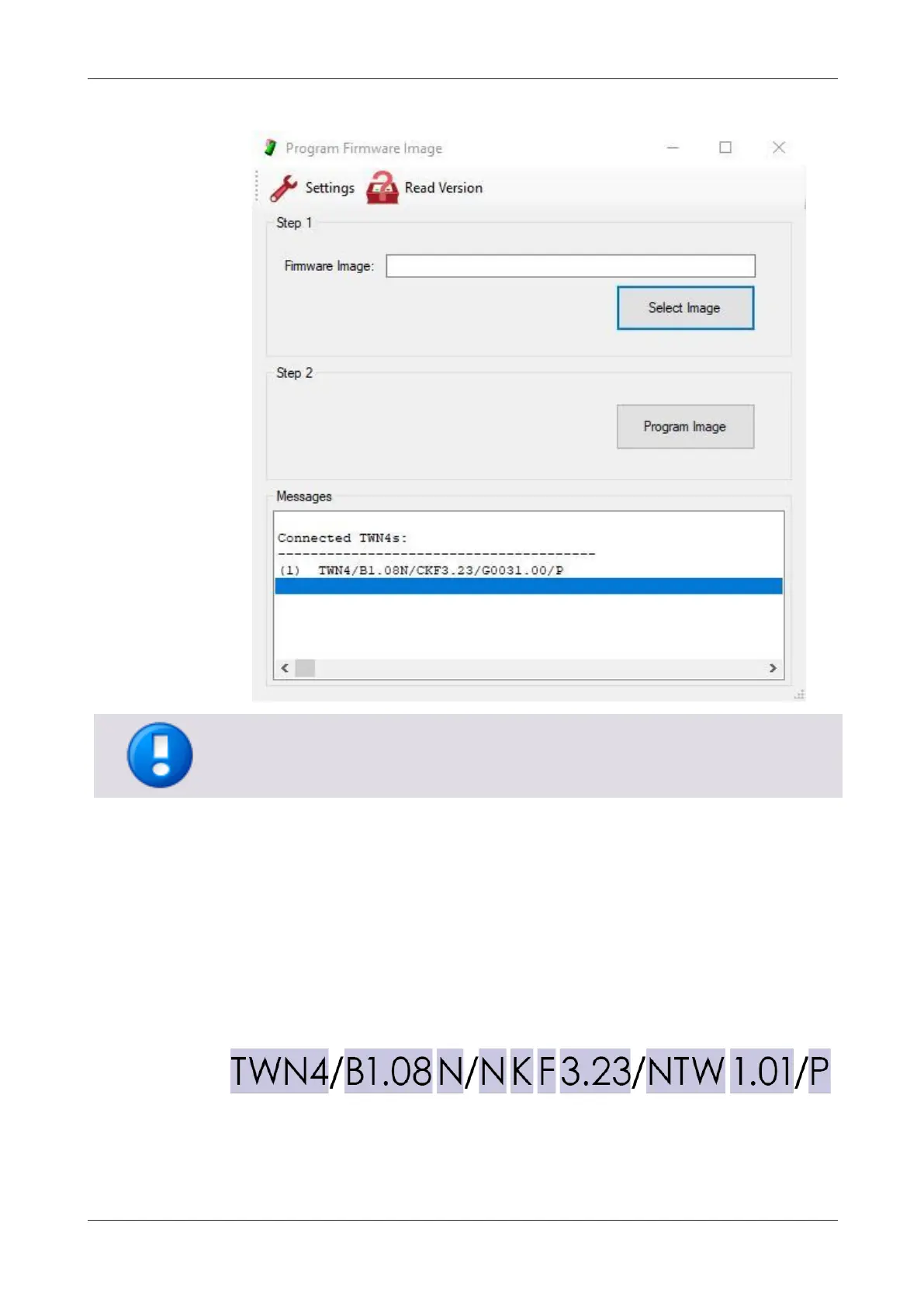
5. The firmware image configured will be displayed in the Messages box.
If the MiCard MultiTech4 firmware image has been provided by NT-ware, the firmware
image can be identified by the next-to-last section, e.g. "G0031.00".
7.1 Firmware version string explanation
The firmware version string can be utilized to clearly identify the firmware image
applied to a MiCard MultiTech4 card reader.
Example
The string consists of fixed and variable values which are explained in the following.
Possible values for the "variable values" are listed under each bullet point.

Related product manuals