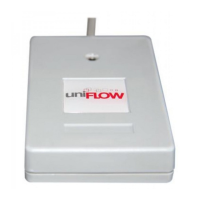
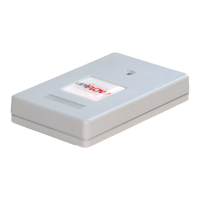
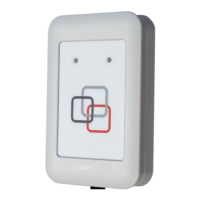
following:
13.56 MHz:
HID iCLASS® Elite (including Seos®), HID iCLASS® ID
technology (including Seos®), HID iCLASS® SE
technology
All MiCard MultiTech4-P transponder types and the
following:
13.56 MHz:
LEGIC Advant Special Sectors, LEGIC Prime CSN, LEGIC
Prime Special Sectors
Default Settings
The default configuration – as shipped by NT-ware - of MiCard MultiTech4 card readers
is to ensure maximum compatibility. Therefore the majority of supported transponder
types and BLE (if applicable) are enabled by default. NT-ware highly recommends
configuring the card readers to the specific transponder types in use at the customer to
ensure maximum performance of the card reader. This can be configured using the
MiCard MultiTech4 - AppBlaster (NT-ware Edition) (on page 3).
8.2 Compliance and disposal notes
FCC Compliance Notes (for USA)
This equipment has been tested and found to comply with the limits for a Class B
digital device, pursuant to part 15 of the FCC Rules. These limits are designed to
provide reasonable protection against harmful interference in a residential installation.
This equipment generates, uses and can radiate radio frequency energy and, if not
installed and used in accordance with the instructions, may cause harmful interference
to radio communications. However, there is no guarantee that interference will not
occur in a particular installation. If this equipment does cause harmful interference to
radio or television reception, which can be determined by turning the equipment off
and on, the user is encouraged to try to correct the interference by one or more of the
following measures:
Reorient or relocate the receiving antenna.
Increase the separation between the equipment and receiver.


 To Next Page