UBio-X Pro2 User Guide 48
UNIONCOMMUNITY Co., Ltd.
Addr : 12F, Munjeong Daemyeong Valeon bldg, 127 Beobwon-ro Songpa-gu,
Seoul, Korea (zip code: 05836)
Tel: +82-2-6488-3000, Fax: +82-2-6488-3099,
E-Mail :sales@unioncomm.co.kr; http://www.unioncomm.co.kr
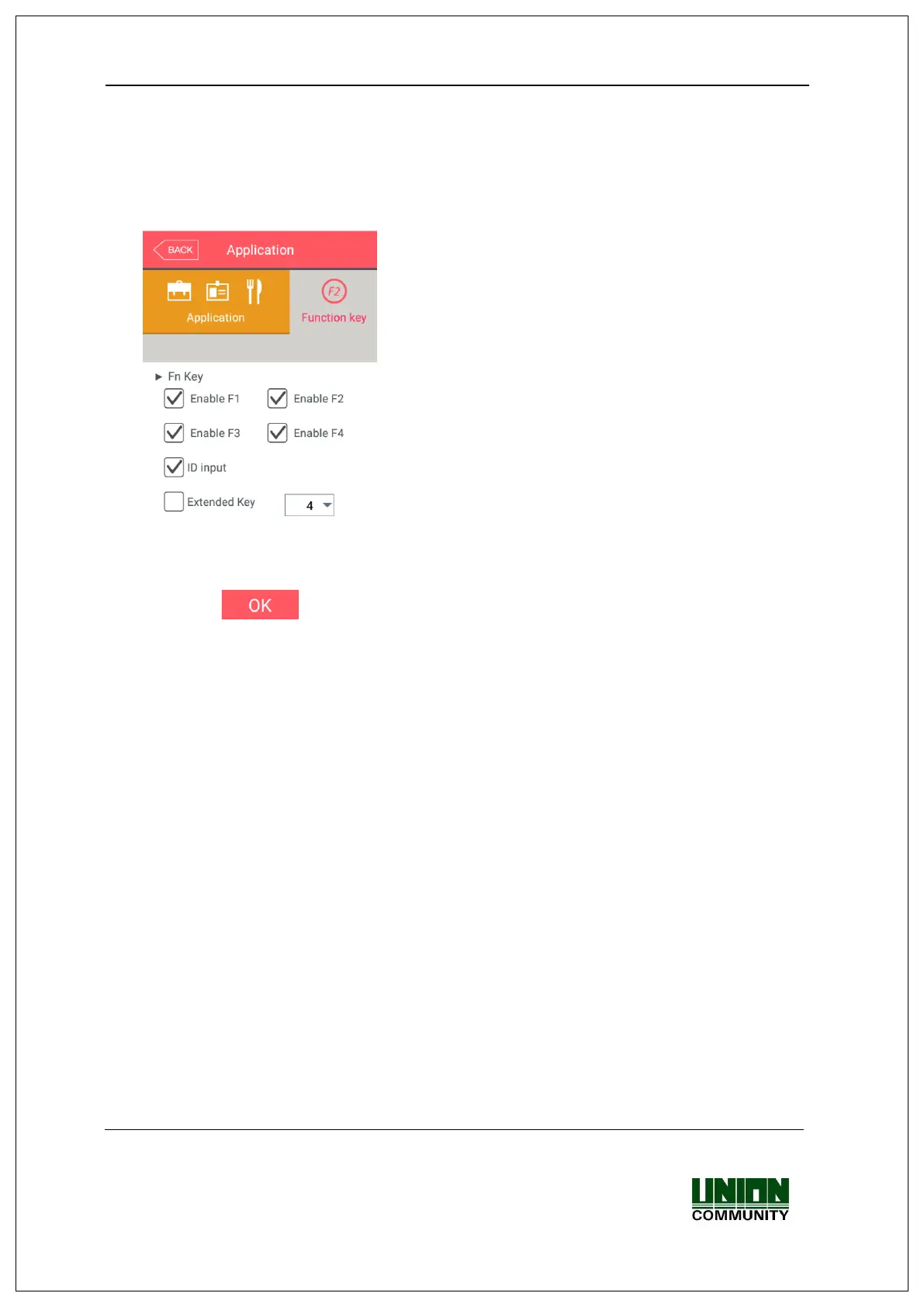
▶Basic setting: Same with the window at the left side.
▶Fn key
It means the [F1] ~ [F4], Access button used to
change the authentication mode such as attendance
and leaving, and if you click the Fn key, the
authentication mode is changed to the mode. Because
only the checked buttons are represented on the basic
window, you can use with unchecking other function
keys when using as device only for the attendance or
leaving.
If you check ‘Extended Key’, you can add the
authentication mode except for the existing key.


 To Next Page
 Loading...