UBio-X Pro2 User Guide 61
UNIONCOMMUNITY Co., Ltd.
Addr : 12F, Munjeong Daemyeong Valeon bldg, 127 Beobwon-ro Songpa-gu,
Seoul, Korea (zip code: 05836)
Tel: +82-2-6488-3000, Fax: +82-2-6488-3099,
E-Mail :sales@unioncomm.co.kr; http://www.unioncomm.co.kr
hexadecimal 529D06E3: 10 digits decimal
hexadecimal E3069D52: 10 digits decimal
Locate the foremost 3bytes backwards.
Click [OK] button to apply the set value, and click [BACK] button to cancel and return.
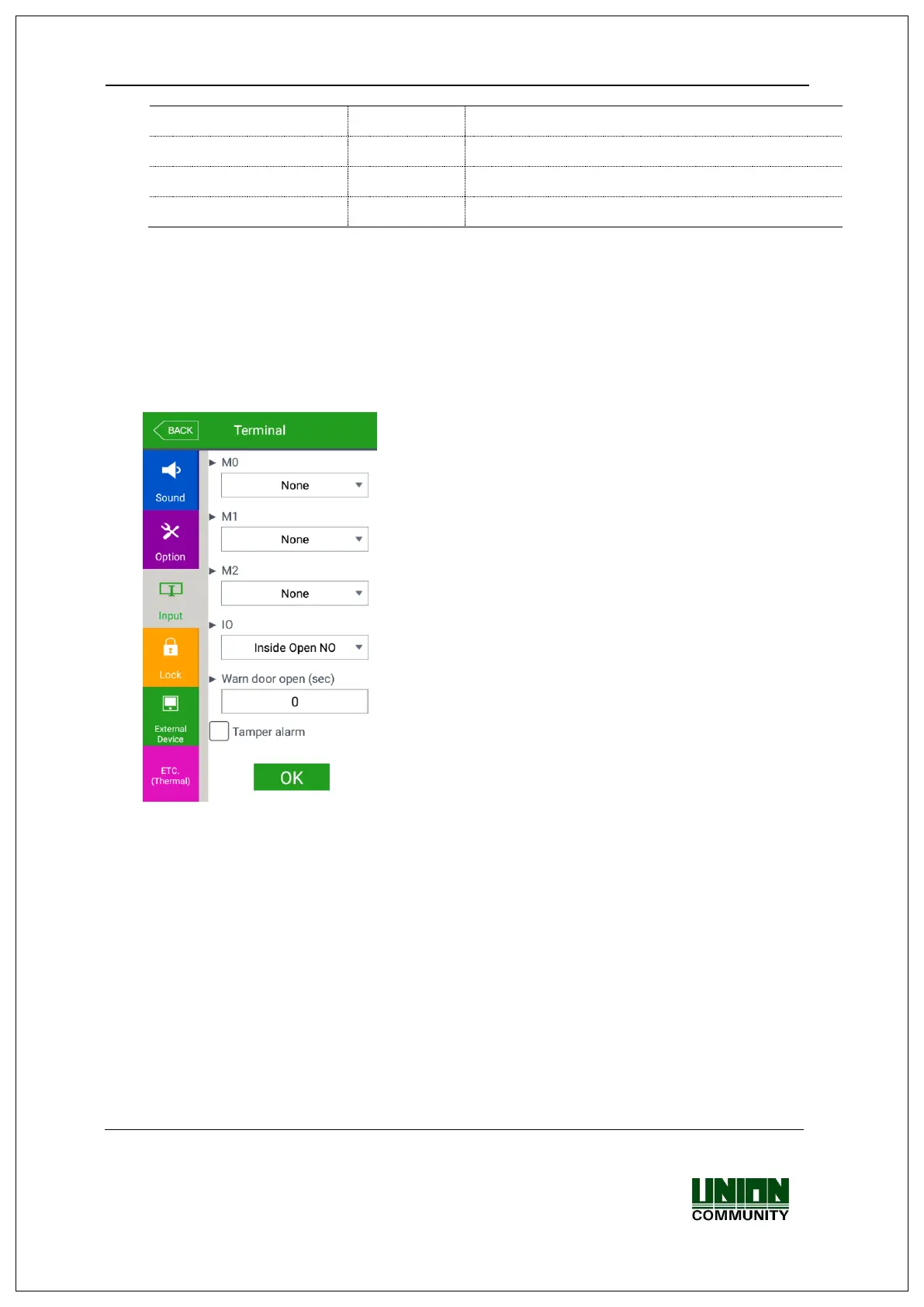
3.7.3. Input
If you select the [Terminal] [Input] in the main menu, the following window
appears.
▶Basic setting : Same with the window at the left
side.
▶M0: It is set when connecting the external access point to the DM0
(When using motor lock, set [Door open NO] or [Door open NC].)
-None: When nothing is connected.
-Door open NO or Door open NC: When the door open monitoring pin was
connected.
-Fire detection NO or Fire detection NC: When the fire detection sensor is
connected.
-Panic detection NO or panic detection NC’: When the panic situation detection
sensor is connected.
-Emergency detection NO or emergency detection NC’: When the emergency
situation detection sensor is connected.
Set NO/NC according to the state of pin input in detection.


 To Next Page
 Loading...