UBio-X Pro2 User Guide 56
UNIONCOMMUNITY Co., Ltd.
Addr : 12F, Munjeong Daemyeong Valeon bldg, 127 Beobwon-ro Songpa-gu,
Seoul, Korea (zip code: 05836)
Tel: +82-2-6488-3000, Fax: +82-2-6488-3099,
E-Mail :sales@unioncomm.co.kr; http://www.unioncomm.co.kr
3.6.6. Database
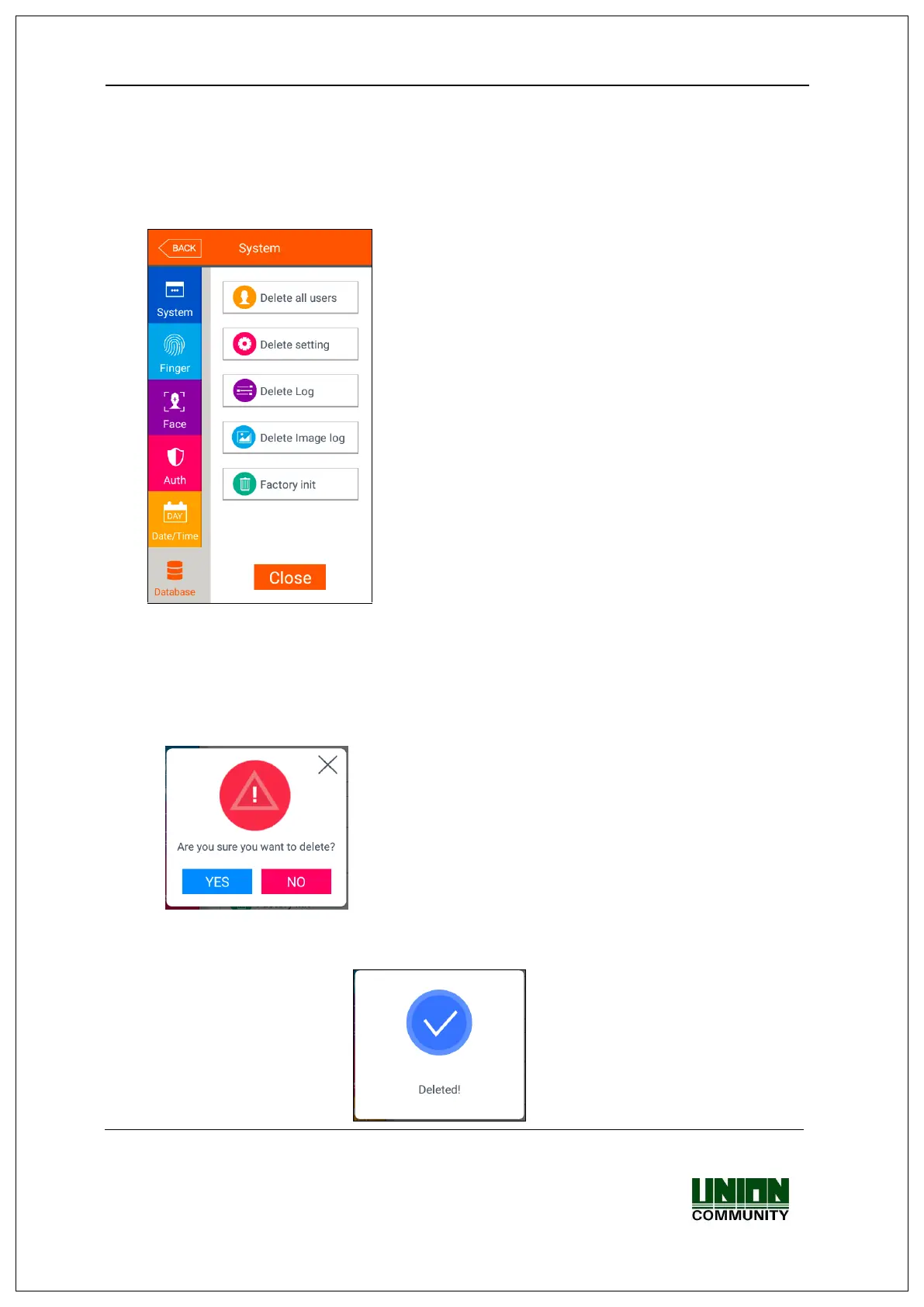
If you select the [System] [Database] in the main menu, the following window
appears.
If you want to delete all the users, click [Delete all
users] button.
If you want to initialize the settings, click [Delete
setting] button.
If you want to initialize the authentication record, click
[Delete Log] button.
If you want to delete image log only, click [Delete
image log] button.
If you want to delete all the data and initialize with the
factory setting, click [Factory init] button.
If you want to move to the upper menu, click [Close]
or [Back] button.
3.6.6.1. Delete all users
If you select the [System [Database] [Delete all users] in the main menu, the
following window appears.
If you want to delete all users, click [YES] button,
and if you want to cancel, click [NO] or [X] button.
If there is no signal for 5 seconds in this state, the
message box disappears without deletion.
If deletion is successful by clicking [YES], the following success message box appears.
<Fig. 3-5>


 To Next Page
 Loading...