2.SETTING MODES
8
2-3. About a Setting Call
In this manual, a setting function call is described as follows.
Calibration Protection
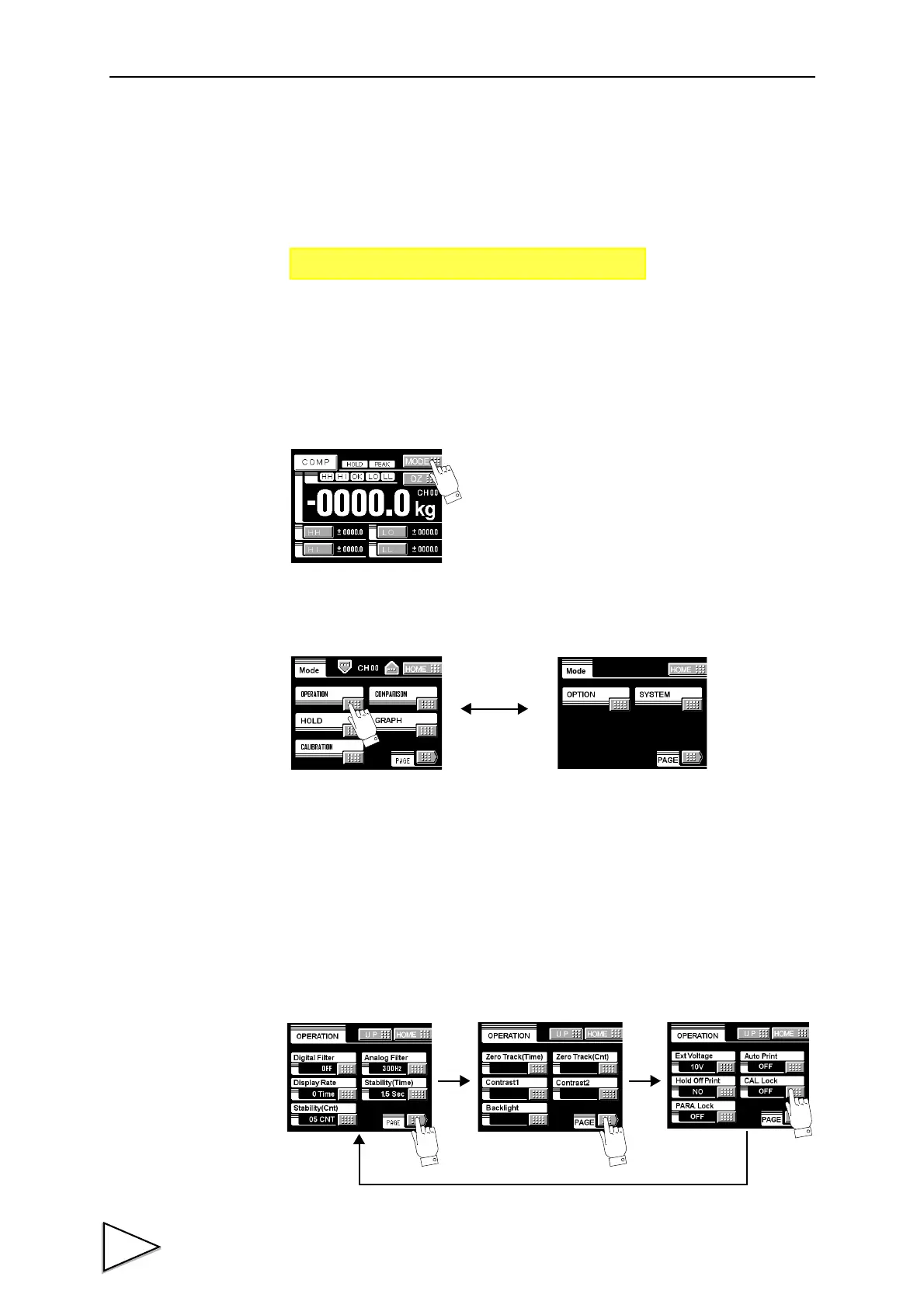
This call can be made by the following procedure.
1)Press the MODE button on the ordinary display screen.
2)The mode setting screen appears. Select the mode.
3)The setting function setting screen appears. Select the function.
Page 3
↑↑
Mode Page
→→
Setting call
Operation setting
Can be changed
by the PAGE
・Operation setting ・Comparison setting
・Hold ・Graph setting
・Calibration ・Option
・System
Modes are as follows:
Operation setting
button.
PAGE
PAGE
Page 1 Page 2 Page 3
PAGE



 To Next Page