4.CALIBRATION
23
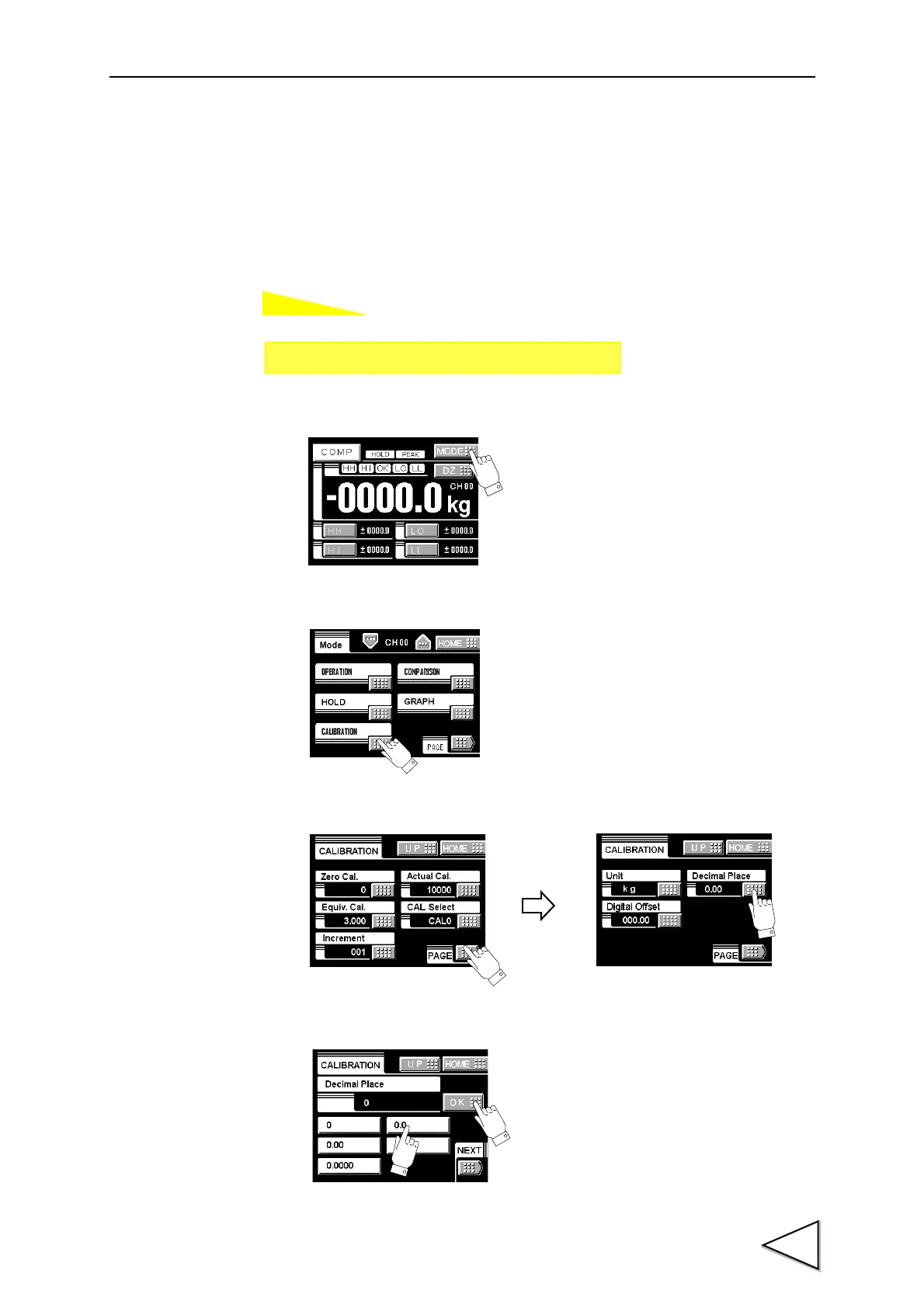
4-8. Decimal Place
Set the decimal point place of the indicated value. Selection can be made from the
following.
0, 0.0, 0.00, 0.000, 0.0000
1)Press the MODE button.
2)Press the CALIBRATION button.
3)Press the PAGE button to select the page and press the DECIMAL PLACE button.
4)Select the decimal place and determine with the OK button.
Setting call Page 2
→→
Calibration



 To Next Page