4.CALIBRATION
24
4-9. Calibration Protection
Calibration-related set values can be protected so that they will not be changed by
misoperation. When Cal. Protect is ON, no change can be made while the alarm sounds.
ON: Protected
OFF: Unprotected
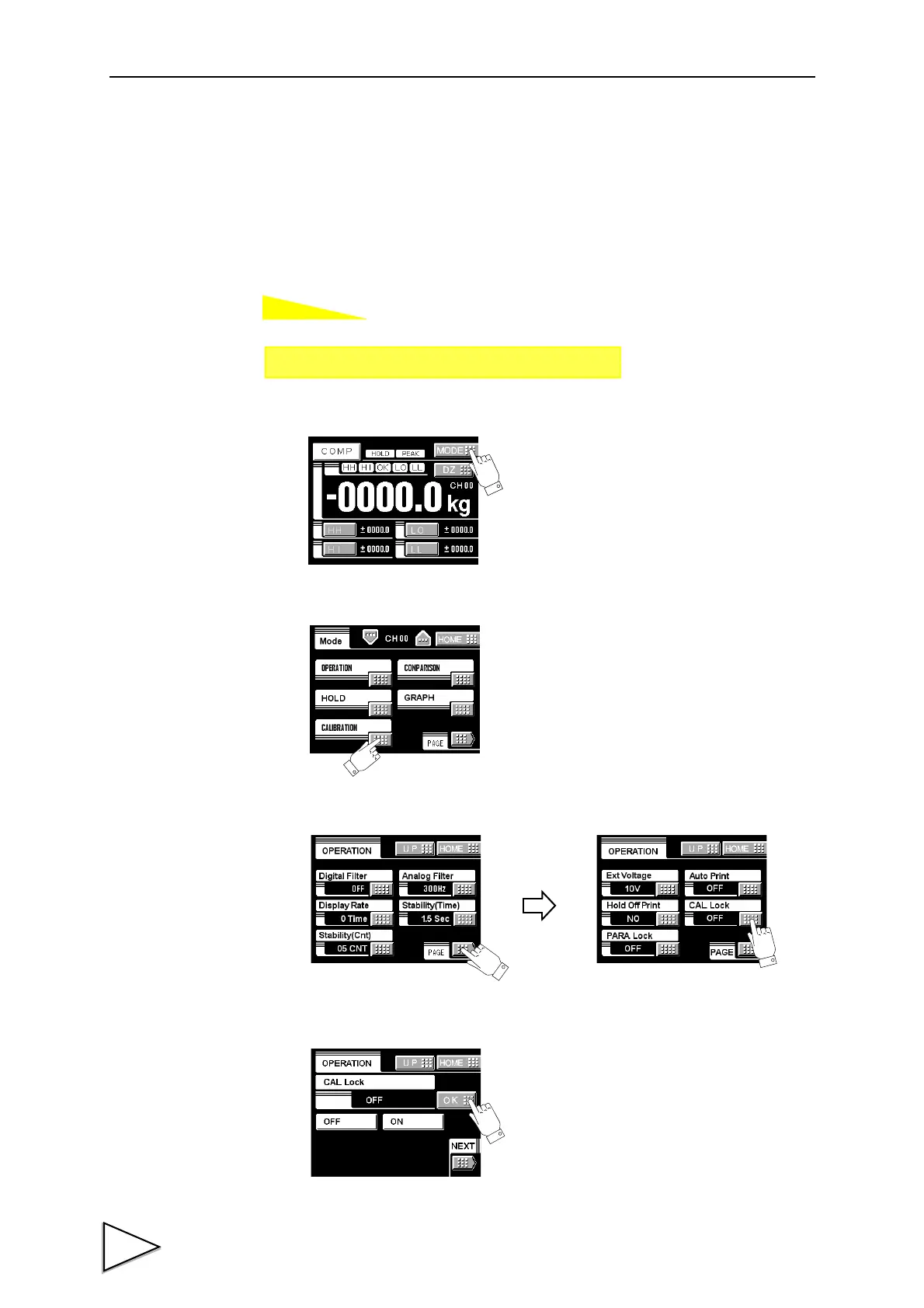
1)Press the MODE button.
2)Press the CALIBRATION button.
3)Press the PAGE button to select the page twice and press the Cal Lock button.
4)Select the decimal place and determine with the OK button.
Setting call Page 3
→→
Calibration



 To Next Page