Chapter 5: Communications
23
Opening the Controller
• Before opening the controller, touch a grounded object to discharge
any electrostatic charge.
• Avoid touching the PCB board directly by holding the PCB board by
its connectors.
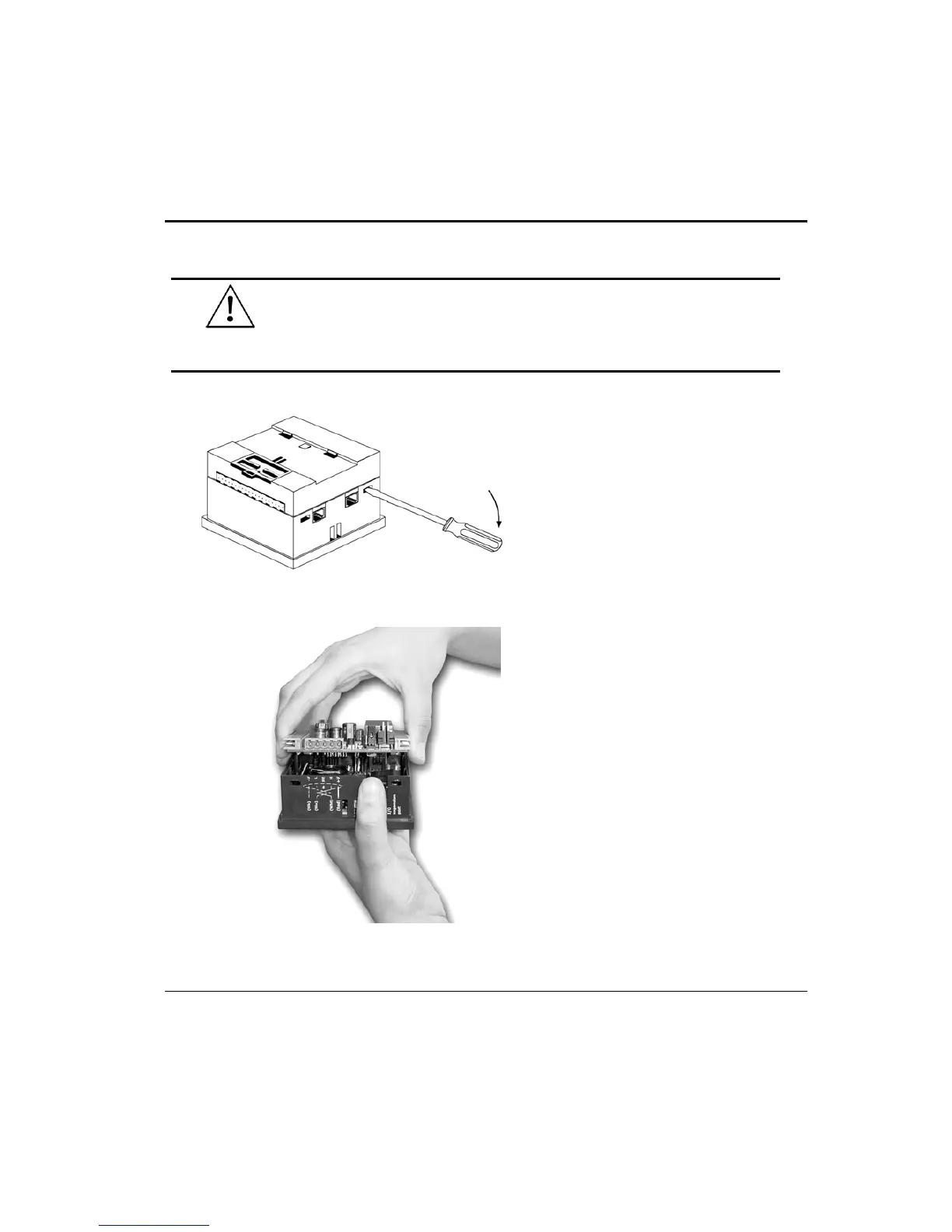
Figure 11. Opening the Controller
1. Turn power off before
opening the controller.
2. Locate the 4 slots on the
sides of the controller.
3. Using the blade of a flat-
bladed screwdriver, gently
pry off the back of the
controller as shown in
Figure 11.
Figure 12. Removing the Top PCB
board
4. Gently remove the top
PCB board:
a. Use one hand to hold the
top-most PCB board by its
top and bottom connectors
as shown in Figure 12.
b. With the other hand, grasp
the controller, while
keeping hold of the serial
ports; this will keep the
bottom board from being
removed together with the
top board.
c. Steadily pull the top board
off.


 To Next Page