34
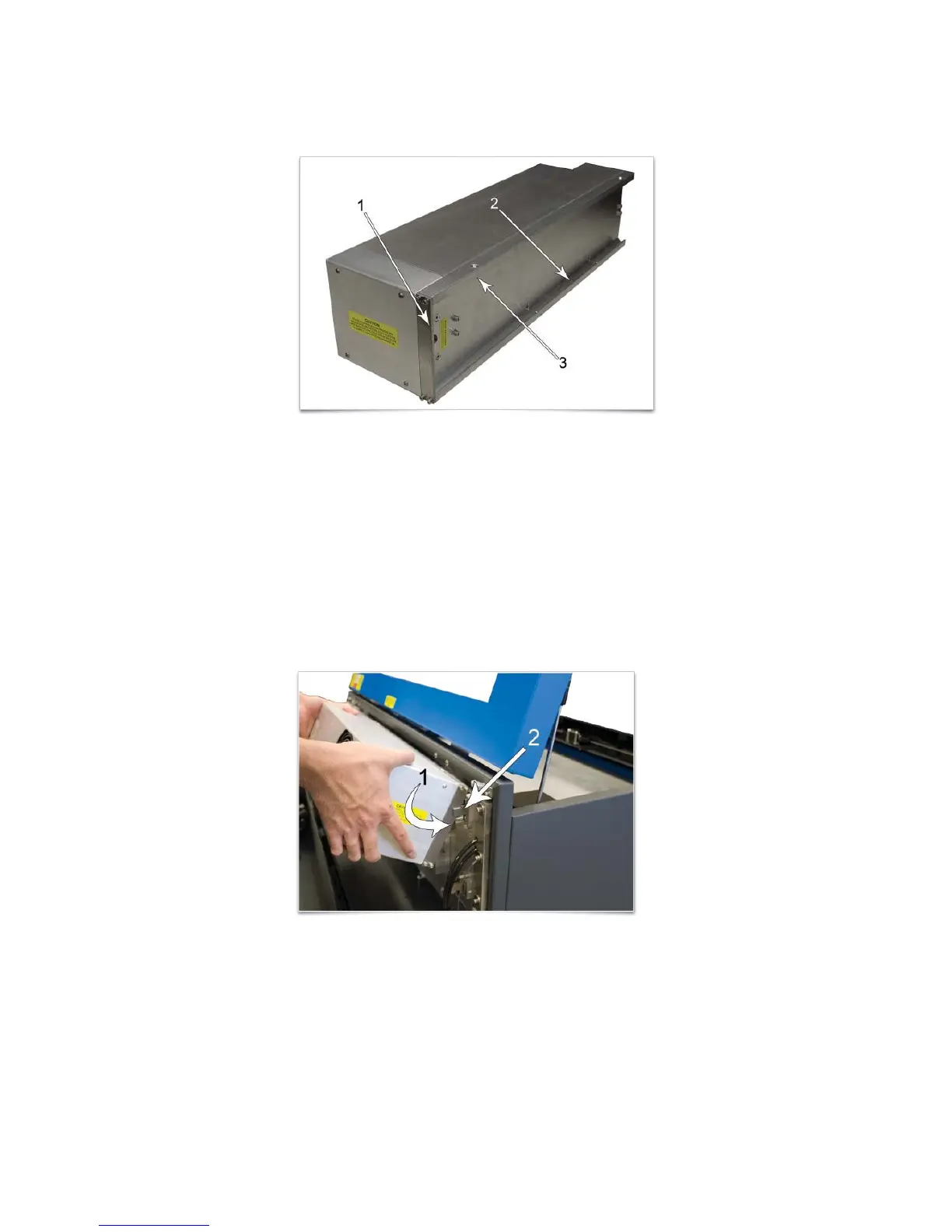
3. Locate the “V” groove along the upper (3) and lower (2) part of the laser cartridge base plate and the
alignment plate (1) at the end of the base plate.
4. If you have purchased two laser cartridges, mount the one cartridge onto the lower mounting blocks first.
Single laser users should mount the laser cartridge in the top position.
5. Important: Higher powered CO2 lasers can weigh up to 29 pounds. Use caution when installing a
cartridge.
Pick up the laser cartridge by the ends and tilt it at a 30° angle as shown (1). Mount the cartridge onto the
mounting blocks shown in step 2 by placing the upper “V” groove on top of the mounting blocks. Slide the
cartridge to the right until the outer edge (2) of the alignment plate contacts the inside edge of the tall
block of the alignment fork.



 To Next Page