Page 19
Radial 8 & 88 Operation Reference Manual 49379902 Rev. G
This Document Supports IM-UPS 5.0 and Higher
Prerequisites:
• Knowledge of the hardware configuration of the machine
• IM-UPS installed
• Machine powered on
To define the machine configuration:
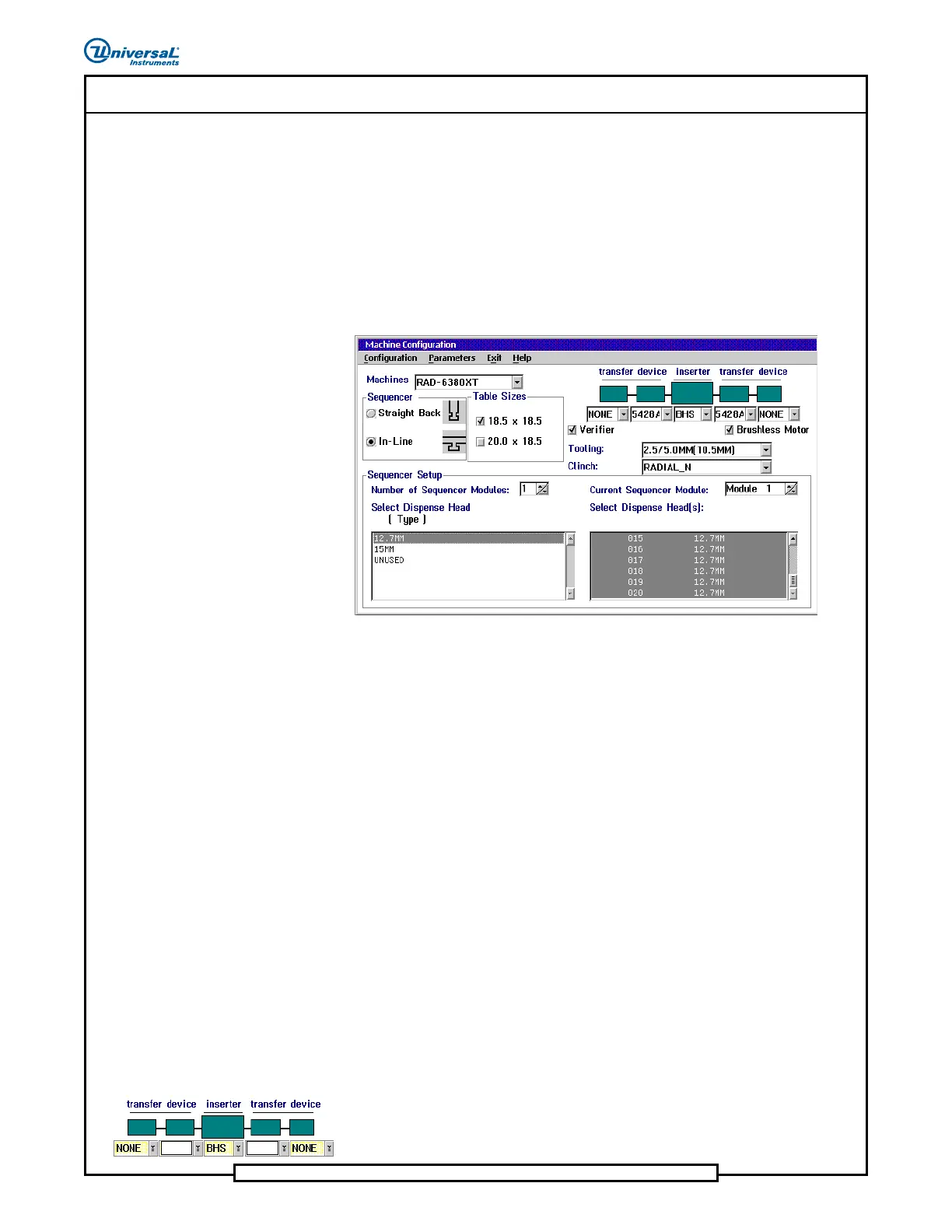
1. Open the Machine Configuration window. Refer to the Machine
Configuration module of the IM-UPS Reference Manual for details.
2. Define machine configuration choices.
Configuration considerations:
• Machines:
- Configuring current machine: The machine type is displayed
and cannot be changed.
- Creating machine configuration template: Select the machine
product code for which products are to be created.
• Sequencer: Select the style of sequencer.
• Table Sizes:
- Configuring current machine: The table size is displayed and
the status of this check box cannot be changed.
- Creating machine configuration template: Select the table size
of the machine for which products are to be created.
• Board Handling/Transfer Device: These choices indicate if a
board handling system is mounted and if it is, the position of the
transfer devices in relation to the insertion machine. Each position
has a list box that contains the possible choices. Select the arrow to
the right of the list box to select the appropriate device.
5428A
5428A


 To Next Page