Page 22
49379902 Rev. G Radial 8 & 88 Operation Reference Manual
This Document Supports IM-UPS 5.0 and Higher
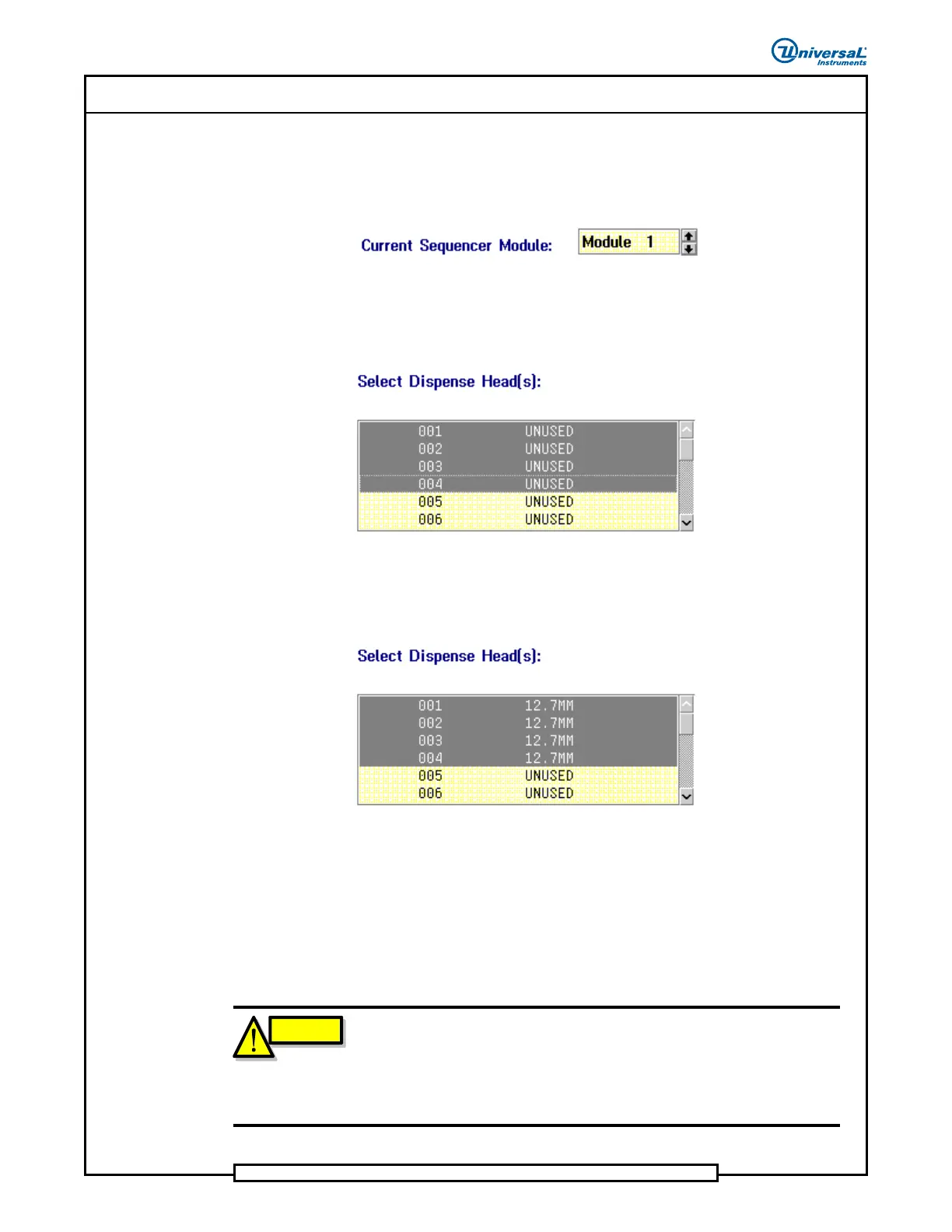
Define the dispense head type for each dispense head.
From the Current Sequencer Module list box, select the
sequencer module number to assign dispense head types.
From the Select Dispense Head(s) list box, select one or more
dispense head numbers from the list. To select multiple dispense
heads hold the [Ctrl] key while selecting. (Dispense heads 1 through
4 are selected in the example.)
Assign the dispense head type to the selected dispense head(s) by
double-clicking on the dispense head type in the Select Dispense
Head (Type) list box. Notice that the assigned dispense head type
is now displayed.
Repeat for all dispense heads in each sequencer module. Unused
dispense heads can be configured as UNUSED.
3. Save the configuration.
• Configuring current machine:
Select: Configuration > Save.
CAUTION
If only one model 5428A elevator is configured on the machine (either
side), IM Diagnostics must also be reconfigured. Failure to do so may
cause unpredictable machine behavior when IM Diagnostics is used.
Refer to the
Configuring IM Diagnostics For a Single Elevator
topic in
the
Elevator Operation Manual
for details.


 To Next Page