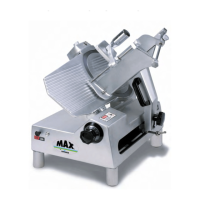
(including disassembly, replacement and reassembly)
KNIFE (Removal) (Figure 2)
1. Warning
Disconnect electrical power cord.
2. Remove carriage assembly (Fig. 5).
3. Remove knife guard knob (Fig. 2 [46]) and carefully remove knife guard.
4. Loosen sharpener lock pin (Fig. 6 [27]), lift and relock in up position.
5. Warning
Using caution to avoid the sharp knife edge, remove the four screws (Fig.
2 [10]).
6. Carefully remove knife and set aside with its flat side down flush on a bench so the
edge is not exposed.
7. Reinstall knife in the reverse procedures outlined above.
8. Even though a new knife is very sharp, the sharpening procedure specified on pages
6 and 7 should be performed to true the new knife's bevel to the slicer.
Warning:
Worn knife should be disposed of in a safe responsible way, showing concern
for others who may handle it. It recommended that the edge of the knife be
wrapped several times with heavy tape and that a caution (CAUTION,
SHARP EDGE) be written on both sides of the knife.
KNIFE SEAL (Figure 2)
1. Remove knife per above instructions.
2. Unscrew and remove tapered bushing (Fig. 2 [18]). Maintain shims that may have
been used in assembly.
3. Using a small screwdriver, carefully pry and remove the knife seal (Fig. 2 [19]) from
knife support (Fig. 2 [14]).
4. Apply light film of mineral oil on outer diameter and lip of rubber seal.
KNIFE SUPPORT (Figure 2)
1.
KNIFE SUPPORT ASSEMBLY
A.
Remove knife per above instructions.
B Loosen lama (Fig. 2 [45]) by holding tapered bushing (Fig. 2 (18)) while turning
lama with allen wrench.
C.
Elevate left side or lama side of machine 3-1/2" to prevent oil from spilling.
D.
Remove oil,
E.
Remove lama by turning counter-clockwise.
F.
Push knife support assembly from bottom and remove.
Page 9


 To Next Page