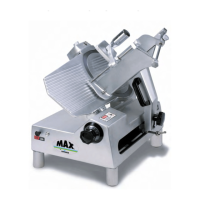
ELECTRICAL ASSEMBLY
1. Warning DISCONNECT ELECTRICAL SUPPLY
2. Remove two legs (Fig. 2 [40]).
3. Remove two leg brackets (Fig 2 [38])
4. Remove two screws (Fig. 3 [9]).
5. Remove bottom cover (fig. 2 [42]).
6. Replace two screws (Fig 3 [9]) securing square bar temporarily.
7. Discharge capacitors by jumping across terminals with electrically protected
screwdriver.
8. Remove switch shaft (Fig, 7 [16]) by loosening nut (Fig. 7 [15]) near switch end.
9. Remove electrical equipment casing by removing three screws (Fig. 7 [20] & [23]).
10.
Replace capacitors (Fig. 7 [18]) if found to be defective.
11.
Relay (Fig. 7 [21]) and switch (Fig. 7 [22]) can also be checked from this procedure.
12.
Replace any defective electrical component and reverse procedures to reassemble.
Page 11


 To Next Page