Installation Guide for Uplogix Local Managers 11
Connecting a workstation
To complete initial setup, you must connect your workstation to the Local Manager's RJ-45
console port.
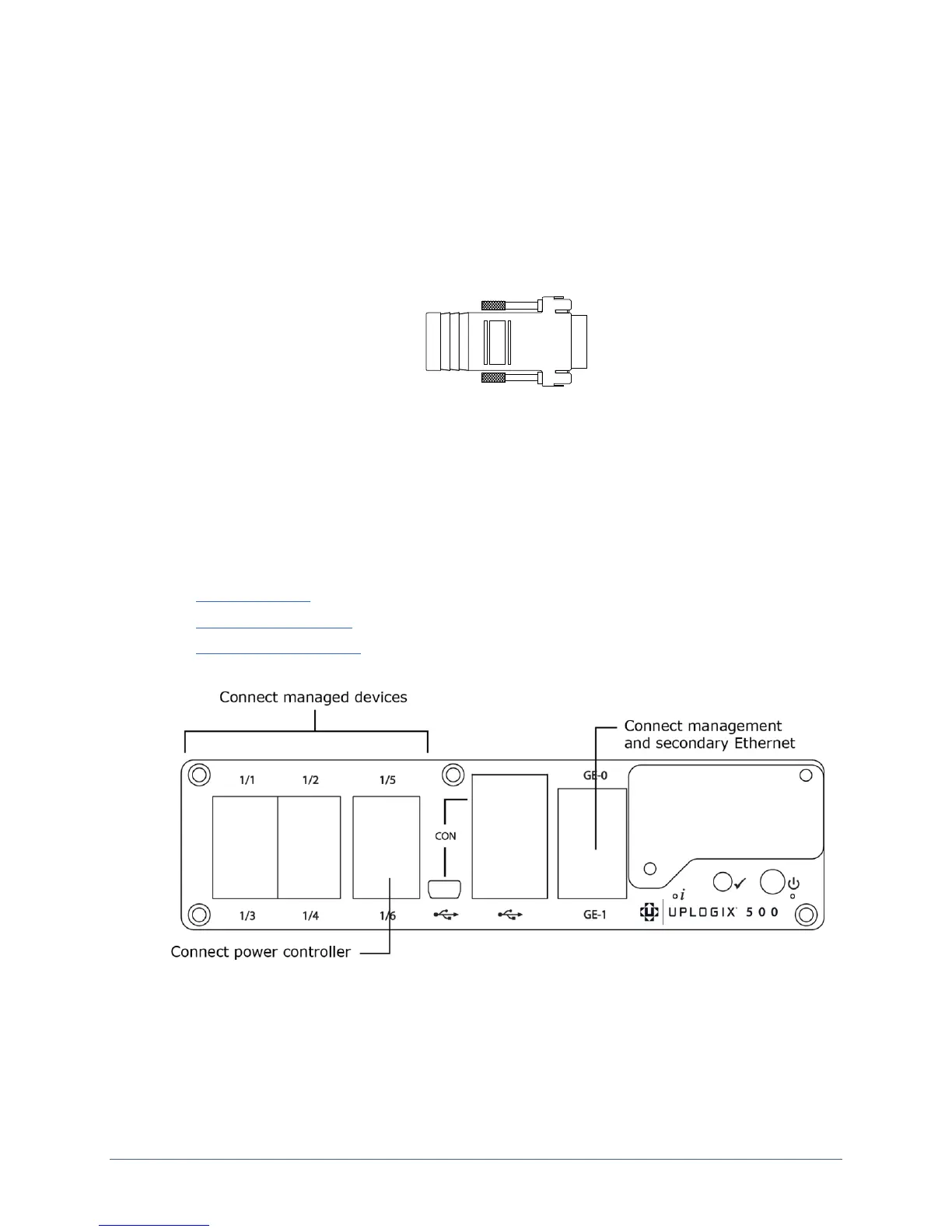
If your workstation has a DB-9 serial port, use the DB-9 to RJ-45 adaptor provided by
Uplogix (see diagram below) and a straight Ethernet cable to connect to the console port.
If your workstation does not have a DB-9 serial port, you will need to use a USB to DB-9
serial adaptor together with a straight Ethernet cable and the DB-9 adaptor provided by
Uplogix to connect to the console port.
The default settings for the console port are 9600, 8, N, 1.
Note: The mini-USB console port will be supported in a future software release.
Following initial setup, you may choose to disconnect the console cable and manage the Local
Manager via Ethernet.
Making the remaining connections
These connections are not required to complete the initial setup:
Power controller
Management Ethernet
Devices to be managed


 To Next Page