- 6 -
Control Panel
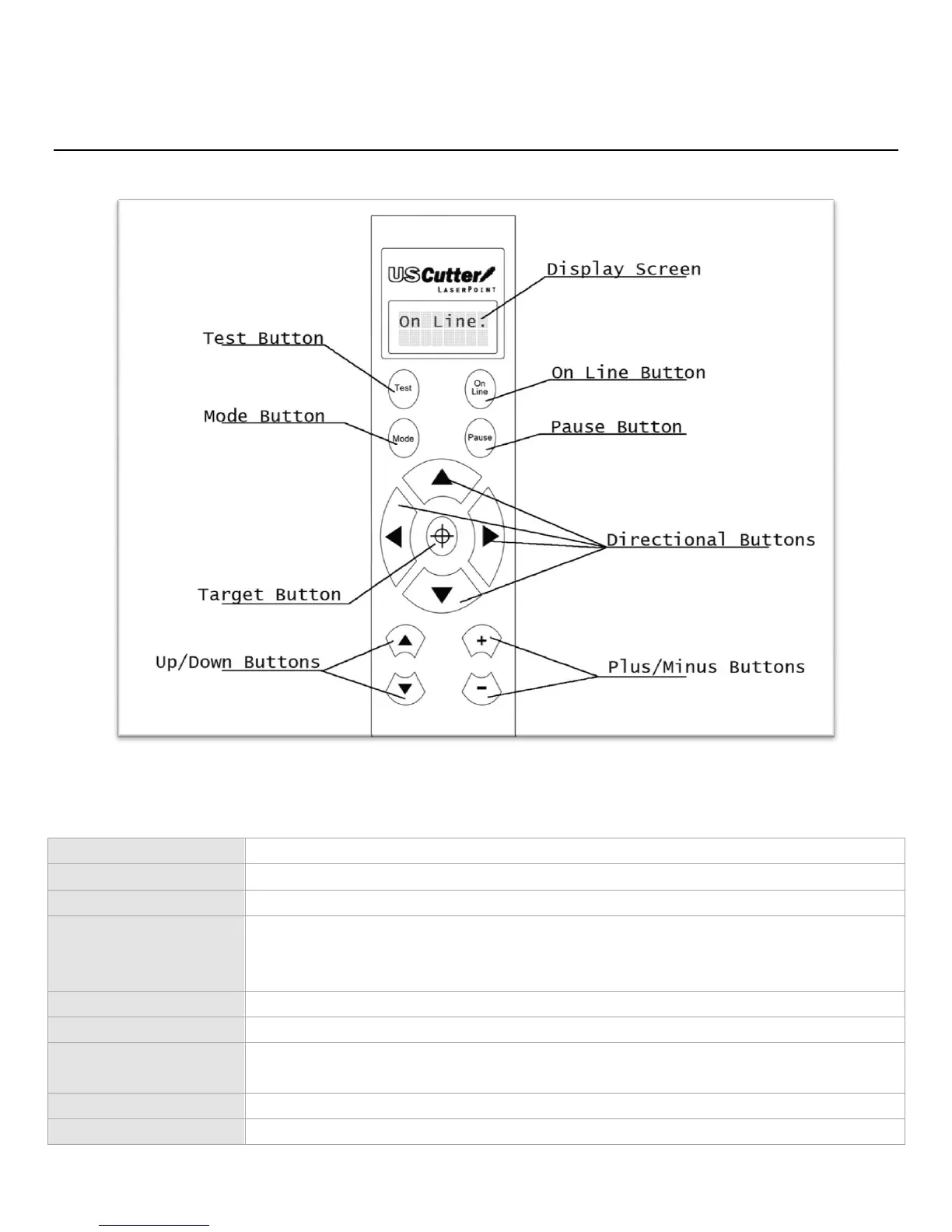
Control Panel Overview
Shows the current Mode/Status of the Cutter.
Toggles between On Line/Off Line modes
Cycles through the different adjustment modes of the cutter; Jog, Pressure
setting, Test mode, Repeat mode, Cut Speed setting, X Axis scale compensation,
Y Axis Scale compensation.
(Only In Jog Mode) Moves Blade Position/Rollers.
(Only In Jog Mode) Resets origination point of Blade/Rollers to the current
settings.
(Only In Jog Mode) Moves the Blade in and out of the fully Down Cutting Position.
Adjusts the settings throughout the different Modes.



 To Next Page