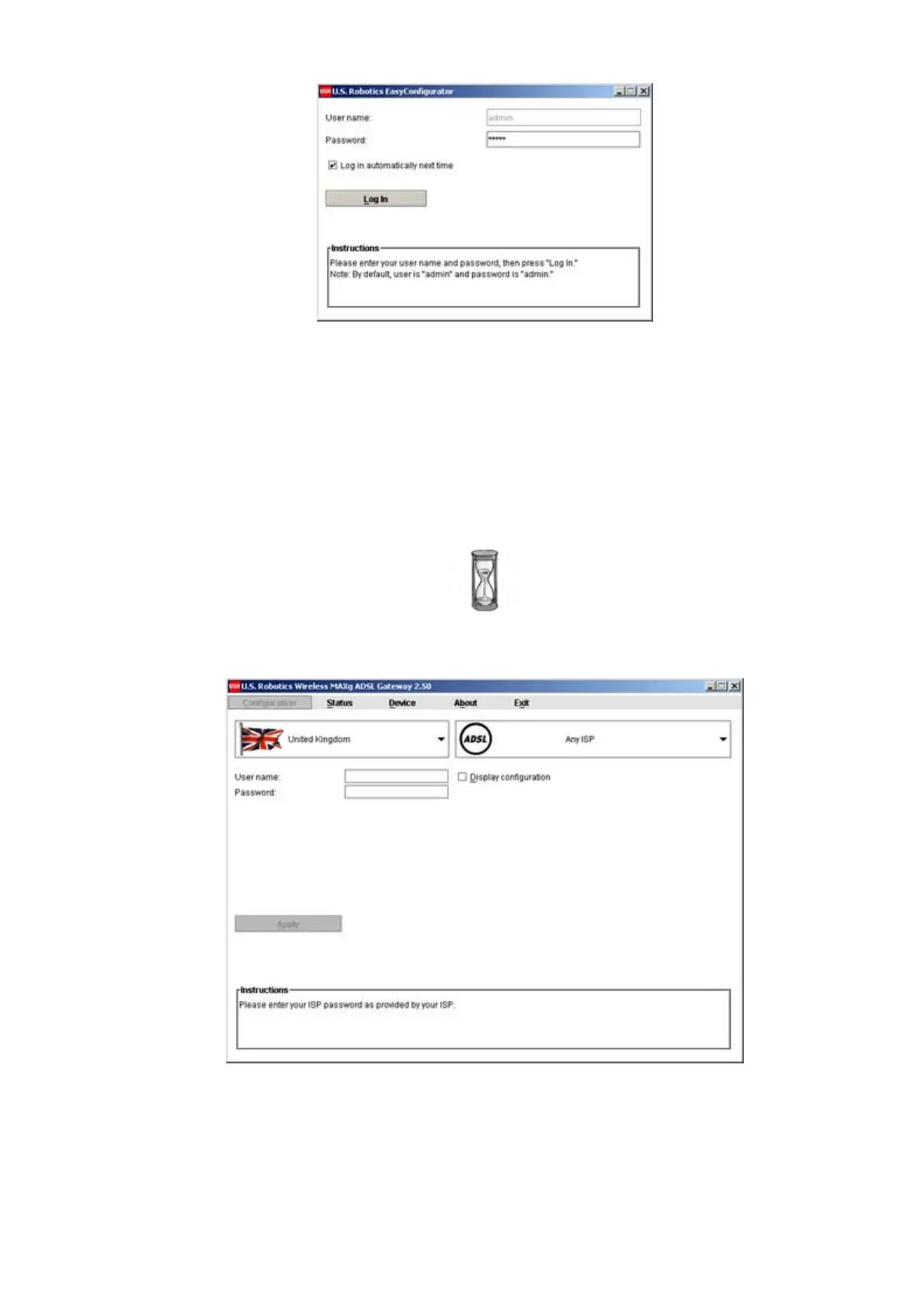
If EasyConfigurator does not start up automatically, you can open it yourself.
Windows users: Click Start and select Programs and U.S. Robotics
EasyConfigurator.
Macintosh and Linux users: Double-click on the EasyConfigurator icon on the desktop.
The default user name and password are already entered for you. Click Log In and
wait a few moments.
2. This window appears after you log in:
(If this window does not appear, click on Configuration near the top of the window.)
Select your country and your Internet Service Provider (ISP) from the drop-down lists.
If your country or ISP does not appear in the list, select Other and manually enter the
settings provided by your ISP.
You may need to enter your ISP-supplied user name and password after making your
第 4 頁,共 7 頁U.S. Robotics Wireless MAXg ADSL Gateway User Guide
2005/7/4file://C:\Documents%20and%20Settings\ivonne\Local%20Settings\Temp\Rar$EX48.000\insta...



 To Next Page