12
Quick Start
2.2.4 Switch-On the Tester
Turn the lockout keyswitch to the vertical position.
When the power supply is connected correctly as previously
explained, press the power switch on the rear panel to turn on the
tester.
The tester will begin its initialization process and display a
“splash screen” showing the firmware version number.
Initialization will continue as the splash screen remains until the
tester finishes and shows the Run Mode display.
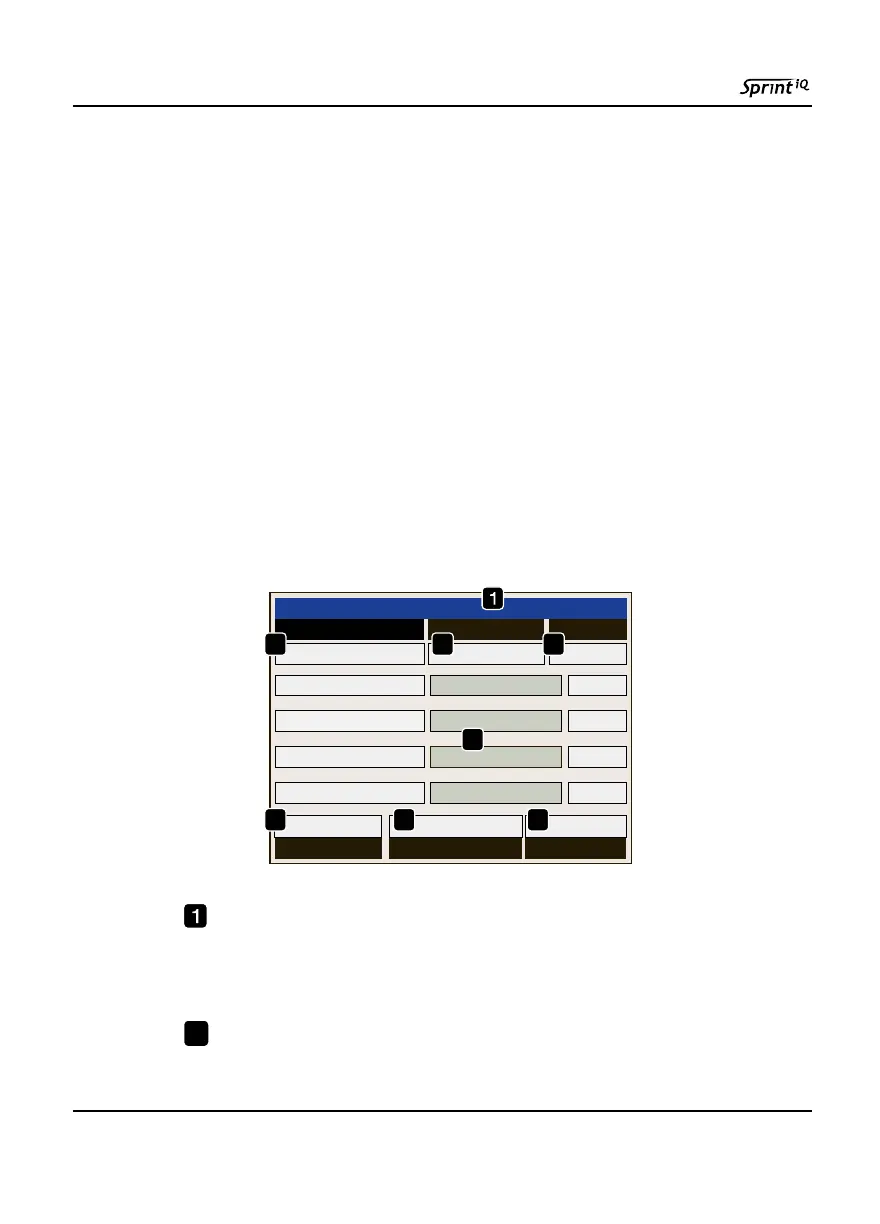
2.2.5 Run Mode Display Overview
Sprint iQ shows the Run Mode display during all test cycles in
every test mode. If multiple programs are linked, Sprint iQ shows
the run display for the program currently running.
Program Header. Ninety-nine programs may be stored in
Sprint iQ’s memory. The header shows the program number
that is currently selected for running.
Test Pressure Column. This column displays real-time
pressure measurements. At the end of a Vent step it shows the
Run Mode - Program #1
Test Pressure
Mode StatusStep Countdown
Tested Rejects
10.000 Psi
Ch 1
Ch 2
Ch 3
Ch 4
0
P Decay
0
4
5
876
2 3
2



 To Next Page