Quick Start
9
USB 2.0 Port. The port can communicate with USB devices.
A memory stick can be inserted and recognized as Drive C:.
There is also a similar USB port on the back panel. Only one
port may be used at a time.
Start and Stop Switches. The front panel has a green Start
switch and a red Stop switch. The green switch is used to start
the test. The red switch is used to abort a test in progress.
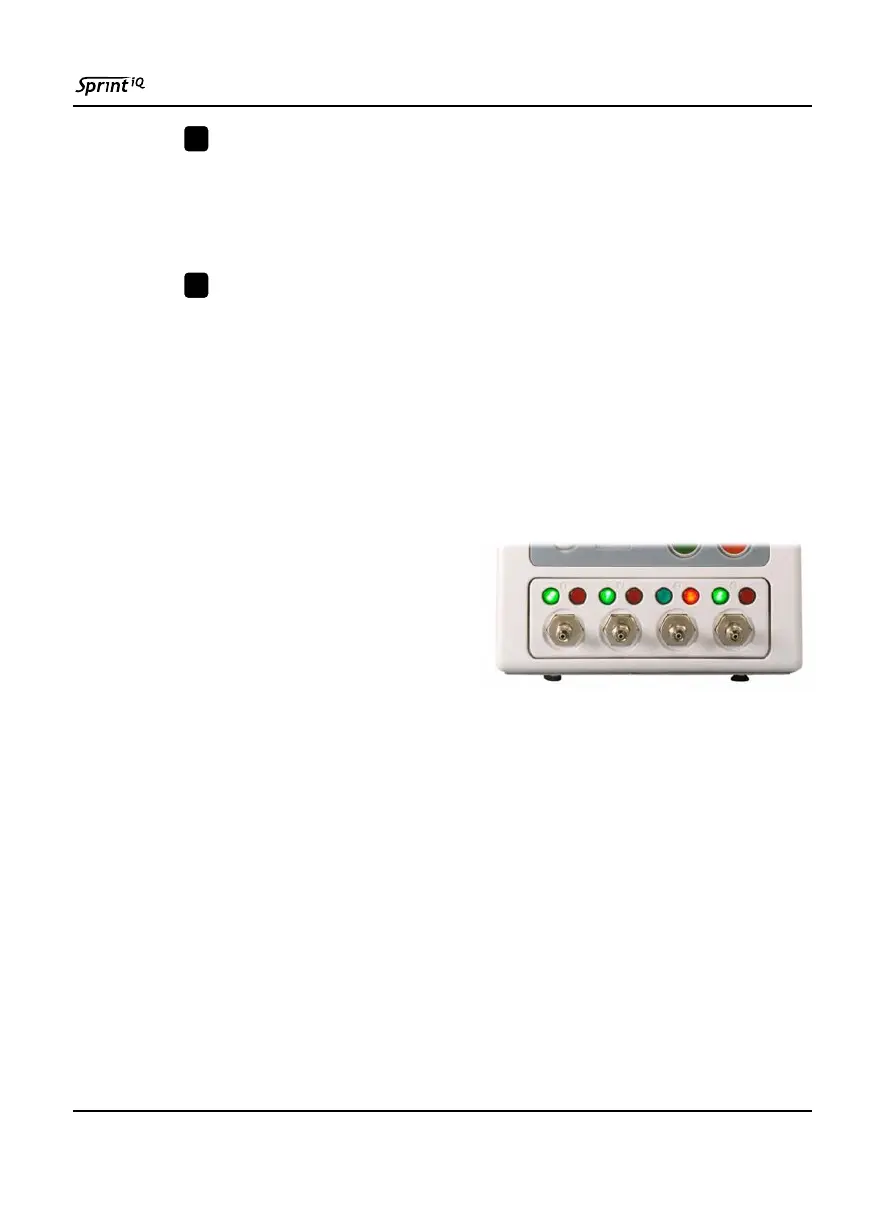
2.2.1 Pass/Fail Lights
The most convenient test result indicators to observe are the pass
and fail lights. A green and red light is assigned for each installed
channel.
A green pass light signals that
the test cycle was completed
and all test values were within
tolerances stored in the
program that ran on that
channel.
A red fail light indicates that at least one test parameter went out
of tolerance at some time during a test cycle. The fail light turns
on if a gross leak occurred, a pressure error value is exceeded, or
the product exceeded an established pressure or flow tolerance.
Repeated failures can indicate Sprint iQ or external fixtures have
set-up problems.
If a fail light turns on during a test, the operator can read the
status box on the run display to see why the test was unsuccessful.
4
5



 To Next Page