EasyManua.ls Logo

Utax P-4030 - Canceling Sending Jobs

Utax P-4030
397 pages
Print Icon
To Next Page IconTo Next Page
To Previous Page IconTo Previous Page
Loading...
5-25
Operation on the Machine > Sending
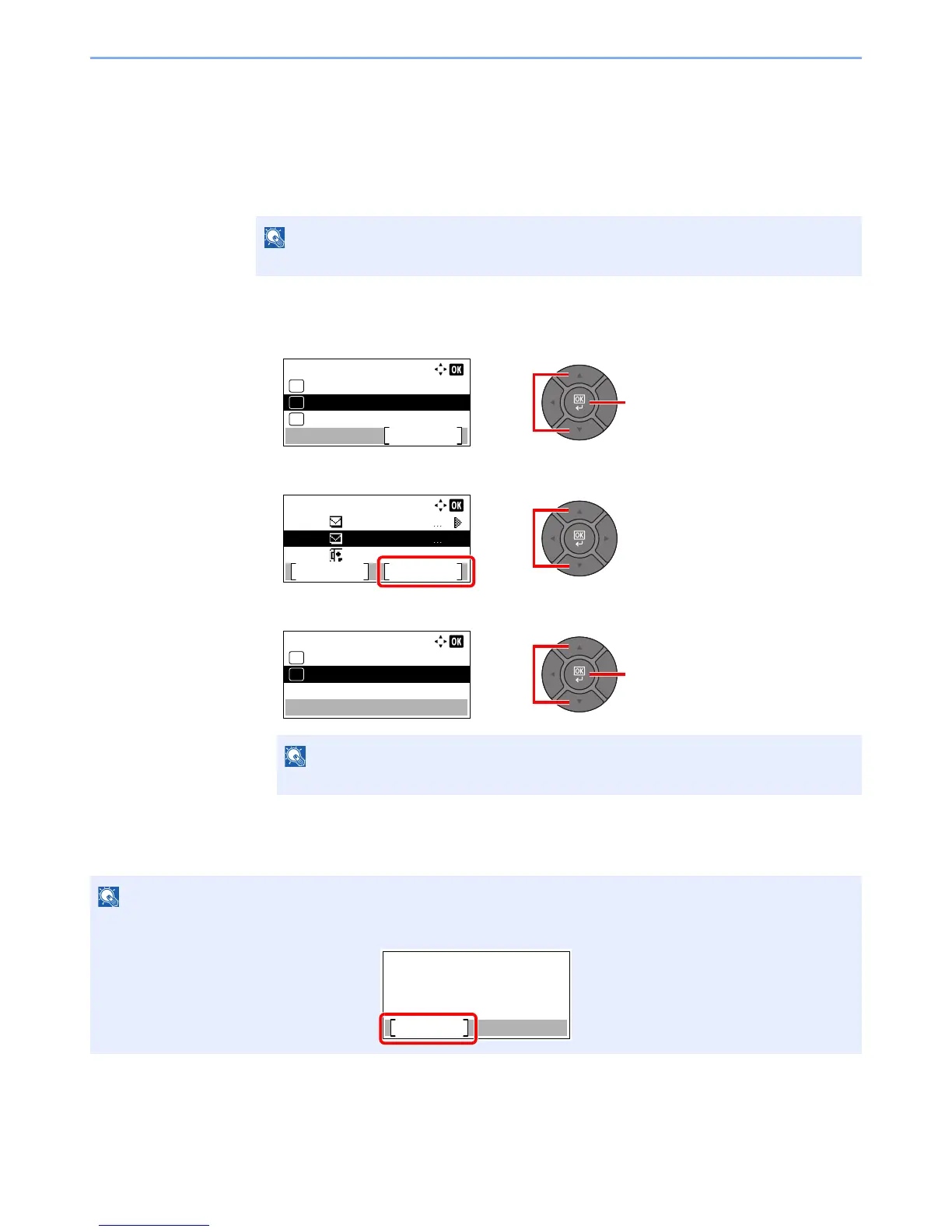
Canceling Sending Jobs
You can also cancel jobs by pressing the [Stop] key.
1
Press the [Stop] key with the send screen displayed.
The [Job Cancel List] menu appears.
2
Cancel jobs.
1 Press the [] or [] key to select [Send Job List] and press the [OK] key.
2 Press the [] or [] key to select the job to cancel, and press [Menu].
3 Press the [] or [] key to select [Cancel Job], and press the [OK] key.
4 Press [Yes] in the confirmation screen.
The job is canceled.

NOTE
Pressing the [Stop] key will not temporarily stop a job that you have already started sending.
NOTE
Select [Detail] and press the [OK] key to show the detailed information of the job.
NOTE
During scanning, the job can be canceled by pressing the [Stop] key or [Cancel].
21
Job Cancel List:
Cancel Print Job
Exit
01
Cancel Send Job
02
Cancel Store Job
03
Cancel Send Job:
0008
0009
0010
abcd@efg.co
hijk@lmn.co
0123456789
Resume Menu
1
2
21
Menu:
Cancel Job
01
Detail
02
Scanning...
Cancel
Job No.:
Page(s):
Job No.
Page(s)

Table of Contents

Related product manuals