EasyManua.ls Logo

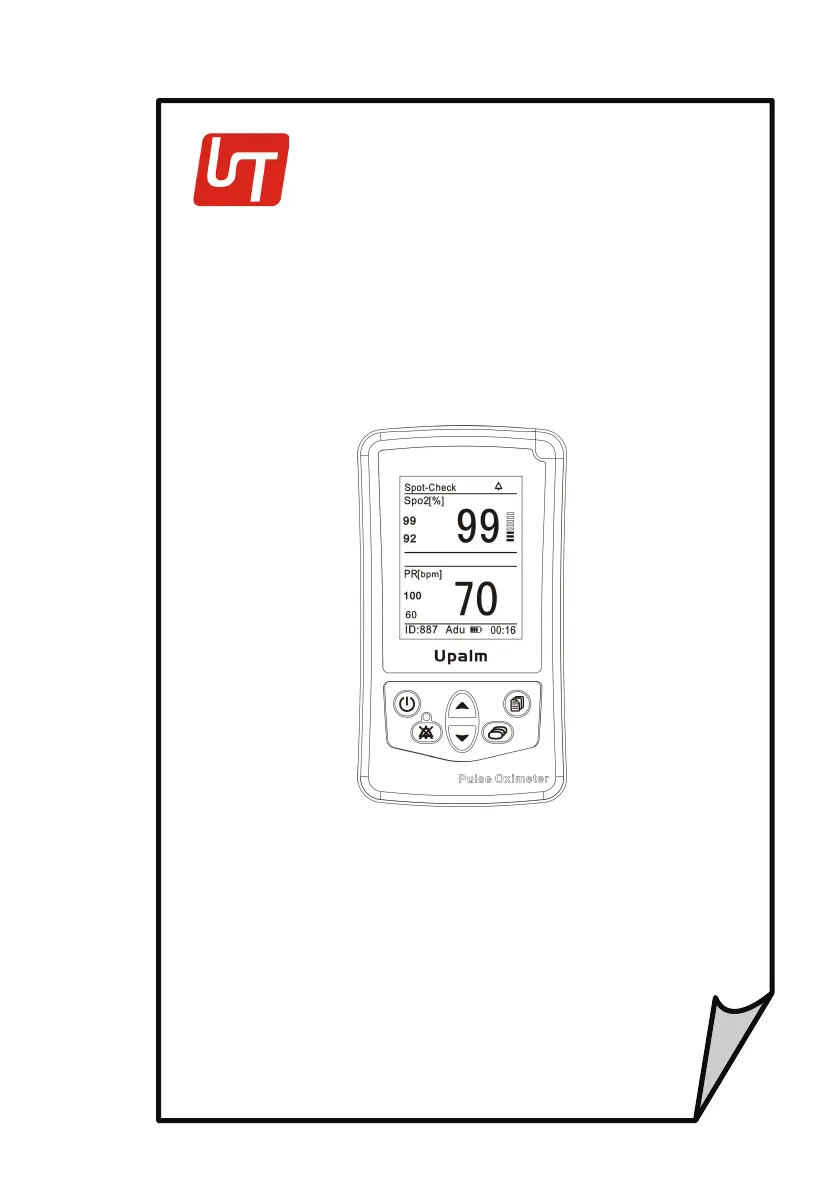
UTECH UT100 - User Manual

UTECH UT100
53 pages
Print Icon
To Next Page IconTo Next Page
Loading...
UT100 Handheld Pulse
O
ximet
er
Operation Manual
-
English
V
ersion
1.0,
January 2010
©
2010 UTECH Co., Ltd
.
All
rights
r
eser
v
ed
.

Table of Contents

Other manuals for UTECH UT100

Questions and Answers

  • P
    Patrick Curry IVAug 1, 2025
    Why does my UTECH Medical Equipment say 'Battery Abnormal'?
    • H
      hernandezsarahAug 1, 2025
      If the UTECH Medical Equipment displays 'Battery Abnormal', it might be due to several reasons. First, you may be attempting to charge alkaline batteries; if so, replace them with Ni-MH cells. Second, the batteries might be incorrectly installed; ensure they are correctly positioned. Third, there may be no batteries installed; ensure the oximeter is equipped with batteries. Finally, the batteries may be weak, in which case, replace them.
  • C
    Carol HigginsAug 6, 2025
    What to do if my UTECH UT100 turns off unexpectedly?
    • S
      susanmartinezAug 6, 2025
      If your UTECH Medical Equipment oximeter turns off unexpectedly, the batteries are likely weak or dead. Replace the batteries to resolve this issue.
  • M
    Mary BishopAug 10, 2025
    How to fix a UTECH UT100 that doesn’t turn on?
    • P
      Phillip ThomasAug 10, 2025
      If the UTECH Medical Equipment oximeter doesn’t turn on, it's likely due to the batteries not being installed or being incorrectly installed. Ensure the batteries are installed correctly.
  • C
    Charles MartinAug 14, 2025
    Why is the pulse rate erratic on my UTECH UT100 Medical Equipment?
    • N
      Nicole CollinsAug 14, 2025
      If the pulse rate on your UTECH Medical Equipment is erratic, intermittent, or incorrect, it could be due to a sensor being incorrectly positioned. Try repositioning the sensor. Patient motion can also cause this issue; the patient must remain still to obtain an accurate measurement.
  • A
    andersontylerAug 18, 2025
    What to do if there are no PR and SpO 2 values on UTECH UT100?
    • N
      Nicole JonesAug 18, 2025
      If you are not seeing PR and SpO2 values on your UTECH Medical Equipment, it may be due to a defective sensor, patient cable, or monitor. Try a new sensor, or contact your authorized repair center for assistance.
  • T
    Timothy SanchezAug 23, 2025
    Why is the SpO 2 value incorrect on my UTECH UT100 Medical Equipment?
    • K
      Kayla WallaceAug 23, 2025
      If the SpO2 value is erratic, intermittent, or incorrect on your UTECH Medical Equipment, it could be due to poor patient perfusion. Try repositioning the sensor. Patient motion can also interfere with readings, so ensure the patient remains still for an accurate measurement.
  • S
    Steven FuentesAug 27, 2025
    How to troubleshoot no pulse shown on UTECH UT100?
    • J
      Jacob BushAug 27, 2025
      If no pulse is being shown on the bargraph of your UTECH Medical Equipment, check the sensor connections to both the patient cable and the oximeter. Also, ensure the sensor is correctly positioned on the patient; reposition if necessary. Poor patient perfusion can also cause this; try repositioning the sensor. Finally, the sensor or patient cable may be defective; try a new sensor or contact your authorized repair center.

Summary

Warranty and Service Information

Limited Warranty

Details the warranty period, terms, conditions, and remedies for device defects.

Service Support

Provides contact information and procedures for obtaining device repair and technical support.

Chapter 1: Introduction

Warning Information

Lists critical safety warnings and cautions for proper and safe operation of the device.

Chapter 2: Intended Use and General Information

Intended Use

Specifies the device's intended applications, patient population, and operating environment.

Theory of Operation

Explains the underlying principles of pulse oximetry and how the device measures physiological parameters.

Chapter 3: Controls and Features

Monitor Front Panel

Describes the physical layout, display elements, and connectors on the device's front panel.

Monitor Operating Keys

Details the function and operation of each key and button on the pulse oximeter.

Chapter 4: Operating Instructions

Attaching the Sensor to the Patient

Detailed instructions for correctly applying the SpO2 sensor to different patient types.

Choosing the Sensor

Guidance on selecting the appropriate SpO2 sensor based on patient weight and application site.

Performance Considerations

Discusses factors that can affect measurement accuracy, such as ambient light and patient conditions.

Chapter 5: Changing the Monitors Settings

Changing Alarm Settings

Instructions for customizing high and low alarm limits for SpO2 and pulse rate measurements.

Chapter 6 Trend Data Output and Analysis

Connecting Oximeter to PC

Instructions for establishing a USB connection between the pulse oximeter and a personal computer.

Trend Data Download

Procedures for transferring stored trend data from the oximeter to the PC for analysis.

Data Analysis and Reports

Detailed explanation of how to analyze collected data and generate comprehensive reports.

Chapter 8: Maintenance and Troubleshooting

Troubleshooting

Offers solutions for common problems and issues encountered during the operation of the pulse oximeter.

UTECH UT100 Specifications

General IconGeneral
FHR MethodUltrasound Doppler
DisplayLCD
Display Size5.7 inch
B-ModeNo
M-ModeNo
DopplerYes
Image StorageNo
Power SupplyAC 100-240V, 50/60Hz
AlarmYes
PrintingThermal Printer
Device TypeFetal Monitor
Probe TypesFHR and TOCO
Measurement FunctionsFHR, TOCO