Chapter 6: Trend Data Output and Analysis
6-4 UT100 Handheld Pulse Oximeter Operation Manual
NOTE! The patient’s ID and information should be corresponded with each
other.
If you want to change the case information of the patient whose trend data
have already been download, follow the same steps and click this button
to save your changes.
B. Click the icon “ ” or “DownLoad All” to download all trend data from the
oximeter.
6.5 Open the Data Base
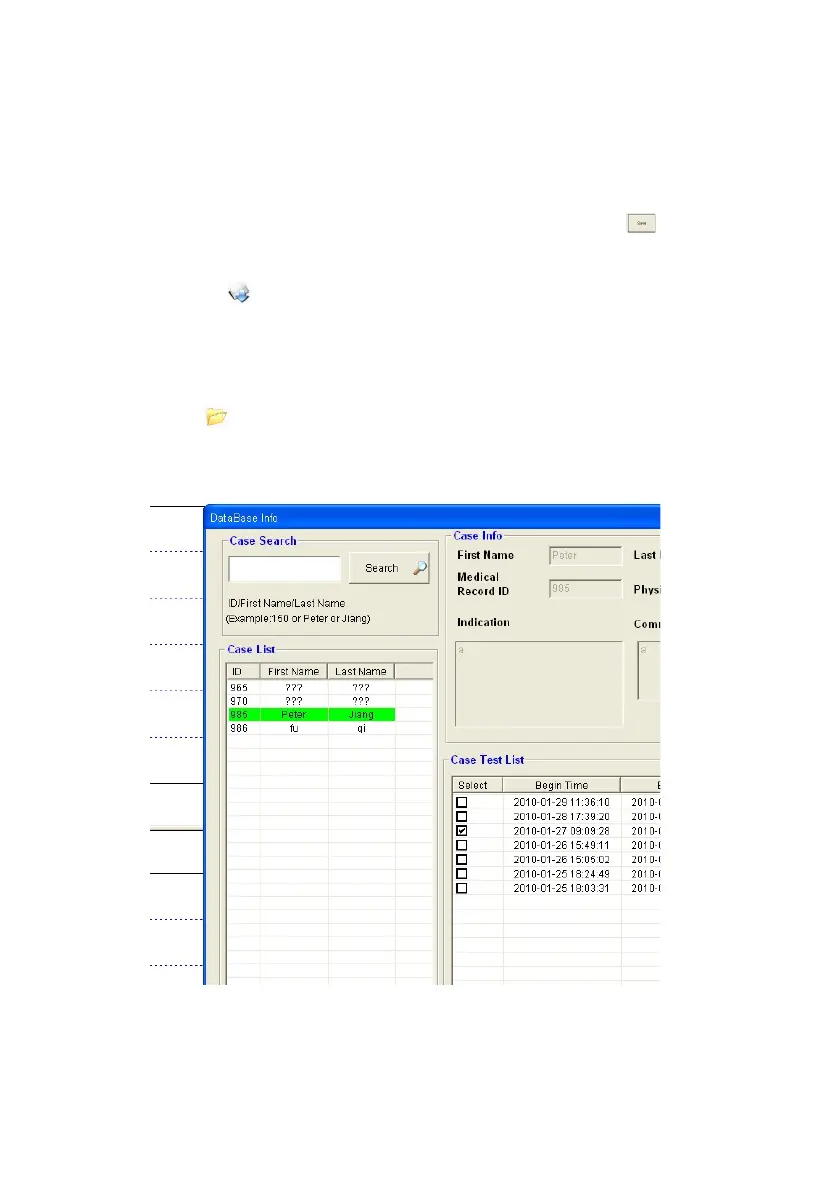
Click the icon“ ” or “Open DataBase” to open the data base, the following
window will pop up:
Figure 6.4: Data Base
Case Search: Put ID/Frist Name/Last Name to search patient files you want to
review.


 To Next Page