Chapter 6: Trend Data Output and Analysis
6-2 UT100 Handheld Pulse Oximeter Operation Manual
4. You are now ready to use the ODMS
.
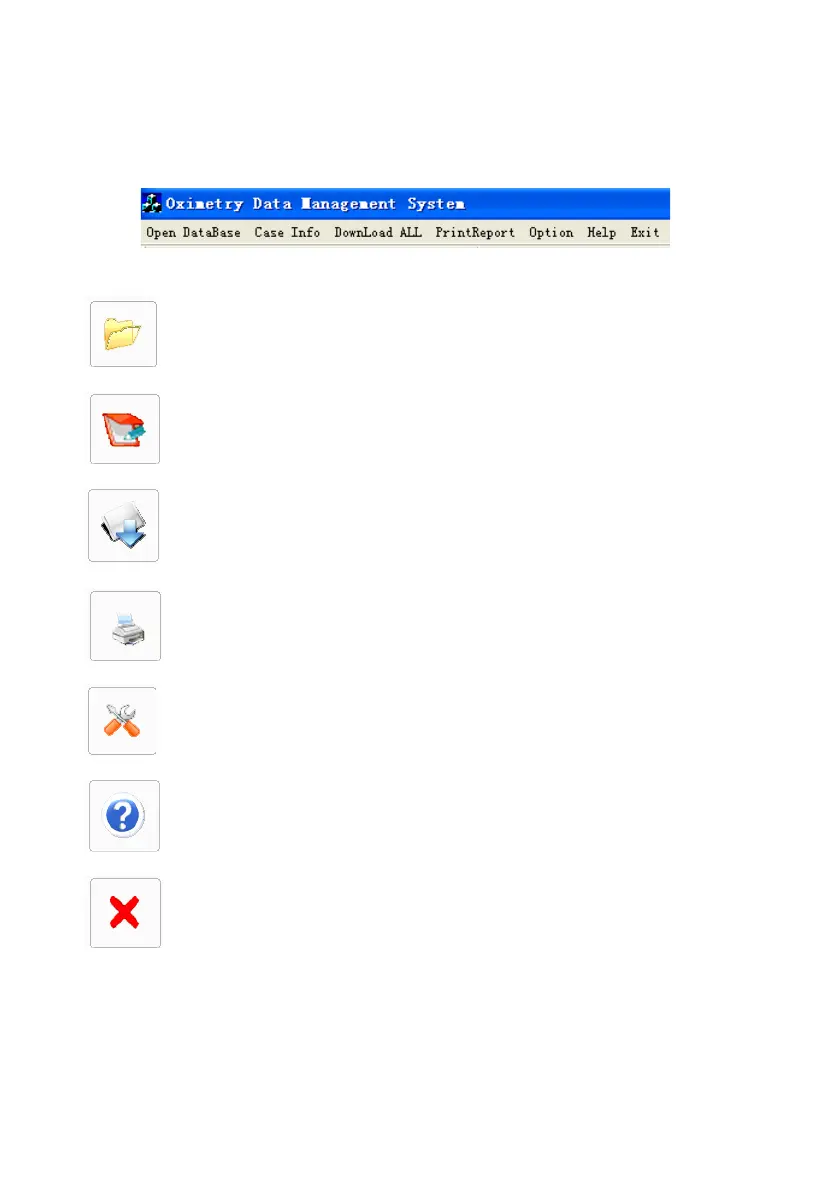
6.3 Function of Main Menu
Figure 6-2: The main menu
6.4 Trend Data Download
To download trend data to PC, please conduct the following steps:
1. Open Data Base: Allows user to create, delete, search, and view
patient files and study records.
2. Case Information: Allows user to immediately refer back to patient
information while viewing study data.
3. Down Load All: Allows user to access to the patient database and
transfer all trend data from the oximeter to ODMS for analysis.
4. Print Report: Allows user to print statistical, desaturation, SpO
2
, or
full reports.
5. Option: Allows user to setup serial communication, Baud Rate and
auto or manual etc.
6. Help: Displays user sheet and operate method when problems occur.
7. Exit: Allows user to exit the ODMS.


 To Next Page