Chapter 6: Trend Data Output and Analysis
UT100 Handheld Pulse Oximeter Operation Manual 6-5
Case List: List all the downloaded cases. “???” means the information of this
patient hasn’t been edited. Click the button to add the information.
Case Test List: Dblclick the patient file, the case test list of this patient will be
displayed at the right side.
Delete: Select patient file you want to delete and then click the button
to delete it.
6.6 Data Analysis and Reports
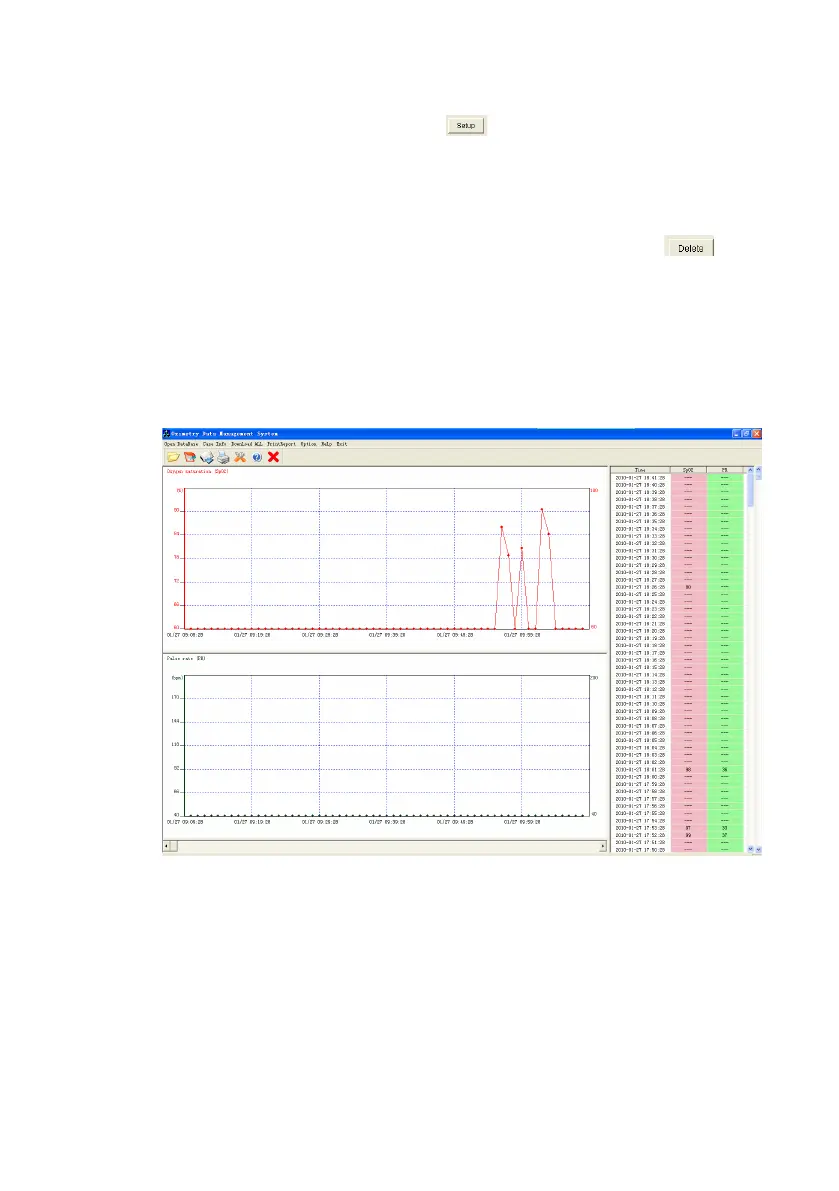
Select one period from the case test list to analyze trend data. Press the OK
button to enter the main analysis interface, as shown below:
Figure 6.5: The Main Analysis Interface
The main analysis interface displays two bar charts and one list of SpO
2
and PR.
The Full Report consists of 3 reports: Statistical Report, Desaturation Report
and Graphic Report.


 To Next Page