->Logbook
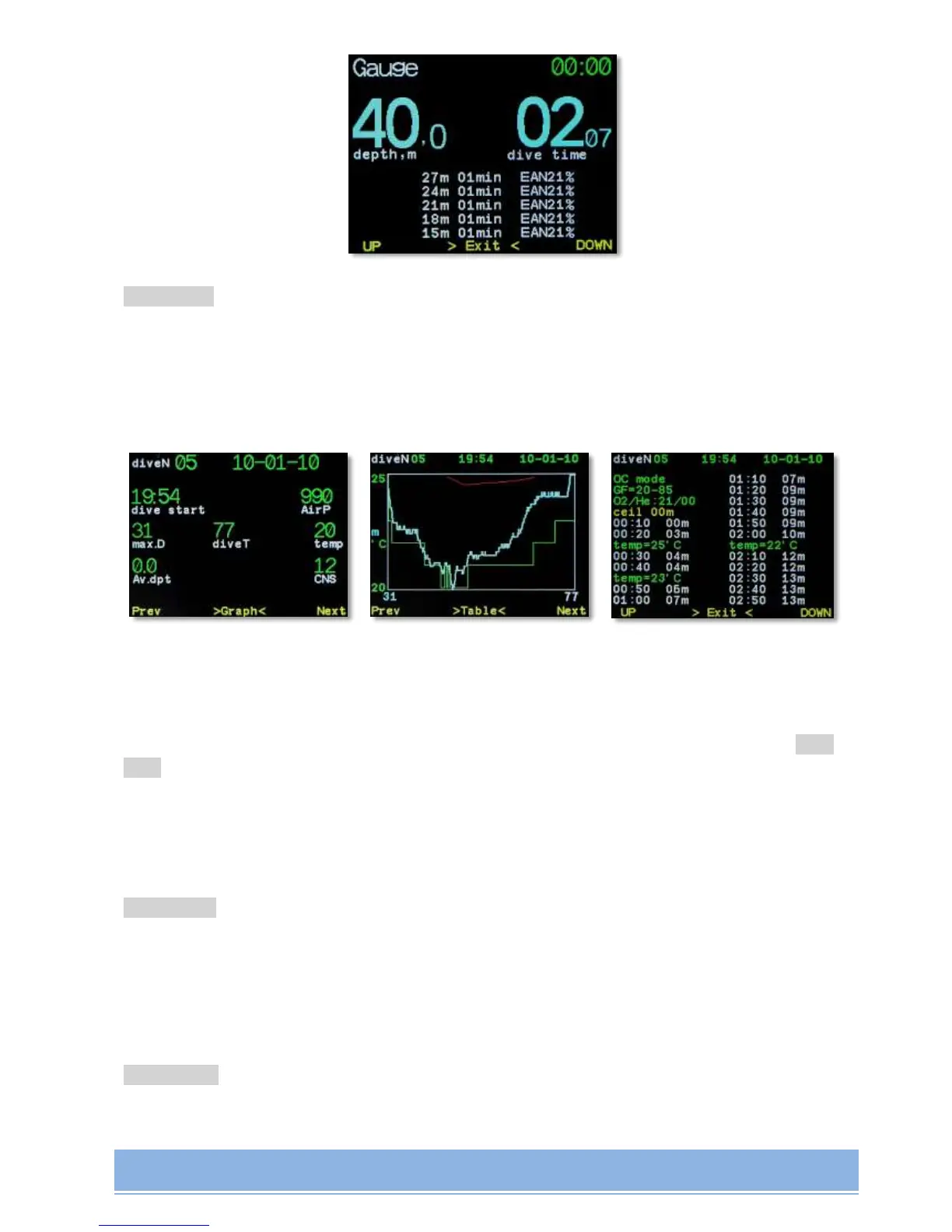
(only in Surface Interval mode) logbook browsing.
Brief information, graph, complete information in table mode.
Depth profile (blue), temperature profile (green) and decompression ceiling (red) are
presented in a graphic way.
Switching between modes is done by simultaneous pressing of 2 buttons.
In brief information and in graph modes switching between dives is done by pressing Next и
Prev.
Note! Exit from logbook mode to main menu screen can be automatic within 30 seconds, or
by consequential pressing buttons through Graph-Table modes.
->Plan dive
(only in Surface Interval mode) Dive planning mode.
Planning is done based on the list of current active gases and settings (GF, SP, laststop).
See in detail - Built-in Dive Planner.
->Backlight
Adjusting backlight intensity.


 To Next Page