7.1 Calibration
Magnetic compass is calibrated during production process, though in some cases re-
calibration could be required.
It is strongly recommended to calibrate AV1 far away from massive metallic objects and
electric wires.
For calibration proceed with the following:
Switch AV1 to Compass Calibration mode (see Menu item);
Rotate AV1 in all 3 (theree) axes. Try to make 2 rotations round each axis within 4-5
seconds;
Save the result by pressing the left button.
7.2 Direction Fixation Marking
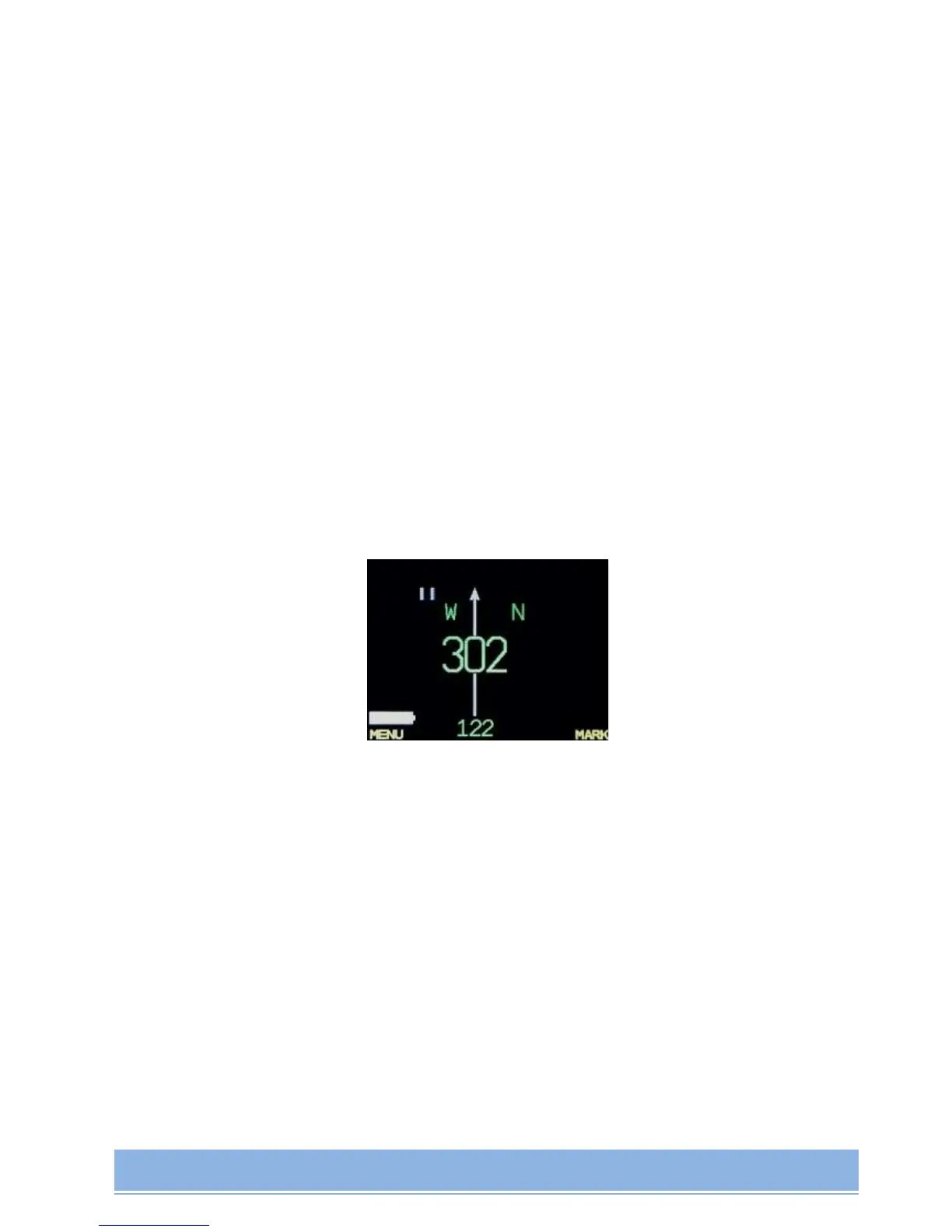
In Compass Mode it's possible to store pre-set direction with direction marking reflection.
In order to store the direction and direction marking shortly press the Right button. Cardinal
scale and direction fixation presented as in motion:
Repeated button pressing will reset the marking to a new current direction.
8. AV1 MANAGER MODE
AV1 Manager software is applied for Firmware upgrade and for logbook downloading to
Windows-based computer.
PC System Requirements for AV1 Manager successful work:
OS WindowsMe, XP, Win7.
Firmware upgrade procedure:
1. extract the archive file to any folder;
2. connect AV1 to the desktop via USB;


 To Next Page