Fast navigation to Gas List Editing menu is also available. For this select edit mix menu in
Gas List.
->SwitchOC/CCR
Switching to Open Circuit (OC) or Closed Circuit (CCR).
Switching is done by one pressing ОК button.
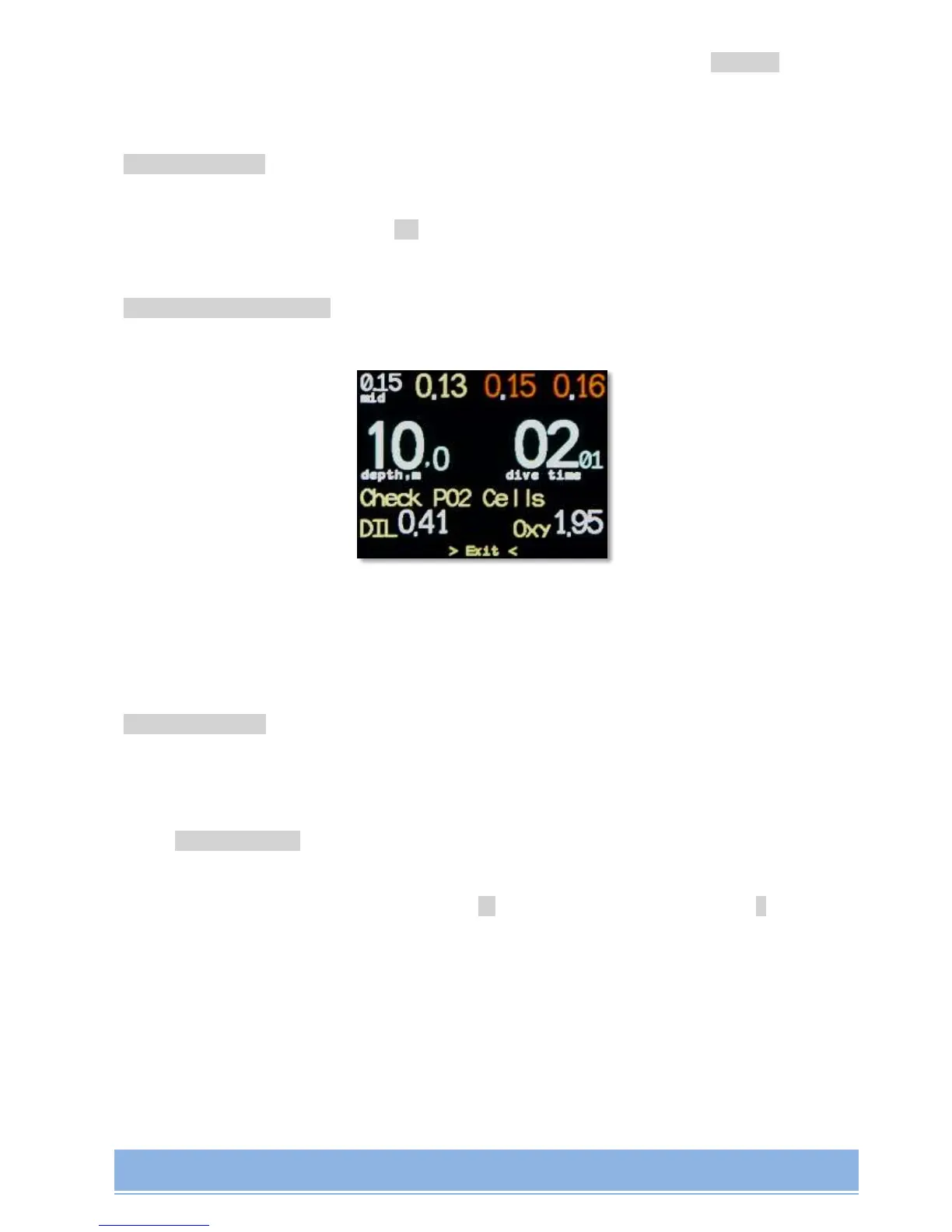
>Сheck PO2 Cells->
PO2 sensors' correctness control mode during the dive:
PO2 values at the current depth are displayed at the bottom of AV1 screen in case of flushing
the loop with diluent or (up to 10 meters inclusive) with oxygen. The function works on all
AV1 products in CCR mode.
>System Setup->
(only in Surface Interval mode) System settings of dive computer.
->Set date/time
(only in Surface Interval mode) System Time/Date setting.
Switching between digits is done with button, changing the value with +. It will be
offered to save results of editing upon navigating through all the editible fields.


 To Next Page