5.1 Surface Interval mode
By pressing MENU you move to AV1 Main menu.
By pressing MIX you move to SubMenu for selecting current gas.
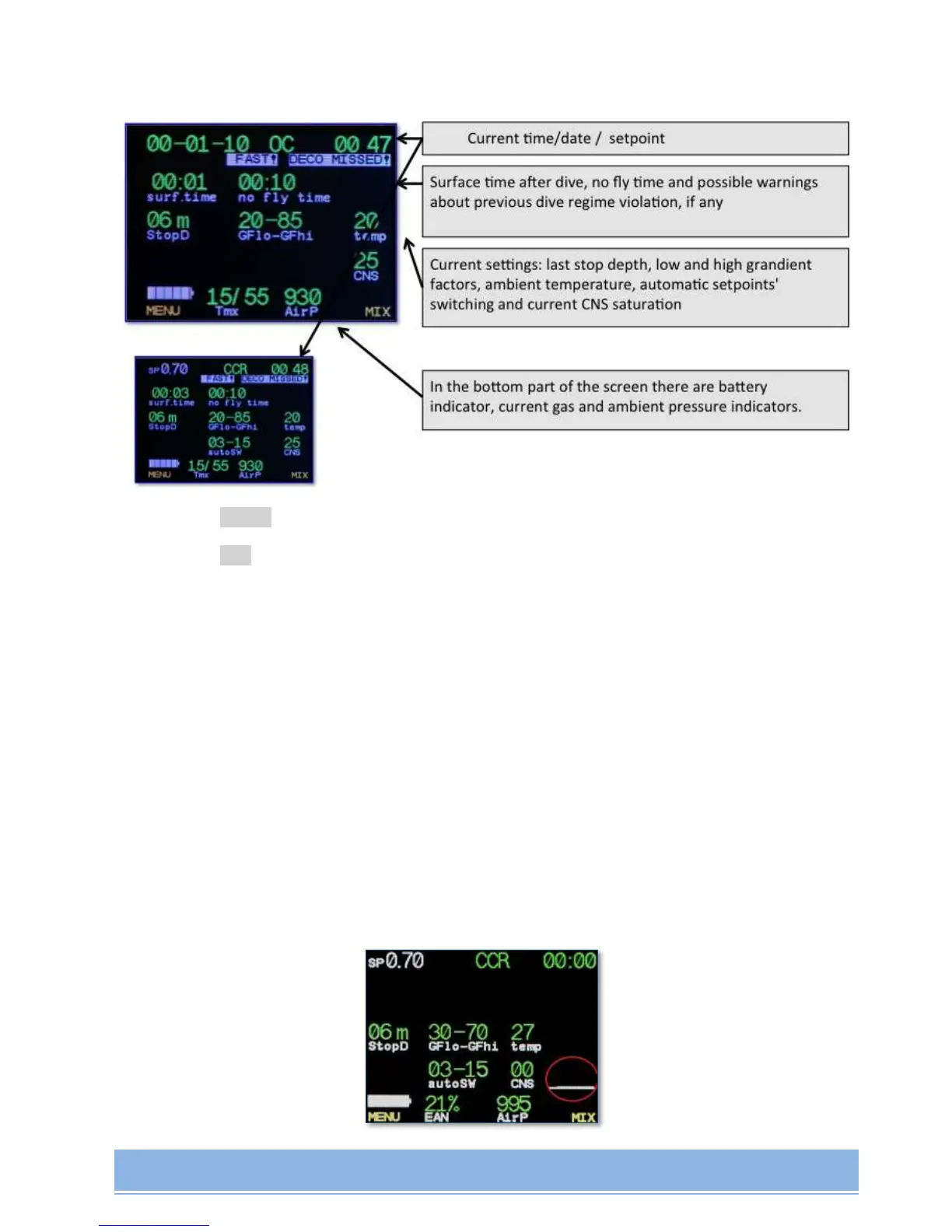
When Surface Interval mode is activated, the following main settings will be displayed on the
screen:
selected Setpoint (in CCR mode), or current date, time;
top safety stop;
Gradient Factor;
Temperature;
Depth of automatic Setpoint switching (in CCR mode, if automatic switching is
activated);
CNS;
battery charge capacity;
current gas;
ambient pressure.
Example of Residual tissues saturation chart:


 To Next Page