5.7.5 Oxygen cells Calibration
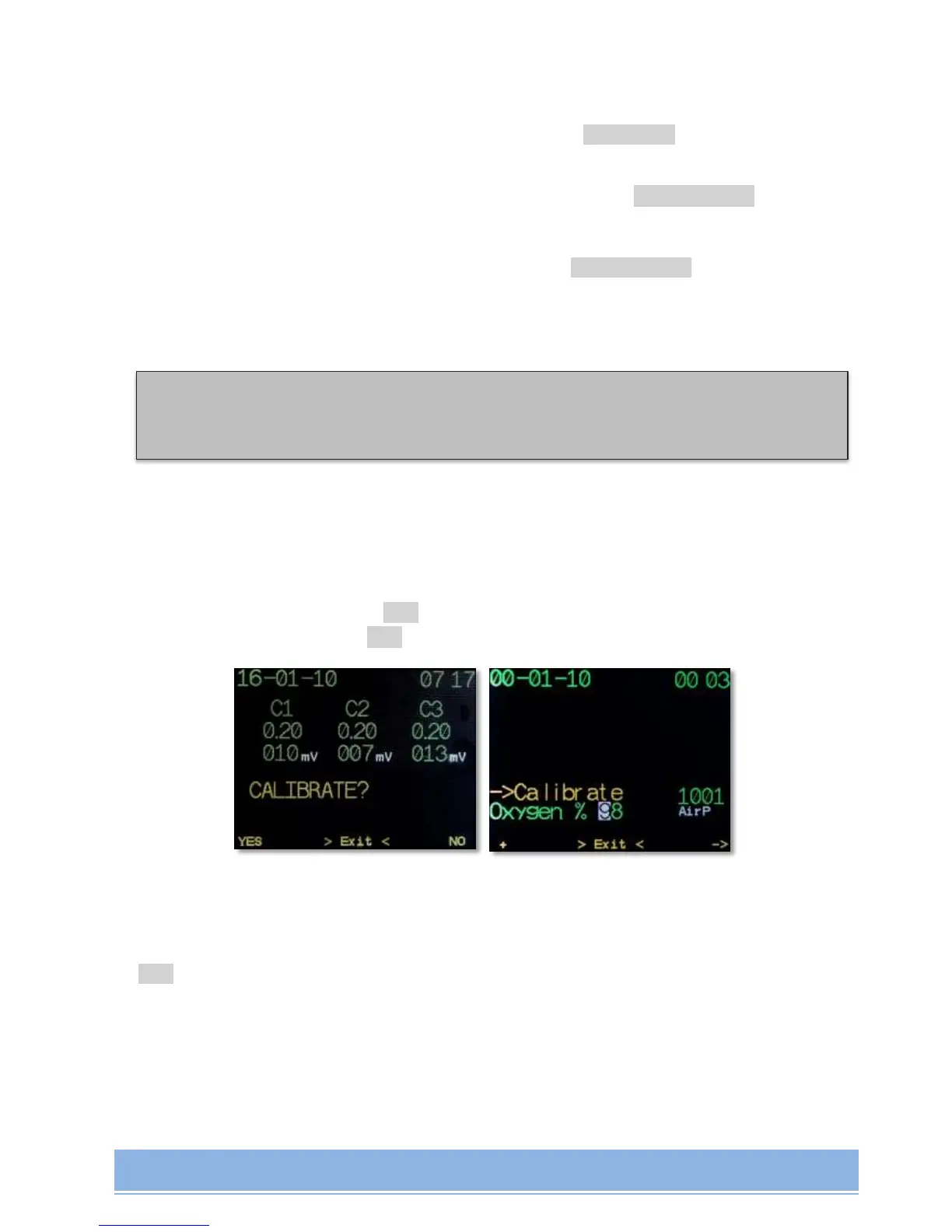
Oxygen cells Calibration mode is turned on by pressing ->Calibrate in the Main Menu or
automatically:
when at least 1 (one) Oxygen cell is activated by pressing ->CellsControl in the Main
Menu;
when AV1 is turned on, the Oxygen cells' cable is activated, CCR mode is chosen, and
at least 1 (one) Oxygen cell is activated by pressing ->CellsControl in the Main Menu;
Calibration can be made based on any gas with known PO
2
(set during each calibration) and
at any ambient pressure (measured automatically).
Сalibration procedure sequence:
set PO
2
in calibration gas;
fully fill Oxygen cells with calibration gas;
start calibration by pressing YES.
save settings by pressing YES:
If cells show the same stable values within 10 seconds and are within the same working
range, the cells will be automatically calibrated. Otherwise, the cell (cells) will be switched off
– OFF mode.
NOTE! For maximum calibration accuracy use pure Oxygen!
NOTE! Prior to calibration set the right PO2 in calibration gas!


 To Next Page