->AutoSwitch SP
(only in CCR mode) Turning On / Off AutoSwitch of Setpoints.
By pressing ON for this SubMenu AutoSwitch of Setpoints (from Low SP to High SP,
and vice versa) will be made when crossing the depth level preset in SW at SubMenu
in ->Setup SP. By pressing OFF AutoSwitch of Setpoints can be made only manually
via >SwitchSP SubMenu.
->Conservatism
Editing Low and High Gradient Factors.
Editing range 0.05-0.95 with discrete interval of 0.05. Switching between digits is done
with button, changing the value with +. It will be offered to save results of editing
upon navigating through all the editible fields.
->Last STOP
Editing final decostop depth.
Available values: 3-4-5-6 meters.
->Select mix
Current gas selection.
Access to this menu item is also available from the main screen by pressing the right button.
Only active gases will be offered in the list (see Menu item -> Edit mix). The gas with the
most suitable MOD value (Maximum Operating Depth for a breathing gas below which the
partial pressure of Oxygen (ppO
2
) will be offered as the first one.
Select gas by pressing Next , confirm your selection – press ОК.
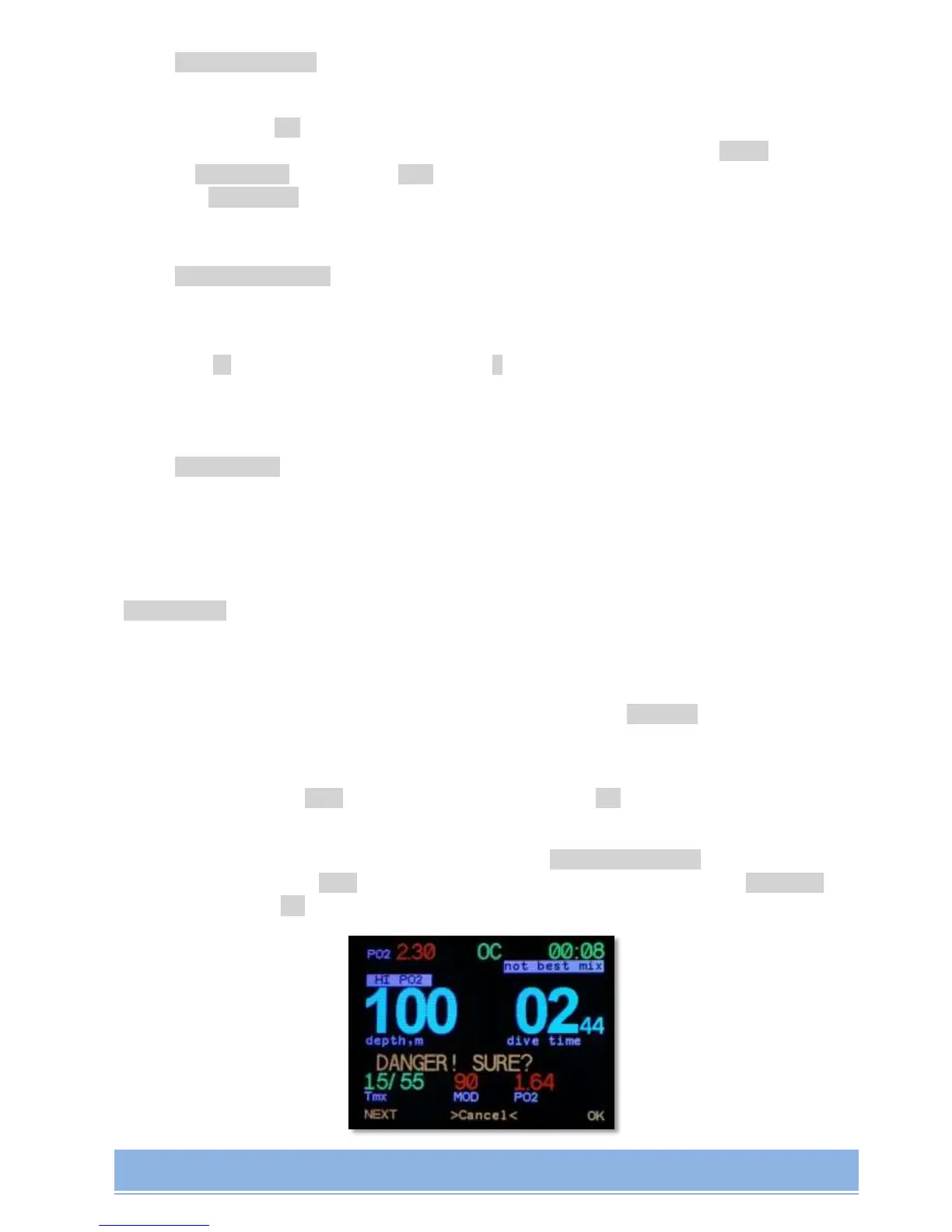
When you try to select a gas with PO
2
lower than 0.16 bar or PO
2
higher than 1.6 bar, the
warning about dangerous choice will be displayed: DANGER! SURE?. You can choose
another gas by pressing Next, cancel by simultaneous pressing of two buttons >Cancel<, or
confirm by pressing ОК.


 To Next Page