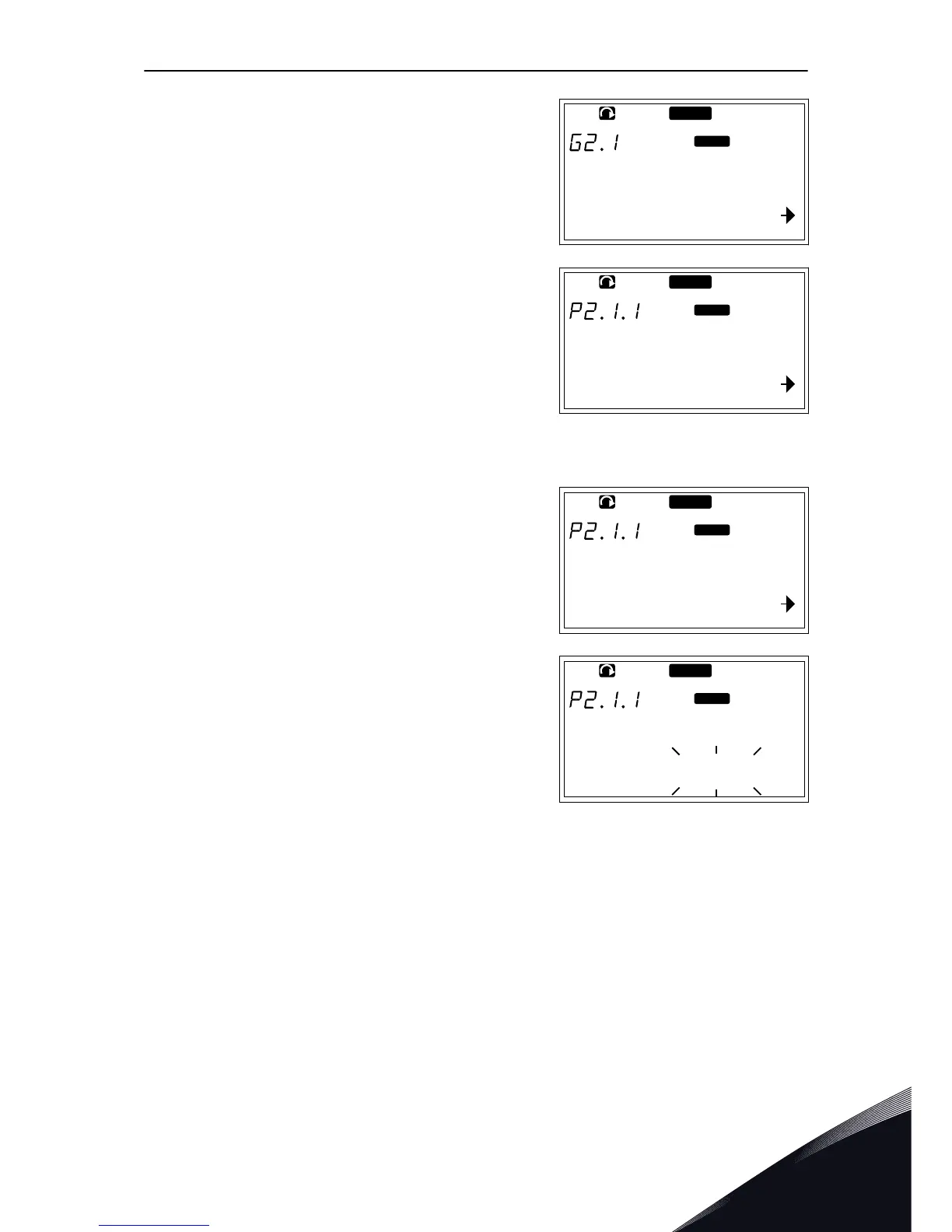
3 To find the parameter group, use the Browser
buttons Up and Down.
READY
Input signals
Keypad
P1
P18
4 Use the Browser buttons Up and Down to find the
parameter (P#) you want to edit. When you are in
the last parameter of a parameter group, push the
Browser button Up to move directly to the first
parameter of that group.
READY
Min Frequency
13.95 Hz
Keypad
EDITING THE TEXT VALUES
1 Find the parameter with the Browser and Menu
buttons.
READY
Min Frequency
13.95 Hz
Keypad
2 To go to the Edit mode, push the Menu button
Right. The parameter value starts to blink.
READY
Min Frequency
13.95 Hz
Keypad
3 Set the new value with the Browser buttons Up and
Down.
CONTROL PANEL VACON · 83
24-HOUR SUPPORT +358 (0)201 212 575 · EMAIL: VACON@VACON.COM
7


 To Next Page