Table 44: System menu functions
Code Function Min Max Unit Default Cust Description
I6.8.5.4
Info: Brake resis-
tor
S6.8.6 Expander boards
S6.8.7 Debug menu
For Application program-
ming only. Speak to the fac-
tory to get instructions.
7.9.1 CHANGING THE LANGUAGE
You can change the language of the control panel. The possible languages are different in all
language packages.
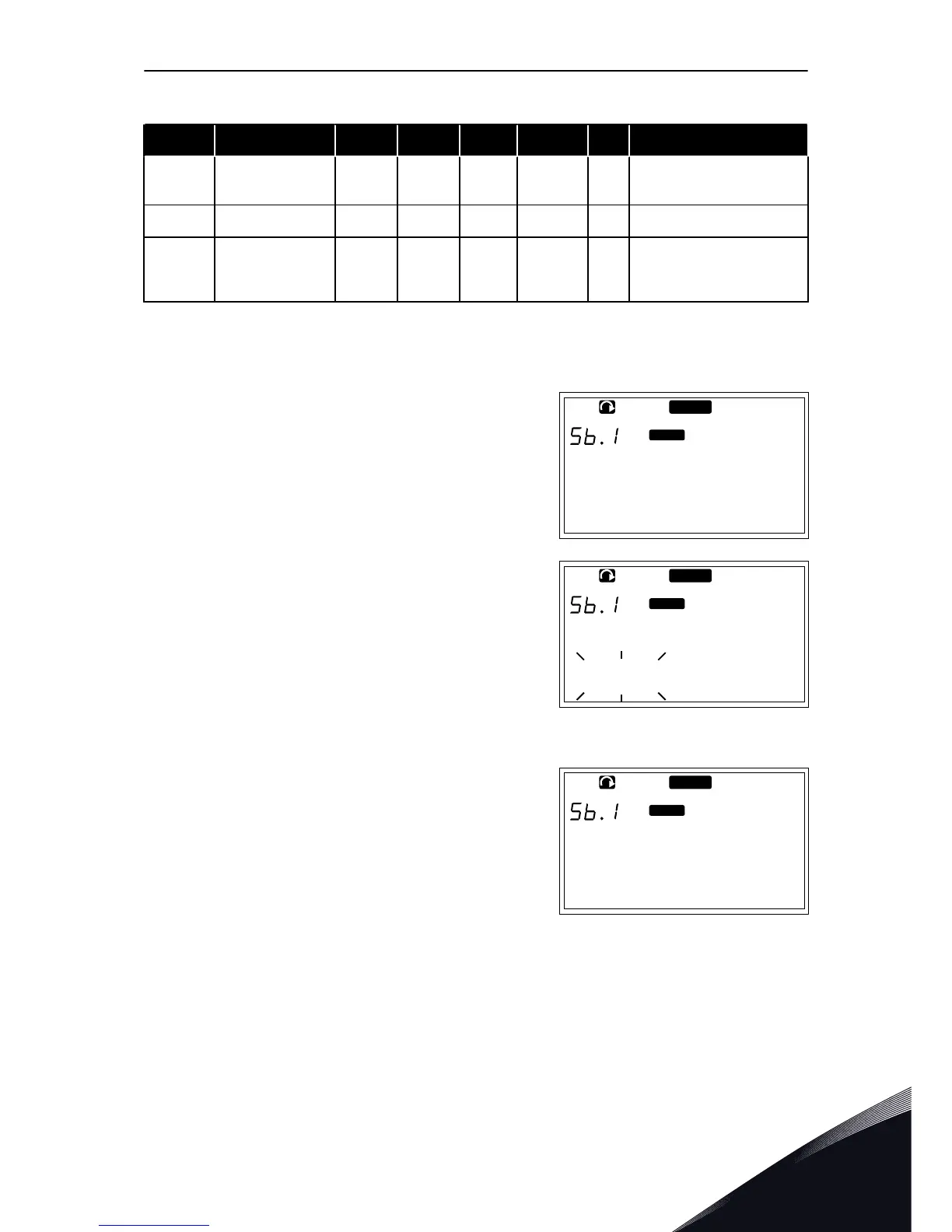
1 In the System menu (M6), find the Language
selection page (S6.1) with the Browser buttons.
READY
I/O term
Language
English
2 To go to the edit mode, push the Menu button Right.
The name of the language starts to blink.
READY
I/O term
Language
English
3 To select the language for the control panel texts,
use the Menu buttons Up and Down.
4 To accept the selection, push the Enter button. The
name of the languages stops to blink and all text
information on the control panel shows in the
language you selected.
READY
I/O term
Langue
Francais
7.9.2 CHANGING THE APPLICATION
In the Application selection page (S6.2), you can change the application. When you change the
application, all parameters are reset.
CONTROL PANEL VACON · 95
24-HOUR SUPPORT +358 (0)201 212 575 · EMAIL: VACON@VACON.COM
7


 To Next Page