Compa II series Loading media
07.15 Operating manual 29
5 Loading media
NOTICE!
For adjustments and simple installation work, use the
accompanying hexagonal wrench located in the bottom section
of the print unit.
No other tools are required for the work described here.
5.1 Loading label roll
NOTICE!
When printing small label material the right plunger is to be
positioned above the outer label edge.
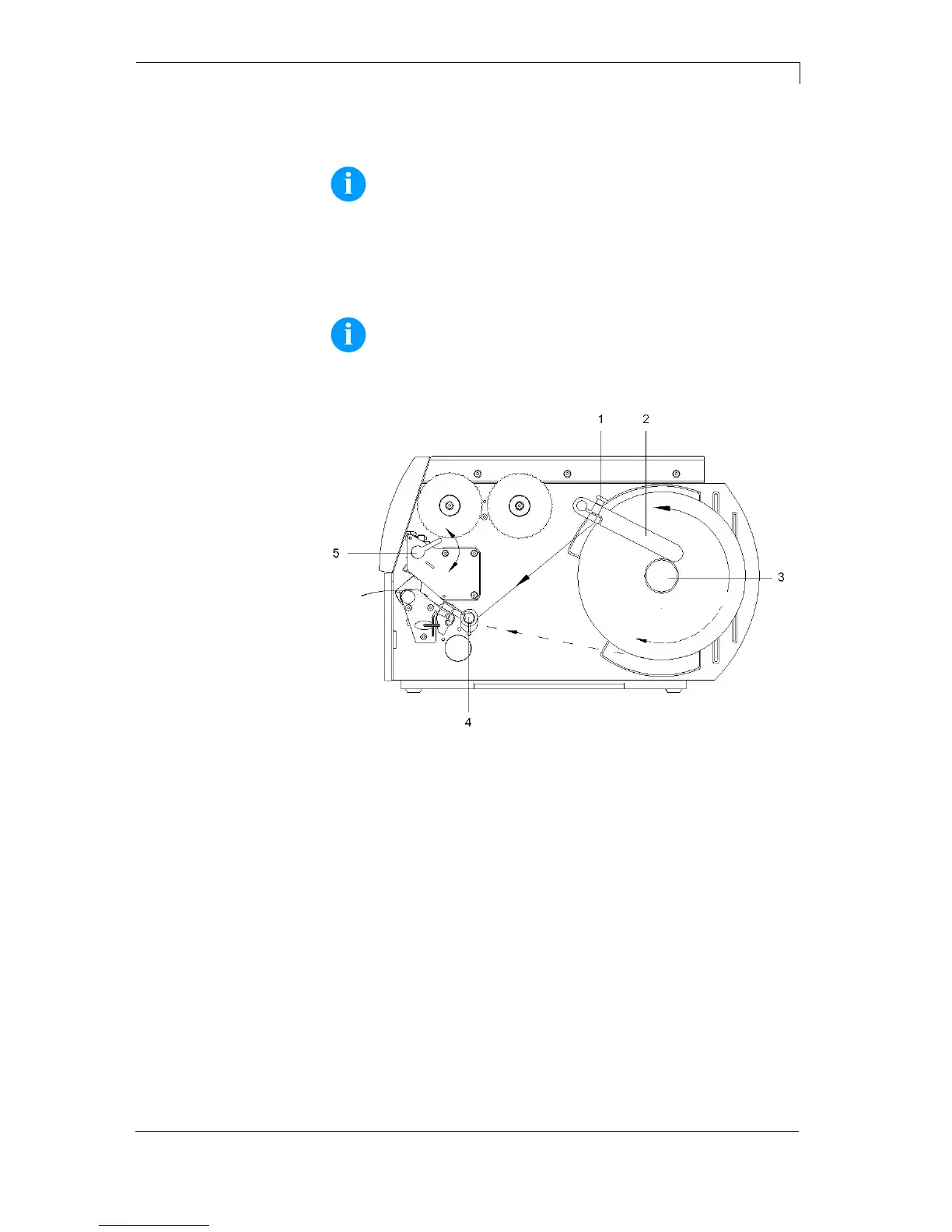
Figure 9
1. Loosen knurled screw (1), turn guiding (2) upwards and move it to
the outside as far as possible.
2. Insert label roll on the roll holder so you can see the side from
above which can be printed on.
3. Unwind a longer label strip:
For tear-off and cutter mode: approx. 40 cm
4. Move label roll as far as it will go to the housing wall.
5. Turn guiding (2) upwards to the roll holder (3) and push it towards
the label roll to decelerate it when unwinding.
6. Tighten knurled screw (1).
Loading label roll in
tear-off mode



 To Next Page