Compa II series Additional information
07.15 Operating manual 99
11 Additional information
11.1 Column printing
With this printer several columns can be printed, i.e. the information of
one column can be printed several times (depending on its width) on a
label. Caused by this the use of the complete print width is possible
and the generating time is enormously reduced.
For example 4 columns with a width of 25 mm or 2 columns with a
width of 50 mm can be printed onto a label with a width of 100 mm.
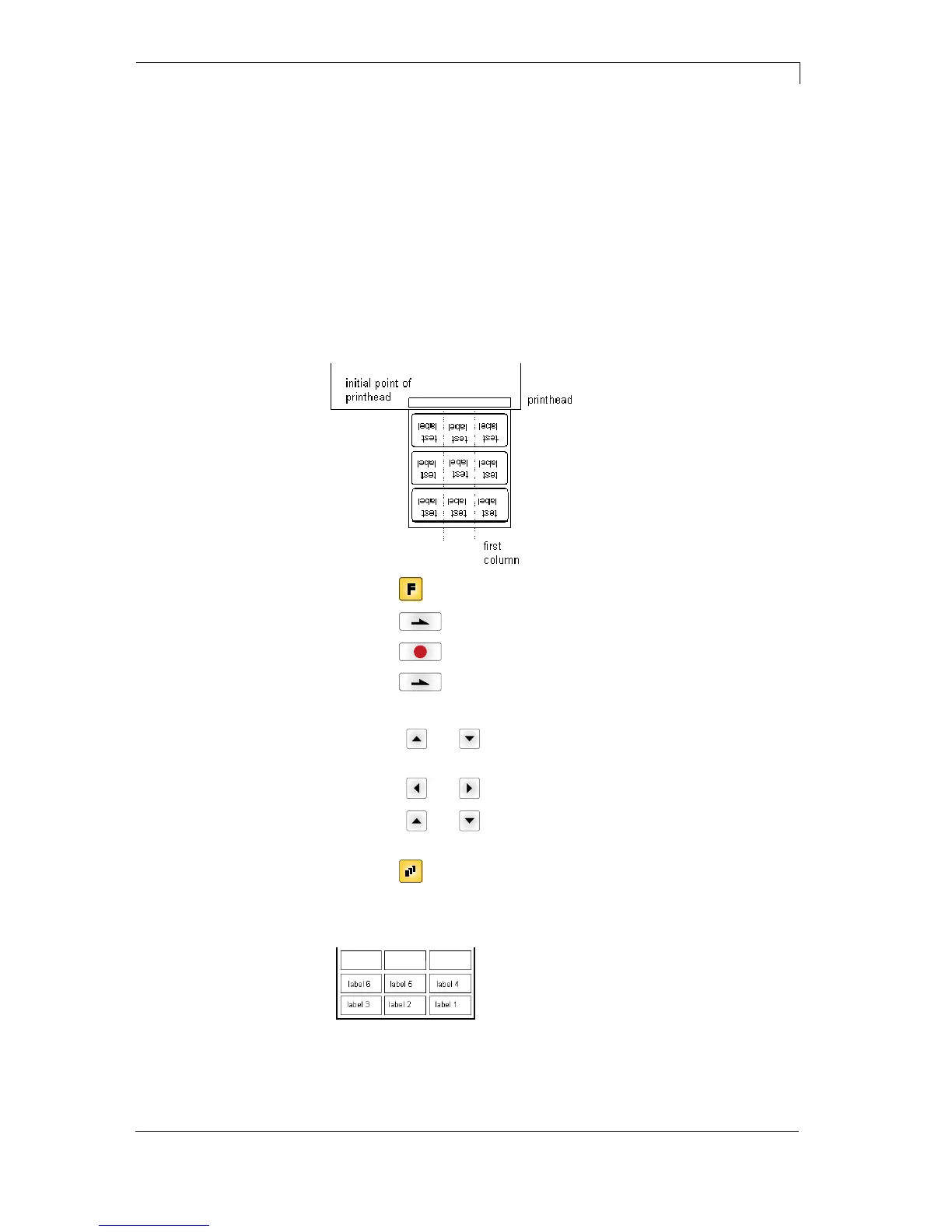
Please note that the first label is always the one with the largest x
coordinate, i.e. it has the largest distance to the printhead.
Press key
to access the function menu.
Press key
as long as you arrive the menu Label layout.
Press key
to confirm the selection.
Press key
as long as to the menu item Width/Columns.
Press keys
and to set the label width. The Width is the width of
one column, e.g. 20.0 mm.
Press keys
and to arrive the Column input field.
Press keys
and to change the number of columns, e.g. 4
columns with a label width of 20.0 mm.
Press key
to start the print with input of number of labels and
number of lines. The number of labels corresponds to the number of
labels that should be printed.
e.g. Columns: 3, Items: 4
The first four labels were printed but not label 5 and 6.
Setting the print of
several columns



 To Next Page