Compa II series Loading media
07.15 Operating manual 39
5.6 Removing and/or installing rewind guide plate
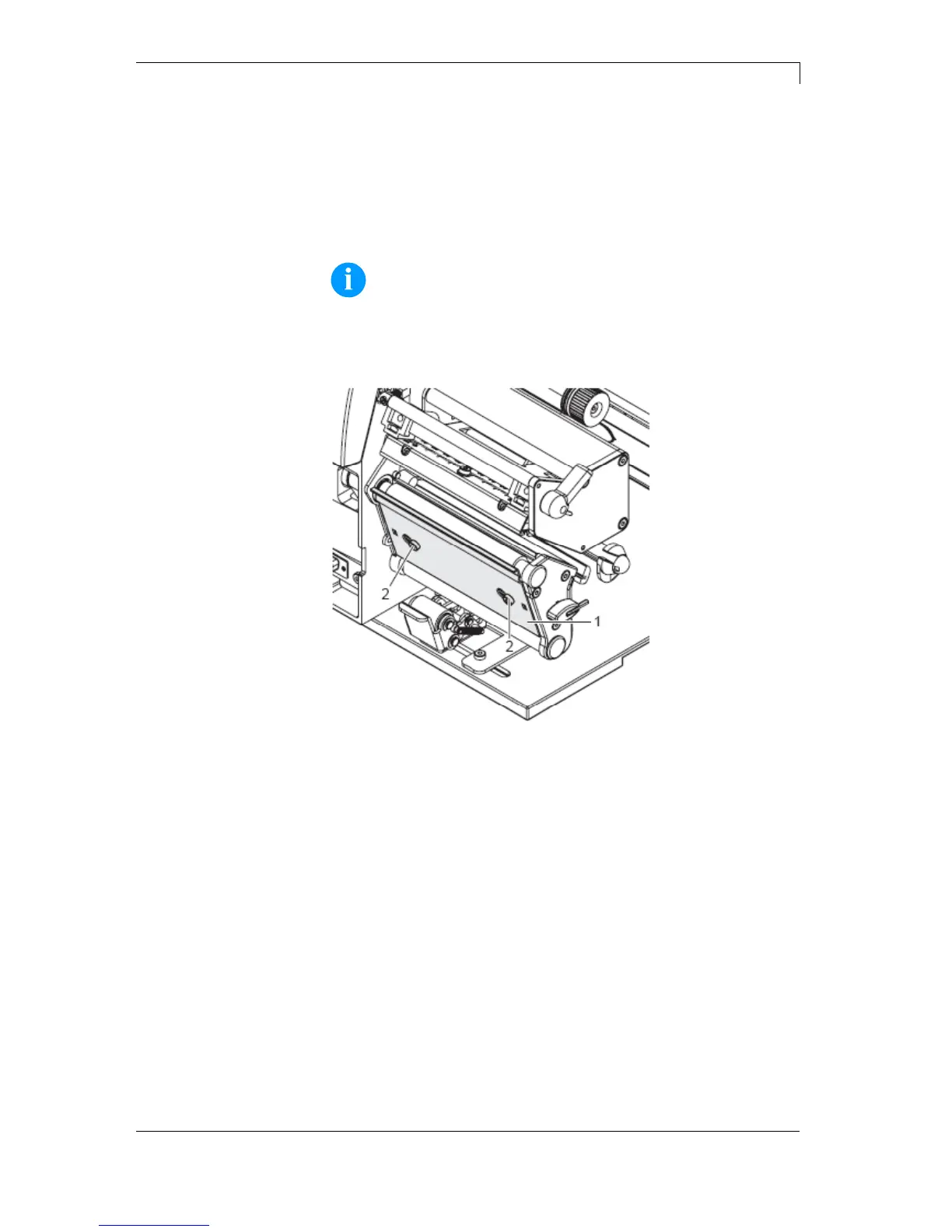
Removing and/or installing rewind guide plate, dispenser
edge or tear-off edge
To convert the printer for use in another operating mode, a rewind
guide plate, a peel off plate or a tear-off plate may need to be
installed.
NOTICE!
For printer versions with a locking system on the rewind roller,
the locking system on the rewind roller must be removed for
operation in rewind mode before installation of the rewind
guide plate.
Figure 19
1. Loosen screws (2) several turns.
2. Slide plate (1) to the right and remove it.
1. Place plate (1) onto the screws (2) and slide to the left completely.
2. Tighten screws (2).
Removing plate
Installing plate



 To Next Page